

Before polished copy exists, Figma teams can use a web application to produce fake text for wireframes, evaluating spacing, balance, and component behavior before brand messaging is ready for early product design reviews across screens.
Samples need not resemble the finished article: select short blocks for button and card checks, then test content length changes to reveal overflow, inconsistent rhythm, or cramped previews before anyone mistakes filler for approved copy.
Table of Contents
What Is a Random Text Generator?
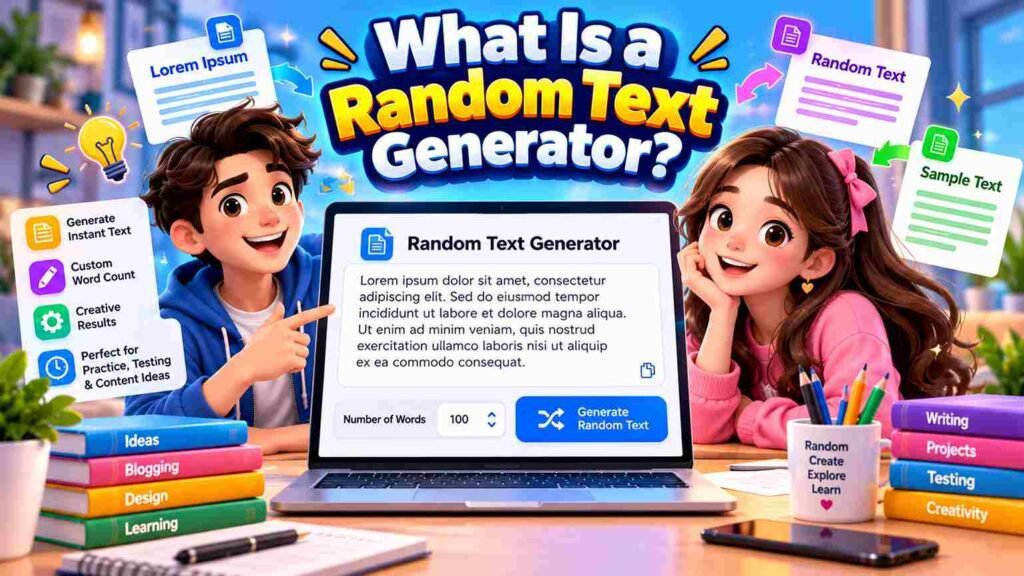
A random text generator is a browser-based tool that creates words or sentences instantly, giving designers temporary material when real copy is unavailable. It helps test designs and mockups before any polished content is prepared.
Unlike Lorem Ipsum, this output can resemble ordinary language, making spacing, line breaks, and text density easier to judge. Treat it as temporary filler, not polished copy for publication. It should not replace reviewed content.
What Is Lorem Ipsum / Why Not Use Lorem Ipsum?
Lorem Ipsum remains familiar to designers because its meaningless text fills mockups quickly, letting teams judge spacing, hierarchy, and rhythm before real copy exists. Yet familiar Latin can disguise problems in readable interfaces and labels.
Random text can offer normal readable copy, varied sentences, and paragraphs that expose awkward wrapping or card height sooner. Choose it when layout realism matters; retain Lorem Ipsum when a predictable placeholder suits the test.
How It Works / How To Generate Random Text
A random text generator creates generated text when you choose a Mode, select Words or Characters, and set the Number of paragraphs or Sentences per paragraph. Press Generate to inspect result before you copy it.
For repeatable tests, enter a seed when the tool supports deterministic output; otherwise, use Regenerate to create another version. Review the output, check word count and stats tiles, then Copy text into a draft locally.
Use Cases / Where Random Text Is Useful
Random text is useful when layout testing needs realistic variation without finished copy. Designers can inspect spacing, typography, visual hierarchy, and preview states across cards, forms, dashboards, and responsive screens before final wording is ready.
Educators can prepare presentations, developers can run component testing and inspect HTML output, while writers use writing prompts for warm-ups. Keep generated samples off the live page; replace temporary placeholder text before publishing to readers.
Is It Free / Privacy
The Random Text Generator is free, with 100% access and no usage limits; create samples for mockups, previews, and layout checks without payment or account registration before publishing final content across different project types safely.
Privacy-conscious data handling matters: generated text stays in your browser; JavaScript works locally, so no data sent reaches a server or is uploaded or connected to accounts; review limits and privacy practices before online use.
Also Read:Halloween Font Generator – Copy & Paste Scary Text
Use This Random Text Generator For Realistic Layout Pressure
Use realistic text volume to test UI fields, feature grids, and modal bodies before real copy arrives. This layout tool helps expose cramped spacing, awkward wrapping, and weak alignment across changing screen sizes consistently.
Set several content lengths and compare preview modes, comparison layouts, and long blocks on mobile and desktop. In practice, maximum text pressure reveals overflow earlier than polished final content alone usually can during routine checks.
Get Better Results From The Random Text Generator
For stronger results, treat content pressure as a design requirement: generate enough words to expose spacing issues, test each component, and compare previews before approving landing-page sections or product modules in client demos with teams.
Use random text strategically, not as final copy: vary the amount, switch Text language when needed, and inspect UI states, exact length, and clipboard behavior across prototypes before sharing samples with teams during design reviews.
Worked Examples
During interface testing, I generate placeholder content for components, forms, and cards. The browser displays varied text block lengths, revealing layout problems before real content reaches production or publication in an early sample checkout page.
For reproducible reviews, I set a deterministic seed, choose multiple paragraphs, then use Copy to share the result. Repeating the same seed helps teams compare demos, believable text volume, and variant spacing for review today.
Output Statistics
Output statistics help verify the generated sample at a glance: check count 5, character count 28, and single spaces to see whether the result matches the selected size and formatting expectations before copying it elsewhere.
Useful summaries can report three random sentences, ten names, and the selected format; terminators and spacing checks reveal whether each sample is readable, consistent, and suitable for interface testing and documentation in routine team workflows.
Modes And Options
Choose Word mode for readable filler, or set limits for characters when testing compact fields. Different templates change sentence rhythm, while UPPER and lowercase settings help reveal casing issues before interface reviews and layout checks.
Use plain text for quick copying, then adjust the language selector when testing multilingual layouts. The mode should match the task: random words suit prose samples, while per-mode limits keep generated output manageable across screens.
Generate Random Text (Tool Options)
Useful quick presets should shape the output before a user presses Generate: choose 5, 10, 25, 50, or 100 items, then switch between single tokens and longer passages to fit the task without extra editing.
For structured samples, set letter case to lower, Title, or UPPER; combine first + surname entries with prompts, journals, or fiction samples, and use Clear to reset choices before another test begins for later comparison.
Language Options
Choose English, Español, Português, or Sinhala and Tamil when checking localized layouts; a Sri Lankan switch can exercise regional choices, while transliterated samples in Latin script help test mixed-script interfaces before publication in product previews.
Compare Dutch, Serbian, Chinese, Greek, Japanese, Hebrew, French, German, Spanish, Finnish, Italian, and Russian settings with the same input, then use Generate text to inspect line breaks, character fallback, and consistency across devices and browsers.
Sources & References
Reliable references clarify whether generated samples come from a curated common-English corpus, public domain texts, or Project Gutenberg collections; documenting provenance helps users distinguish reusable vocabulary from copied passages and assess suitability for prototypes safely.
For linguistic coverage, compare the General Service List with declared language options; list editions, access dates, and licensing notes, while explaining that algorithmic shuffling creates samples rather than verified quotations or citations without overclaiming accuracy.
Also Read: Fancy Text GeneratorRandom Text Vs. Lorem Ipsum
Random generators can vary sentence structure, names, and length, while classic placeholder text repeats familiar Latin passages. That difference matters when checking realistic content density, especially across changing screens and responsive layouts during early reviews.
Although same sample text gives designers a steady baseline, Lorem Ipsum can hide problems with language-specific spacing; varied layout space reveals awkward wraps, uneven cards, and interfaces that feel crowded before actual copy arrives later.
Fake Text Vs. Dummy Text
Fake text is useful when you need visually coherent filler text to test how copy occupies a page, but it should not impersonate approved content. Labeling it protects reviewers from mistaking placeholders for finished material.
By contrast, dummy text may be intentionally repetitive, making it suitable for rough previews but weaker for judging tone, reading rhythm, or translation. Replace it before publishing a live page publicly for final client approval.
Conclusion
A random text generator earns its place by making uncertainty manageable: use its output to judge layout decisions, expose awkward spacing, and check whether interface patterns remain readable before real copy arrives during early reviews.
Keep results temporary, but make them repeatable when needed: snapshot tests and reproducible bug reports benefit from consistent inputs, while copy-ready output should never replace reviewed, accurate content on a live page or published campaign.
What Is A Random Text Generator? / What Does It Do?
A Random Text Generator creates placeholder text through a computer algorithm, giving developers copy for web designs, documents, and unique designs. Random shuffles across many languages help teams test page layouts efficiently before content arrives.
Is It Good For UI / Mockups / Component Testing?
UI mockups need believable content, not prose. A random text generator fills layouts, editor states, and fields with character limits, helping teams evaluate testing scenarios for spacing, overflow, and empty-to-populated transitions across screens before release.
Does Anything Leave My Browser?
Because the generator runs in your browser, text can remain local; however, verify network calls and local storage in the actual implementation before promising text never stored or complete privacy across every supported browser configuration.
Can I Choose Words, Characters, Or Other Languages?
Select English, Spanish, French, or Japanese when your generator supports language choices; otherwise, enter custom words or characters carefully. Test unfamiliar scripts, because available alphabets and rendered symbols depend on the tool and device compatibility.
How Long Can The Text Be?
Choose a short sample for buttons or a longer block for layout checks; use 5–18 words each when that option exists, then inspect paragraph breaks, spacing, and overflow before copying into your chosen design safely.



Pingback: Upside Down Text Generator – Flip & Copy Text