
Stylish PUBG names do not require changing game files: a browser tool can compare plain names and decorative options side by side, without relying on APK mods or altering game assets before saving a name.
Good styling is not simply louder decoration; it should keep a name legible in match screens and suit the player’s identity, rather than imitate elaborate game artwork or reduce clarity during a fast match session.
Table of Contents
What Is The PUBG Font Generator ?
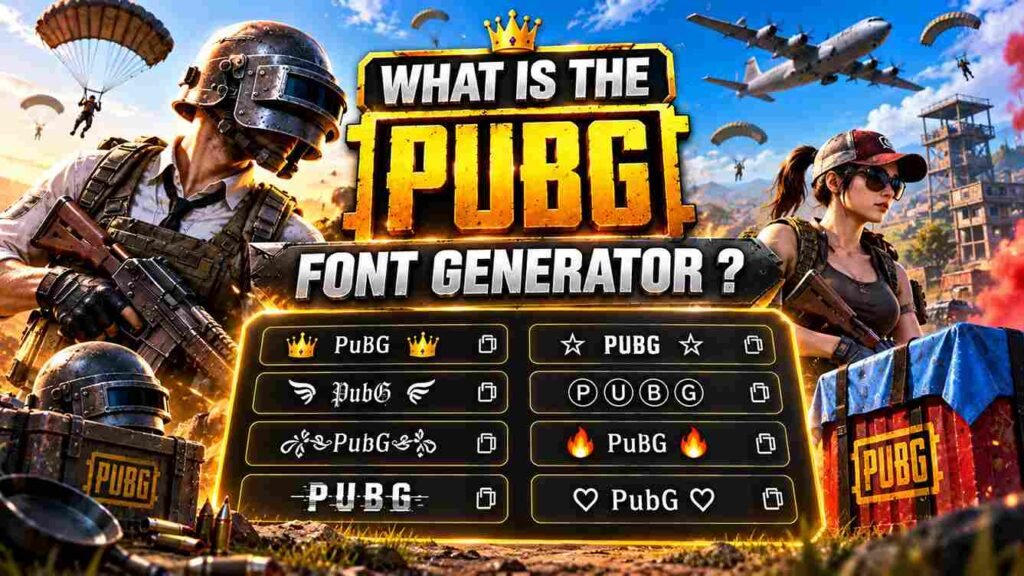
A PUBG font generator transforms a plain name field entry into styled text with Unicode characters, special symbols, and alternative letterforms, helping PUBG Mobile players personalize usernames without installing a separate font file or software.
These designs are character substitutions, not installed typefaces: generators offer bold variants, gothic variants, small caps, and 200 style sets that you can copy and paste directly into profiles, chat, or gaming identities wherever accepted.
How PUBG Fonts Work
PUBG fonts work through Unicode styles, not separate font files. A generator converts typed text into already styled characters that players copy and paste into player names, a nickname, or gaming profiles on compatible devices.
The result depends on platform filters, device fonts, and each game’s character limit. A preview can reveal whether bold letters, gothic, script, or small caps display cleanly before saving a PUBG Mobile or BGMI name.
What Font Does PUBG Use In Its Logo And Interface?
The logo is official artwork, not text produced by installed fonts or an online generator. For BATTLEGROUNDS branding, KRAFTON lists PUBG Battlegrounds Regular, with a textured alternative, as its primary brand face across official materials.
PUBG MOBILE’s brand guide specifies Refrigerator Deluxe for headlines and subheaders, Roboto Condensed for body copy, and Noto Sans as an alternative; the UI may differ by version, regional language, device model, and screen size.
How To Use The PUBG Font Generator
Enter your preferred nickname, then preview styles before selecting a result. The generator uses Unicode standard characters, so check character support on your device and confirm each letter remains readable in PUBG before saving it.
When the preview looks right, copy the chosen name and paste it into PUBG’s rename field. Inspect the full string, check punctuation and spacing, then save only after the game displays it correctly on screen.
Why Use PUBG Fonts / Benefits
In my testing, 120+ font styles make comparisons easier, while regular updates refresh the selection. You can save favorite fonts to compare options before choosing your PUBG profile identity without restarting the search each time.
Beyond names, copy-paste ready styling can support profile descriptions and design work, but decoration is only useful when teammates can still recognize the core letters at a glance across familiar screens and devices during matches.
Features
Useful features let players compare bold, italic, monospace, and glitch styles before choosing a name. A clear preview helps keep the core identity readable, while restrained symbols add personality without overwhelming teammates during fast matches.
Copy-ready Unicode text supports stylish fonts for profiles, clan names, and gaming usernames; practical testing across a lobby, leaderboard, and small mobile UI reveals missing glyphs before a final name is saved in-game with confidence.
Where To Use PUBG Fonts / Best Uses / Where Styled Names Appear
A styled PUBG name matters beyond the lobby: bios, clan tags, and BGMI nicknames help players express identity, while Discord names keep a recognizable gaming persona across communities, streams, and shared screenshots and match discussions.
During active matches, in-game messages, kill feeds, and leaderboards can make a name easier to notice; for organized groups, a consistent gaming identity strengthens recognition without relying on elaborate symbols during tournaments and team events.
PUBG Font Styles
PUBG Unicode character combinations, not installed typefaces; they give a nickname a different style through swapping letters, adding decorative marks, or choosing stylish text styles that remain easy to copy and paste.
Choose fancy or cool name styles for a unique look, but check game versions and platform filters; unsupported symbols may vanish, so test the complete nickname carefully on your device in-game before saving your IGN.
Tips And Testing Before Saving A Name
Before committing, test the complete nickname in a notes app, then compare its appearance across devices. Paste it into in-game chat and ask a friend whether every symbol remains readable on their screen during play.
One preview is never a guarantee; inspect obvious failures such as missing marks, empty boxes, or clipped brackets. Repeat checks across separate systems, because a nickname may render correctly on one screen and fail elsewhere.
PUBG Fonts Vs Other Options
Unlike an installed interface font, a PUBG generator creates styled Unicode text through a copy-paste method; it needs no font installation. That makes nickname styling quick, although the result does not redesign menus or gameplay.
A plain nickname prioritizes legibility, while a styled name adds visual character; the best compromise is clean Unicode with restrained accents. Check the saved result, since unsupported glyphs can become empty boxes on some devices.
Which PUBG Fonts Actually Work – What We Tested
Our check starts with a test complete string rather than an isolated sample. Paste it into the rename field, compare the result with a readable fallback, and look beyond the generator preview before paying anything.
We inspect each styled character on handset and desktop emulation, since a device may behave differently from setup. If glyphs vanish or spacing changes after saving, choose a simpler design before the final in-game save.
Also Read: Gaming Fonts Generator – Copy & Paste Gamer Fonts
Read This Before You Take The Table As Gospel
Treat this table as a practical snapshot, not a promise: test each style one at a time on a live PUBG Mobile account, because fonts and symbols may behave differently after saving your final nickname.
In testing, mixed-script styles, superscript, ornamental symbols, and emoji sometimes pasted correctly, while choices were partial or did not paste; a silent failure may show no error or no warning when a character silently dropped.
Why You See Fancy Names You Cannot Recreate
PUBG names often fail to reappear because a generator’s preview is only a starting point, not a rulebook; the clipboard, keyboard, and game’s input area may handle the same styled characters differently on mobile.
Because support varies by version, assume nothing: compare characters on one device, then check before you spend a rename item; missing glyphs, substitutions, or spacing can make a copied name unusable in the actual game.
PUBG Name Symbols – Copy Paste List
A symbols collection matters only when every mark survives the name field. Test each candidate on your profile before selecting a design, because stylish symbols can display as boxes or disappear when saved inside PUBG.
A small flourish often works better than a border around every letter: one or two accents keep a readable name visible, while a long decorative frame adds complexity without guaranteeing compatibility on every supported device.
Symbol Name Formats And What They Cost You
A symbol format can make an IGN recognizable, but brackets, a prefix, a separator, or a tail accent consume name space. Test the decorated username in-game; flair helps only when the core name remains readable.
Minimal accents such as 『』, ꧁꧂, 乂, or ツ may look distinctive, yet unsupported Unicode characters can disappear, become boxes, or push a name past 14 characters. Keep a plain backup before confirming changes in-game.
Also Read: Free Fire Fonts Generator
Combining Symbols With A Styled Name
Pair a single prefix with a name before adding a closing symbol. A full wrap, such as ꧁ name ꧂, looks dramatic; keep the entire result within 14 characters when styling any longer nickname carefully.
Test Ghost in a 5-letter name first, then compare 7 characters against 6 characters after styling; a bold frame may leave only 12 letters left or 13 letters left, depending on the format you select.
How To Change Your PUBG Mobile Name – Rename Card Guide
First, check your inventory for a Rename Card; your first card may come from progress rewards or events, while another may cost 180 UC in the Shop. Prepare your new name before spending it carefully.
Open your profile, tap the edit icon, select the card, enter your new username, and paste the styled version into the clear field. Review every character, then confirm; each card is consumed after one rename.
PUBG Clan Name Fonts And Character Limit
Start with the commonly reported 14-character ceiling when testing a PUBG clan name, because added symbols consume space quickly. Preview the result and verify acceptance in the clan field before saving your preferred design in-game.
Use a short Clan Name; don’t assume the Clan Motto shares its limit. The motto may allow 60 characters, but confirm the current in-game counter before finalizing symbols, spacing, and styling on your own screen.
Can You Download PUBG Fonts?
You cannot download PUBG name styles as not real font files; generators convert ordinary letters into Unicode characters you can copy and paste, without installing anything or changing game files on your phone or computer.
For graphics, design software and an installed font may help create logos or thumbnails, but they will not change PUBG’s interface; check license terms before using downloadable typefaces in public or commercial projects or streams.
PUBG Fonts For BGMI Players
BGMI players can test BGMI nicknames with decorative Unicode before editing the name field. Similar game mechanics do not guarantee every style displays correctly, so preview each choice on your device, then save when satisfied.
The shared controls may feel familiar, but copy-paste styling can behave differently across versions. Choose a readable nickname, check symbols in the preview, and confirm the finished display before spending a rename item in BGMI.
Are PUBG Fonts Free?
Yes, the PUBG Fonts Generator is free: type text, compare styles, and copy result in your browser; there is no sign up process and no account is needed for basic styling on your device today.
With no app download, you can experiment freely before deciding whether to apply the result in PUBG; the generator changes displayed characters, not your account, game files, or paid inventory, and cannot grant rename privileges.
Conclusion
A PUBG Font Generator helps shape stylish names, but appearance matters less than readability. Choose Unicode text carefully, keep your readable core name clear, and check the result in-game before saving changes on your device.
Use a simpler style with restrained symbols, since unsupported characters may disappear across platforms. A copy-paste preview is helpful, yet the final game name should follow game rules and fit limits on your own account.
Can I Use These Fonts For My PUBG Name / Username?
You can try stylish Unicode characters for a PUBG username, but compatibility depends on the game field. Preview the decorative text carefully; unsupported symbols may disappear, so keep a plain backup ready before saving it.
Do These Fonts Work On All Platforms And Devices (iOS, Android, PC, Mobile)?
Cross-platform compatibility varies: Android and iOS phones may display a nickname differently from Windows, Mac, or Linux desktops. The game, keyboard, and browser also matter, so test your styled text before saving your name in-game.
Are These Real Font Files / What Are PUBG Fonts / How Do They Work?
PUBG styles are not installed as a file; an unofficial tool converts typed names into Unicode symbols. A browser displays symbols instead of loading a regular font, so players copy them into PUBG’s nickname field.
Do I Need To Download An App Or Special Keyboard?
You generally need nothing to install and no special keyboard: a generator turns your name into different Unicode characters that resemble fonts. Copy the result, then check whether PUBG accepts and displays those characters correctly.
Why Does My Name Show Fewer Characters, Boxes Or Missing Letters? / Will Every Font Work?
Not every style survives every device: unsupported Unicode can become boxes, missing letters, or shortened text. Check compatibility across operating systems, remove light accents, and test your result in-game before spending a Rename Card unnecessarily.