


Instant previews help users judge a style before copying, while quick downloads make the finished result easier to reuse in profiles, notes, or messages. A good tool provides immediate visual feedback without requiring technical setup.
The style works by replacing typed letters with special characters, not by installing a new font; no LaTeX knowledge is needed, yet appearance can vary between platforms, so preview output before using it publicly online.’
Table of Contents
What Is Double Struck Text Generator.
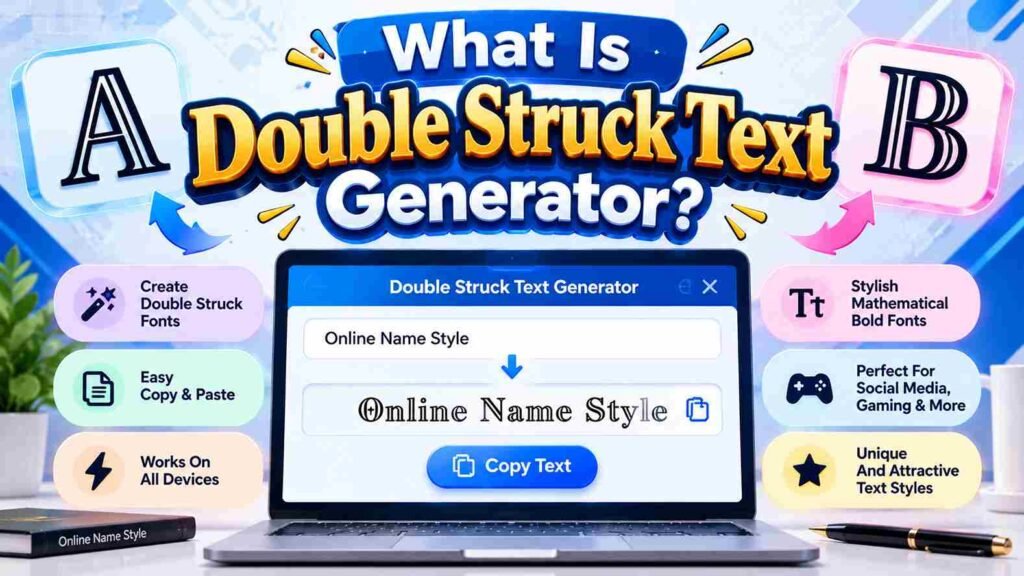
Double-struck text uses Unicode characters with a double-lined appearance and a doubled main stroke. Blackboard bold identifies number sets such as ℕ, ℤ, ℚ, ℝ, and ℂ, especially in formal notation across disciplines today.
Historically, double strokes appeared in early classroom practice to distinguish set symbols. Today, Unicode encodes examples as text users can copy, though appearance depends on the typeface and platform displaying each character on supported devices.
Why Use A Double Struck Generator / Benefits
A mapping engine turns ordinary characters into a double-struck twin, giving headings, names, and short labels a distinctive outlined appearance without installing a separate font or redesigning the surrounding layout for everyday online use today.
For fast styling, an output box lets you judge the result before sharing; a clear button or reset supports quick revisions, and one tap keeps repeated edits from becoming tedious across usernames, captions, and profiles.
Key Components And Benefits
A free double struck generator balances fast styling with character mapping, offering selectable text rather than image-only decoration. Its large selection helps format mathematical expressions and math textbooks without costly font installs or software downloads.
For practical publishing, design tools and programming documentation benefit from a consistent look across mobile and desktop screens. Letters and digits stay copyable, while searchable text supports reuse in notes, profiles, and academic research papers.
How To Use The Double Struck Generator (Steps)
First, open the tool, then enter text in the input area. Try Hello World 123 as a sample; inspect its appearance and spacing before styling longer text for publishing across your intended apps with confidence.
Check the output, confirm mapping, and use the copy button. Then paste and test it in your target app; adjust length to keep spacing clear on mobile screens and across devices before sharing it publicly.
Also Read: Aesthetic Font Generator – Copy & Paste Stylish Text
Step-By-Step Process
Start by entering a name or formula in the input box, then type ordinary characters into the editor. The live output shows each character mapped to a double-struck Unicode symbol for quick copying and sharing.
Use Copy to transfer the result into Notion, Instagram, Discord, or Slack; check plain text first, because some apps replace unsupported symbols. For equations, compare ℕℤℚℝℂ and review them in Overleaf or math notes later.
Where To Use Double Struck Text (Use Cases)
Use double-struck text in academic profiles, GitHub READMEs, and scientific writing when mathematical labels need distinction. A math/science bio can feature one symbol, while architecture/design notes may highlight a concept without changing the surrounding explanation.
Outside formal work, try an Instagram bio, Discord study channel message, or quick social updates; the styled characters suit short labels better than full paragraphs. Check font coverage and keep short lines for easier scanning.
Outside Mathematics
Outside mathematics, design communities, Reddit threads, and Teams channels can use double-struck text for badges, section names, or product pages; reserve the style for brief accents, not long explanations or paragraphs readers scan quickly online.
For math servers, STEM communities, Discord study groups, and Twitter/X math threads, snippets such as Input: 𝕩 ∈ ℝ or Returns: ℤ can add context without overwhelming general readers in casual spaces too, even today.
Double Struck Alphabet, Symbols And Math Meanings (Copy-Ready)
A copy-ready set begins with uppercase and lowercase letters, then adds digits and mathematical set symbols. Examples include ℝ, ℤ, ℕ, ℚ, and ℂ, whose meanings stay specific in equations and notes for clear notation.
Copy a symbol only after checking its appearance: test target platform compatibility because Unicode characters may render differently across apps. For words, keep plain letters nearby, and reserve forms for labels, examples, or mathematical expressions.
Mapping Cheatsheet
Treat the symbol table as a lookup: map plain letters to 𝕒–𝕫, capitals through the 𝔸–ℤ alphabet, and digits through 𝟘–𝟡 where supported. Check entries because legacy symbols do not always follow a uniform pattern.
For abstract algebra, topology, and calculus, reserve mapped characters for labels that need them; a generic field or finite field notation can remain conventional when legibility or searchable text matters most in a finished document.
Examples To Copy And Paste
Try 𝕒 𝕓 𝕔 for a lowercase sample, 𝕟 𝕞 𝕜 for variables, or 𝕩 as a compact label; these copy-ready examples let you compare uppercase styling before choosing a display name or online profile title for social use.
Build number sets with ℝ, ℤ, ℕ, and ℚ, then copy ℂ or ℍ when complex or quaternion notation matters. If a legacy character appears incorrectly, first re-type the exact line before sharing it online.
Tips, Best Practices And Common Mistakes
Before sharing a profile, test the live preview on mobile friendly layouts and keep reliable mapping consistent; decorative letters can fail in legacy apps, so retain a plain fallback for important names and account details.
Use one character per letter where possible, check iOS and Android rendering, and avoid placing styled text in essential key UI labels; plain wording protects search indexing and improves accessibility when symbols display poorly consistently.
Using Blackboard Bold Without Confusing Anyone
Blackboard bold works best when readers understand its purpose. Use ℝ for real numbers or ℕ for natural numbers, while keeping surrounding explanations in normal text to preserve clarity across academic notes, usernames, and digital documents.
For everyday profiles, avoid excessive styling that hides meaning. Test headings and short phrases on phones and major apps, check accessibility, and maintain contrast. Clear labels help readers distinguish mathematical notation from decorative text without confusion.
Troubleshooting And Compatibility
If double-struck characters appear as boxes, compare the same phrase across browsers and apps. First, test on main apps before rewriting everything, then identify whether one device lacks the required glyph for that character set.
Retry with trusted tools when conversion output looks inconsistent; avoid unsafe sites, and preserve normal text beside decorative text so readers can understand the message if a platform cannot render symbols on their device reliably.
Seven Letters Come From A Different Place
Seven familiar capitals include ℂ, ℍ, ℕ, ℙ, ℚ, ℝ, and ℤ; legacy variants were encoded earlier, before the main mathematical alphabet gathered matching shapes together in Unicode standards during the early years of Unicode.
That history explains why a separate block may not contain every expected character; check the earlier block first, then compare output from another generator if a symbol has a slightly different weight on screen today.
Best Double Struck Tools And Methods
Good design tools let you compare output before you commit; however, the strongest method is to check readability where the text will appear, then use the paste button only after testing on the target platform.
A reliable Unicode editor can preserve special characters, but results still vary by app; save presets for repeated names, and test a consistent look across apps on desktop and mobile before publishing to avoid surprises.
Advanced Double Struck Techniques
Advanced conversion begins with Pure Unicode Mapping, not decorative styling alone: inspect mathematical characters, compare their rendering across devices, and preserve intended meaning when a platform substitutes unsupported glyphs before final publication to avoid confusion.
A Local Web App or PWA can retain a cache for repeated sessions; experienced power users should verify the install prompt, test fallback characters, and confirm results in the actual destination before sharing it publicly.
Also Read: Fancy Text GeneratorWhat It Costs To Paste: Character Length
A submission limit is not merely visual: the test exact line should include spaces, punctuation, and 0–9, because counters may treat each encoded symbol differently from what its width suggests on screen in real posts.
Before sharing, compare the counter’s reported total with the visible string: one character per letter is a useful starting assumption, but emoji, combined marks, and platform-specific encoding can still change the final count in practice.
Is It Free And Can I Use It Commercially?
Most double-struck generators offer instant access without payment, letting you create Unicode styles directly in a browser. Still, no-cost access does not automatically settle commercial rights; check each service’s published terms before publishing client work.
For business projects, treat the output as copy-and-paste text, not a blanket permission grant: verify the generator’s terms, platform rules, and any separate artwork, logo, or brand restrictions before selling finished designs to paying customers.
Academic Papers, Instagram And Everywhere Between
In academic papers, I reserve double-struck characters for mathematical meanings, then switch to plain wording when a sentence needs to remain searchable. A generator makes symbols copyable beyond LaTeX during math mode and compilation reliably.
On Instagram, styled symbols can distinguish bios, captions, or display names, but rendering varies across devices. I test key lines first and keep ordinary text nearby for clarity across social media platforms before publishing anything.
Hollow Letters: Which Style Do You Actually Want?
Hollow lettering is not one fixed look: choose outlined letters for a clear border, or compare hollow letterforms when the interior stays open. Check lowercase forms, numbers, and symbols at your size before copying them.
For a quieter profile, prefer airy spacing and visual structure; use decorative excess sparingly. Preview each result at small sizes, because hollow letterforms can blur or render unevenly across different screens today, especially on phones.
Also Read: Preppy Fonts Generator Blackboard Bold Is Not The Same As Double Strike
Blackboard bold describes a mathematical lettering convention, not simply text made heavier by applying a second stroke. During chalkboard practice, lecturers often formed distinctive capitals manually, balancing writing speed with legibility in busy lecture rooms.
By contrast, a generator can create a consistent typeset version instantly. The phrase doubled a stroke describes a drawing action, while bold hard to write by hand describes effort rather than typographic identity in practice.
Related And Neighboring Styles
Neighboring designs serve different purposes: gothic fraktur brings historical drama, while ornate capitals emphasize a decorative, old-world voice. Double-struck characters are more restrained, pairing a distinctive outline with a familiar, readable letter structure in use.
Compare Bubble lettering or cursive letterforms when a profile needs softness; Outline styles create a different hollow effect. Choose by readability and context, not by assuming neighboring styles mean the same thing on every platform.
Conclusion
A useful double-struck generator is less about decoration than precision: its Unicode characters can distinguish number sets in mathematics, yet they also give a profile or heading a recognizable math-style accent for cross-platform online use.
Before you copy and paste, test the result in its destination; some apps replace special characters, so clear labels and ordinary wording protect accessibility and preserve a plain text explanation across devices and contexts consistently.
What Is A Double Struck Text Generator / What Does Double Struck Mean?
A double-struck text generator converts ordinary letters into selectable Unicode characters with doubled vertical strokes, often used for number systems such as ℝ real numbers or ℂ complex numbers across compatible digital platforms and notes.
Is Double Struck The Same As Blackboard Bold?
Although double struck and Blackboard Bold can look similar, they are not one letter apart in meaning: Blackboard Bold names a mathematical style, while strikethrough marks ordinary letters to cross out or show deleted text.
Where Can I Use / Paste Double Struck Text? Will It Work On All Platforms?
Paste double-struck text into social bios, usernames, chat, GitHub READMEs, or Instagram bios; it often works where platforms support Unicode. However, email clients and older apps may replace characters with boxes, so test every destination.
Is Double Struck Text Free?
The tool is usually free because it changes text into Unicode characters in your browser, rather than supplying a downloadable font file. There is nothing installed; check site terms before commercial use, especially for bundled services.
Can I Use Digits, Lowercase Letters, Symbols And Set Symbols (ℝ, ℤ, ℕ)?
Yes, the generator can style digits, lowercase letters, and supported symbols, but coverage varies. Set symbols ℝ, ℤ, and ℕ retain mathematical meaning; rendering depends on Unicode support and the font installed on each device.



Pingback: Random Text Generator – Create Random Text Online
Pingback: Comic Font Generator – Copy & Paste Comic Text