
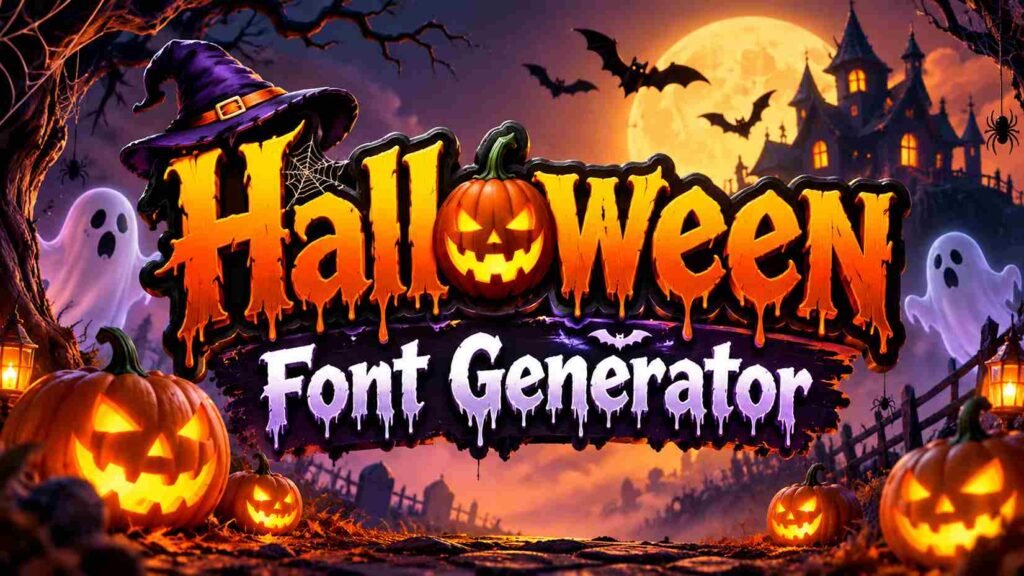

Turn any text into spooky, gothic and creepy fonts. Copy and paste anywhere.
Tip: tap any result to copy it instantly. These are Unicode characters, so they work on Instagram, TikTok, Discord, X and more.
How to use this tool
- Type your text, or pick a quick phrase to try it out.
- Choose a category tab, or stay on All to see every Halloween style.
- Add pumpkins, bats, ghosts or other decorations and pick where they go.
- Raise the creepiness slider for heavier glitch and dripping effects, then re-roll for a new look.
- Tap Copy (or the text itself), then paste it into your bio, caption, username or chat.
- Star your favorites to keep them in the Favorites tab on this device.
Choosing creepy fonts is less about making every letter frightening than giving a design the right atmosphere. A useful Halloween font generator offers contrast, from playful invitations to macabre headings, without sacrificing legibility on screens.
Treat a curated list as a starting point: compare nostalgic nuance with splatter aesthetic, test short titles at real sizes, and let the chosen lettering support the scene instead of overwhelming its message or audience.
Table of Contents
Best Halloween Fonts Generator

For a classic haunted look, Karloff brings ghostly headers and sinister logos, while Fright Night suits retro horror posters with its geometric design. Choose lettering by mood, readability, and where the design will appear often.
For playful projects, Spook Show offers a wiggly outline, whereas Swamp Witch adds murky waters and a soggy texture. Pair either with restrained colors, then test sample words before printing invitations, banners, or digital graphics.
Another Danger
Another Danger works best when its lettering sets a clear mood without overwhelming the design. Try the free option for quick Halloween artwork, then compare premium alternatives for a creepy atmosphere suited to your project.
Check whether the license covers logos or titles before publishing; bold strokes can draw attention, but test every letter at thumbnail size and confirm commercial permissions before using the design on paid work or merchandise.
Batsand
Batsand brings rough, energetic lettering to Halloween graphics, especially short titles, party banners, and artwork featuring bats. Its brush-like movement feels handmade, giving simple layouts a mischievous edge without extra decorative clutter for seasonal campaigns.
For a practical workflow, test sample wording at several sizes before exporting; Batsand is listed as free for personal projects, while commercial work needs the designer’s appropriate license, so check terms before publishing branded assets.
Black Beast
Black Beast brings a creepy font presence to Halloween artwork, pairing wild inks with an edgy ambience that feels unruly without sacrificing readability. Its dense letterforms suit dramatic titles, thumbnails, and themed graphics for events.
Use Black Beast sparingly across horror movie posters or product packaging, where its aggressive silhouette can lead the hierarchy. Pair it with plain supporting text, test legibility at small sizes, and reserve it for headlines.
Also Read: Gothic Text Generator – Copy & Paste Gothic Fonts
Chemical Machines
Chemical Machines brings a retro horror attitude to Halloween aesthetics, using rough lettering that suits scary titles. Test the creepy style in monochrome on a plain background before adding gradient effects or supporting artwork later.
Weigh the free and premium options carefully: the demo helps test a headline, while commercial work needs a suitable license. Use instant previews, then save or download the finished creation after checking contrast at scale.
Dreadful
A Dreadful treatment pairs creepy surrealism with a chilling typeface, creating a tense focal point for invitations, title cards, and horror themed project layouts without making essential wording difficult to read at smaller sizes too.
On posters, monochromatic designs keep shadows legible, while modern gradient text effects add selective drama. Use spooky designs sparingly, treating Halloween-themed branding as a deliberate visual system instead of decoration across posters and screens alike.
Dusk Demon
Dusk Demon brings an edge to Halloween fonts, pairing creepy lettering with dripping details for concert posters, pumpkin signs, and social media graphics. Test its text effect against orange on black before choosing your design.
For avatars or party flyers, enter a short word in the input box, compare previews, then adjust color and size. Copy and paste the result where supported; verify readability across devices on profiles before publishing.
Face Your Fears
Face Your Fears turns ordinary lettering into a warning sign: Dusk Demon gives short names a theatrical edge, making cinematic titles feel sharper without forcing every seasonal design into predictable blood-red clichés or fake gore.
For small labels or product mockups, test event promotions beside chilling posters and apparel branding; this style works best when spacing stays readable, the message stays brief, and decorative drama never hides important details on-screen.
Fright Night
Fright Night turns ordinary titles into spooky designs, pairing bold letterforms with creepy artwork for themed promotions. Its premium finish suits creators seeking a sharper seasonal identity without installing additional typefaces beforehand for a campaign.
Use Halloween-themed fonts when ordinary lettering feels predictable; test the style on posters, social captions, and Halloween cards before choosing size, contrast, spacing, and placement for a seasonal campaign on many devices before launch day.
Karloff
Karloff’s premium look suits vintage horror font styling, where sharp contrast and restrained ornament build suspense without clutter. Use it for a title card, poster heading, or eerie seasonal brand mark with a memorable silhouette.
For best results, pair Halloween projects with simple supporting text, test punctuation and diacritics before exporting, and reserve the most distorted lettering for brief labels; longer passages need space, contrast, and comfortable readability across screens.
Silent Creek
Silent Creek brings misty nights into focus through restrained lettering, where eerie curves suggest movement without clutter. Its haunted lettering suits Halloween invites, especially when generous spacing lets each character feel quietly unsettling on screen.
For spooky posters, moody branding, and October thumbnails, pair the style with clear supporting text. Avoid overcrowding: this premium option works best when ghostly graphics and a subtle palette preserve readability across small digital layouts.
Slasher Flick
Slasher Flick (Premium) suits title cards that need immediate tension: cinematic terror comes from sharp letterforms, uneven spacing, and a blade motif, helping spooky thumbnails feel urgent without overwhelming the scene or hiding essential details.
For posters inspired by classic horror films, test the lettering at thumbnail size before adding drips or distressed texture; a strong silhouette should remain readable across streaming previews, event flyers, and mobile screens at night.
The Sonnyfive
For premium Halloween projects, combine chaos-infused artistry with crooked serifs and dripping styles to give titles playful menace. The Sonnyfive suits nostalgic horror posters, party invites, and digital art when a darker identity matters most.
Its strongest use is selective: place film titles or greeting cards beside Halloween themes, then test Unicode characters with well-crafted lettering across mobile screens before checking image links for clean, readable contrast online at night.
Spook Show
Spook Show blends horror lettering with a Halloween edge, giving posters and social posts a focal point. Instead of repeating familiar clichés, its expressive shapes help graphic designers build memorable captivating artworks for seasonal campaigns.
Use it for flyers, banners, and event headlines, then test the lettering at small sizes before exporting. Pairing bold contrast with readable supporting text keeps the mood eerie without sacrificing clarity across devices and platforms.
Stranger Back In The Night
Stranger Back In The Night suits cold anxious atmospheres, giving profile names and online game graphics a shadowy edge. Its eerie niche works best when surrounding colors stay restrained and readable across small screens too.
For posters, usernames, or seasonal banners, pair the style with Halloween assets and subtle contrast rather than busy effects. This keeps playful branding recognizable while preserving a midnight haunt mood without sacrificing legibility on mobile.
Also Read: Horror FontsSpeltale
Speltale suits creators seeking an authentic Halloween aesthetic without sacrificing readability. This Halloween font generator style gives posters a festive edge, while its letter shapes stay clear, keeping the mood playful, not frightening or childish.
For profile names and spooky cards, preview the lettering beside your usual text before exporting. A touch of pumpkin spice color can support the theme, but legibility should guide every final design choice on screen.
Swamp Witch
Swamp Witch (Free) adds occult character without sacrificing readability. Its muddy, tangled mood suits Halloween crafts and social media captions, lending event titles a quiet mystery instead of loud horror on posters and profile cards.
Try pairing the style with text symbols or a soft glow in surrounding artwork, then preview the result at small sizes. For consistent branding, compare it with other custom fonts before choosing a final layout.
The Witches
Premium witch lettering works best when Halloween Witches feel distinctive rather than predictable. Pair ancient curses with eerie game graphics to suggest a spellbound atmosphere, while lurking creatures keep posters mysterious without crowding the design.
From my design perspective, a premium witch face should remain readable at small sizes, yet carry gothic intrigue and gothic atmospheres. Test it on sinister book covers, invitations, and seasonal artwork before sharing designs publicly.
Time Stop
Time Stop styling gives short titles an eerie frozen look, making midnight mysteries feel suspended between seconds. Use it for Halloween season teasers, countdown posts, or compact spooky visuals that stay readable across modern devices.
Unlike ornate display lettering, this effect works best when its pause-like mood carries the message, not every detail. Pair it with skulls or pumpkins in PNG artwork for bold, uncluttered promos across multiple platforms easily.
Unfinished Scream
Unfinished Scream suits designs that feel interrupted rather than polished, pairing crooked lettering with a creepy font mood for horror posters, haunted scenes, and bold promotions during the Halloween season, when suspense matters most onscreen.
For a preview, combine brush strokes with deliberate spacing and eerie stillness; the chilling design works best on short titles, profile names, and Halloween decorations where every letter should suggest a story, leaving questions unanswered.
Wax Museum
Wax Museum uses vintage style lettering to give Halloween posters a preserved, unsettling mood. Try its aged look on invitations, Halloween décor, or Halloween designs, then compare texture and readability carefully before choosing a layout.
For a more dramatic result, place the character beside an image, test the font on cards, and preview it at small sizes. The strongest effect feels deliberately aged, yet remains readable across screens and print.
How To Use The Halloween Font Generator
Enter your message, preview several options, and explore the collection on a desktop or phone. Pick a perfect match, then copy the styled result into seasonal crafts or party displays before sharing your design anywhere.
Test oozing letters or a long line of lettering, save the SVG when supported, or use copy and paste fonts in captions; check the preview on your device before publishing to avoid awkward character spacing.
Also Read: Aesthetic Font Generator
Text-To-Image Fonts Vs. Copy And Paste Fonts
Text-to-image fonts suit Halloween designs where lettering must blend into a finished poster, thumbnail, or invitation. They let creators control composition and eerie imagery, while styled text remains useful for editable captions and profiles online.
Choose copy and paste lettering when a username or social caption needs immediate use; test it across devices before sharing. Downloaded font files suit designs assembled in image editors, where placement and effects stay adjustable.
About Halloween Lettering
Halloween lettering works best when each character supports the mood, not just the scare. Pair gothic forms with curly details, or choose fancy Unicode characters for quick, decorative titles and trick-or-treat signs at home too.
From costume parties to mood boards, lettering can shift from playful to unsettling through contrast, spacing, and texture. Test each sample at its final size; detailed vintage letters may quickly lose clarity on small screens.
Conclusion
Choosing Halloween lettering is less about adding spooky effects and more about matching mood to message. A playful Creepster title suits invitations, while Nosifer can make short warnings feel unsettling without overwhelming readability on screens.
Before publishing, test your Halloween themed artwork on phones and mobile screens, then confirm usage rights for commercial projects. The best result feels memorable, remains legible, and makes each Halloween project distinct without extra decoration.
Why Use Our Halloween Font Generator?
Our tool makes Halloween designs easier to personalize: enter a phrase, explore the catalog, and choose an appealing look for invitations, posts, or graphics. Check readability before copying your preferred design across projects and banners.
Where Can I Use These Halloween Fonts?
Use Halloween fonts for themed parties, social posts, invitations, banners, classroom graphics, and seasonal promotions. Enter your text, preview creative styles, and collect downloads with no waiting around, whether designing online or preparing printable decorations.
Can I copy and paste Halloween fonts for free?
Yes, you can generate Halloween-style text for free and copy and paste it into supported apps and websites. No font download or installation is usually required because many generators use Unicode characters to create decorative text styles.
Where can I use Halloween fonts?
You can use Halloween fonts for Instagram captions, Facebook posts, TikTok bios, Discord usernames, Halloween party invitations, greeting cards, posters, and themed messages. Compatibility may vary depending on the platform, device, and font style.
Do Halloween fonts work on all devices and social media platforms?
Most Halloween text styles work on modern devices and many social media platforms, but some Unicode characters may appear differently or as empty boxes on unsupported systems. Always preview your copied text before publishing to ensure it displays correctly.

Pingback: Random Text Generator – Create Random Text Online
Pingback: Comic Font Generator – Copy & Paste Comic Text
Pingback: Kaomoji Font Generator – Copy & Paste Cute Faces