
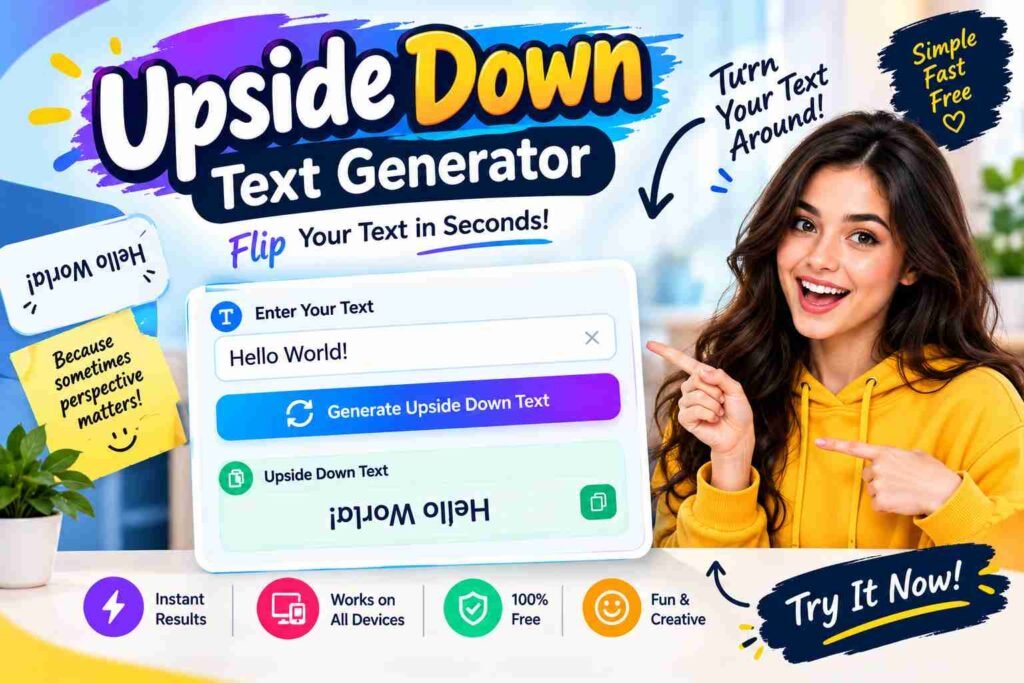

Upside Down Text Generator
Turn ordinary text upside down in seconds. Type, paste, and copy a flipped version for social posts, messages, bios, and more.
An upside down text generator converts plain text into flipped characters with Unicode lookalikes, creating playful results for fun posts without producing images or requiring downloaded fonts for bios, captions, and social media profiles alike.
Type a phrase, check the preview, then copy and paste the result into apps; inverted letters can be entertaining, but test readability because Unicode support and character shapes differ across devices before sharing it widely.
Table of Contents
What Is An Upside Down Text Generator Work?

An upside down text generator replaces familiar letters with special Unicode characters that visually resemble inverted forms, letting ordinary messages appear upside down without creating rotated images or installing decorative fonts on your device today.
It maps each supported character to a look-alike symbol and may reverse character order; because output uses real characters, it often survives copy-paste wherever Unicode is supported, without needing a separate image or font installation.
What You Can Flip
You can flip letters, numbers, punctuation, and Unicode symbols into playful upside-down text. The generator maps ordinary characters to flipped Unicode characters, while unsupported marks may remain unchanged, so always preview pasted text before sharing.
Beyond alphabetic text, you can flip digits, selected math symbols, and familiar Unicode names where mappings exist. Some symmetric letters barely change, while unsupported characters pass through unchanged; results depend on each platform’s rendering behavior.
How To Use / Create Upside Down Text
To create upside-down text, type your text into the tool and press the generate button; the real-time preview lets you inspect letters, numbers, and punctuation before copying the converted line for sharing in chats online.
Use the reverse order toggle when you want the flipped text to read after you turn the screen around. The browser performs local conversion, so text stays private; no registration or font installation is needed.
Also Read: Random Text Generator – Create Random Text Online
Where To Use Upside Down Text / Use Cases
Upside-down text works best when a small surprise suits the conversation: try it in WhatsApp chats or beneath YouTube comments, turning an ordinary greeting into a quick joke without obscuring the message itself for readers.
For a fun caption, experiment with X posts or an Instagram story; test the result before publishing, since some characters may not display consistently and essential details should remain in standard text for clarity online.
Chats
In chat messages, upside-down text adds a playful surprise without changing the conversation’s meaning. Type a short message, flip text, then copy the result into messaging apps where Unicode characters display properly for friends everywhere.
For group chats, a flipped greeting can spark pranks or playful replies, but keep urgent details readable for everyone. Test on target app first, since uncommon upside-down characters may challenge screen readers on some devices.
Social Media
On Instagram, captions with flipped messages can interrupt fast scrolling, while unique usernames give creators a playful identity; a short reveal or punchlines can encourage comments without turning every post into a puzzle for followers.
For announcements, attention-grabbing headlines and jokes work best when readers can still understand the message; try a small amount of upside-down styling, then check accessibility tools and mobile previews before publishing to avoid confusion later.
Features & Benefits
An upside-down text generator adds visual impact to a profile username and creates decorative content for captions, bios, or playful replies. Its strongest benefit is quick experimentation, not replacing ordinary text everywhere on every platform.
Beyond novelty, accessibility deserves equal attention: some platforms reject unusual glyphs, and Unicode rendering varies by device. Previewing the result helps avoid common mistakes and keeps important information understandable before sharing a final caption publicly.
Tips & Things To Know
Before sharing a flipped message, inspect its character shapes on the destination device; Unicode renders can vary across apps, and some symbols may appear differently, so test short samples before publishing important information or announcements.
Use plain text output for clarity, and check instant conversion before copying; a local tool with no image rotation keeps results selectable, while a reverse control helps verify reading direction across screens and messaging apps.
Upside Down Styles & Examples
Upside-down styles work best when each example has a clear purpose: use Mirror Text for visual comparison, Subscript for compact accents, and unusual symbols to make a short username stand out without adding images online.
Try ɐ, ǝ, ɟ, and ʇ when exploring upside down letters in a playful caption; test results on each platform, because flipped glyphs vary and some characters remain imperfect or appear different on older devices.
Related Styles
Related styles differ in whether they reshape letters or simply rearrange them. Upside Down Text uses flipped letters, while order-only reversal changes sequence; compare both before choosing a playful username, caption, or puzzle for sharing.
For a more readable effect, Reverse Upside Down and Reverse and Flip Words offer different presentations; test each style with your actual message, because symbol coverage varies and some results look unusual across apps today.
Use Built-In Rotation Tools
Some editors offer CSS transforms that let you rotate a layer by 180° without replacing its characters. This approach suits graphics, but copied text may not retain that visual effect in every app consistently elsewhere.
For copyable results, use flipped equivalents; activate the reverse toggle only when the line should read correctly after you physically turn the screen, then test how it appears on your target platform before sharing publicly.
Also Read: Stylish Text GeneratorUpside-Down Symbols Table
A useful upside down symbols table groups characters by what survives a half-turn: Latin characters, matching inverted characters, digits such as 0–9, and punctuation including parentheses. Compare each result before copying it into a message.
Because not every character flips, a reference table should distinguish direct matches from approximations. Unicode flip characters can look convincing across apps, yet font support varies; test the line on your target device before sharing.
Flip Your Text Upside Down Now
Enter your message in the box and start live conversion; every keystroke refreshes the preview, while the output updates instantly. Review the upside-down text before sharing it online with friends on your chosen platform today.
Use the reverse toggle; the flipped text reads correctly when the character sequence suits your message. Then click Copy and paste anywhere. With nothing uploaded, your text stays in the browser during conversion, requiring no signup.
Conclusion
An upside-down text generator makes a unique username feel playful, but the best result remains readable. Apply flip to a short line, then carefully review its appearance before sharing it with friends across multiple screens.
Because this tool is 100% private, you can experiment without sending your message away; the toggle reverse option helps adjust reading direction. It is completely free, works instantly, and suits quick creative testing with care.
Where Can I Use / Paste Upside Down Text?
Paste inverted characters into Facebook, TikTok, Discord, or X posts, clan tags, display names, and announcement posts. Use them for riddles, creative writing, puzzle-based storytelling, or thumbnails, then share with friends for fun in chats.
Do All Characters Flip? Why Don’t Some Letters Flip?
Some Latin letters have look-alike characters, but rotation and substitution cannot represent every glyph; imperfect coverage means select glyphs may remain unchanged when displayed upside down across several screens, apps, phones, tablets, and desktop computers.
How Do You Type Upside Down Letters?
To type upside down letters, enter text in the input field, then convert it to upside-down Unicode text. Copy it to clipboard and paste it into chats or profiles; preview before sharing, since characters vary.
Are There Downsides? Will It Work In Search Engines?
Upside-down text grabs attention, but overusing it may confuse people who use accessibility tools. Search engines may index decorative text inconsistently, so keep keywords plain across social media platforms for better discoverability, accessibility, and clarity.


Pingback: Free Unicode Font Generator – Cool & Stylish Fonts