
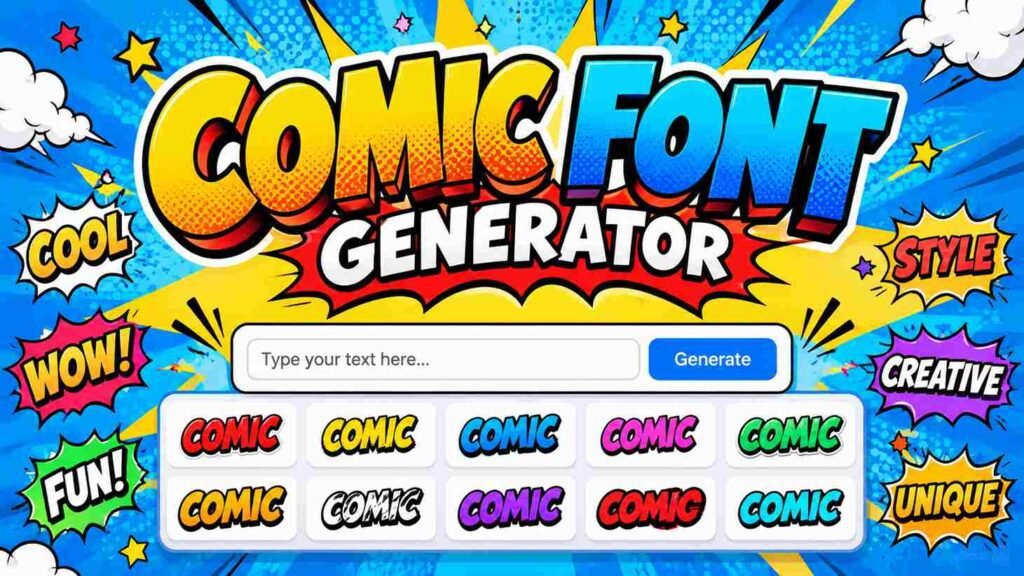

A comic lettering tool can make comic titles feel lively without sacrificing clarity. A live preview lets creators compare sticker text against poster title layouts, while social media graphics benefit from a consistent visual voice.
Rather than copying a character, choose rights-safe lettering, adjust font weight, and check small-screen clarity. The result can support name logos or video thumbnails, giving a project personality while keeping wording recognizable to readers everywhere.
Table of Contents
How To Use The Comic Font Generator

Start by entering your name or phrase, then browse the collection of comic fonts and compare multiple previews before choosing a style. Adjust text size, colors, and outline width to suit your design or project.
Check text alignment, background fill, and text color, then choose transparent background when the lettering needs flexible placement. Export a PNG or SVG and inspect it at its final display size before sharing online.
Benefits
Designers gain control when a comic font generator quickly tests lively styles for brand identity, party decor, or personalized gifts. These options help small projects feel tailored, even without advanced illustration skills or expensive software.
Beyond novelty, dyslexia friendly choices and rounded heavy letterforms can add emphasis when sizing is balanced. Preview output at its intended scale, compare it with surrounding copy, and confirm the result stays clear to readers.
Features
A versatile comic font generator lets creators customize multiple comic styles, adjust color control, and preview lettering before use. Options such as bold effects, superhero presets, and bubble designs help create expressive, attention-grabbing visuals.
For practical design work, transparent PNG export, hex code selection, and copy-pasteable text support different creative workflows. Whether preparing an Instagram bio or OBS streams, users can personalize lettering with red, blue, or gold accents.
Features That Pack A Punch
Strong comic book fonts rely on clear stroke detail, and reliable spacing. This generator supports multiline text, helping creators shape titles and captions while checking line height before preparing designs for different outputs and projects.
Practical previews let users test initials beside longer phrases, adjust outline color, and inspect raster pixelation in the browser. Export-ready editable artwork supports production requirements, with no signup, no watermark, and dependable output checks early.
Use Cases
Comic Fonts turn ordinary text designs into lively headlines, game labels, or memes when a project needs personality. Use speech bubbles, sound effects, and chunky lettering for poster layouts, invitations, YouTube thumbnails, and social posts.
Creators also apply comic styles to gaming tags and product tags, while event planners can design a sticker sheet or party sign that benefits from high contrast. Check readability before printing or sharing across screens.
Examples
Try Badaboom BB for impact, Speech bubble text for dialogue, or Comic captions for short reactions. Superhero titles suit dramatic scenes, while Adventure lettering gives playful headings a lively, animated feel across posters and profiles.
Use Bobaland for cheerful headings, Osaka for a compact look, and Death Rattle BB when the design needs dramatic impact. Pair each sample with readable wording before copying it elsewhere on social profiles or posters.
Who Uses It
Comic fonts serve students preparing worksheets, flashcards, and educational material, while teachers use playful lettering to make instructions easier to notice. They also suit digital journals, GoodNotes pages, and creative classroom projects without overwhelming readers.
Creators use comic lettering for Instagram stories, text-over-image memes, video title cards, and sticker-like PNG designs; hobbyists add it to digital scrapbooking and handwritten-style headers when ordinary typography feels too restrained for the intended audience.
Also Read: Halloween Font Generator – Copy & Paste Scary Text
When To Use Comic Text
Use comic text when a message needs warmth, speed, or a little theatrical flair: meme captions, event posters, playful announcements, and casual gaming tags can add personality while keeping the wording easy to scan quickly.
Choose it for stickers, classroom comics, or themed visuals where expressive letters support the scene. Avoid it for legal notices, dense instructions, or serious messages that require restrained typography and maximum clarity in high-stakes contexts.
Who Is This Tool For
From hobbyists creating playful names to teachers preparing classroom activities, this tool helps anyone who wants expressive lettering without complex design software. It suits quick projects where friendly, comic-style text makes messages memorable and approachable.
Small shops can test packaging marks, banners, cards, or signs, while creators design post graphics and sticker production artwork. It is especially useful when bold visual personality matters more than formal, restrained typography for projects.
Where The Friendly Read Helps
A comic lettering choice helps readers follow jokes, labels, and brief dialogue without decoding designs first. Keep friendly shapes, strong contrast, and suitable reading size so readability supports the message instead of competing with it.
For children, menus, classroom slides, or celebratory graphics, choose chunky letterforms and hand-lettered comic captions with generous spacing; test the result at final display size, because a friendly look still needs clear reading on phones.
The Power Of Informal Typography
Informal lettering can make a message feel approachable before readers process its meaning. Rounded shapes and a loud tone suit playful announcements, yet the surrounding words should remain clear and easy to scan on screens.
Choosing an informal register doesn’t mean every project should avoid a neutral typeface. For family-facing content, balance friendly styling with serious information, so headings feel warm without weakening trust or readability across small screens too.
Comic Font Examples
A sticker sheet preview can test how POW and HERO feel beside playful shapes, while a speech bubble sticker shows whether each phrase remains readable at small sizes on busy backgrounds across varied print layouts.
A poster board preview helps compare ZAP with WOW, while a comic label or printed label preview reveals whether bold lettering stays distinct beside illustrations, borders, and colors; an acrylic wall sign preview tests scale.
Generate Comic Font Lettering From A Reference
Start with a clear lettering sample showing the mood you want, then upload a reference image with sharp edges and readable spacing; crowded artwork makes individual letter shapes easier to compare consistently at different sizes.
Use the style reference to guide curves, outline, and spacing rather than tracing every mark; test font examples beside your wording, inspect the preview, and refine small details before exporting finished artwork for print projects.
Comic Font Generator For Speech Bubble Sticker And Party Sign
Create a speech bubble with thick strokes and comic lettering for the party sign, then test the preview beside colorful stickers before printing. Keep each phrase short, readable, and visually lively from across the room.
For party displays, choose a transparent image when placing lettering over photographs, or use Download PNG for ready-made layouts. Check spacing at actual size to keep lettering readable on crowded tables and walls throughout events.
Cartoon Letters Vs A Comic Font Download
Cartoon letters are easy to copy and paste, while a real installable font file changes how text appears across software. Choose based on whether you need portable wording or editing control for later design work.
A download may supply cartoon-style letters as a graphic image, not a reusable typeface; Unicode styles instead travel as text characters when platforms support them. Check the intended output before selecting a format for publishing.
Comic Lettering Without An Image
Comic lettering can begin with plain text: enter your own text, choose rounded shapes or bold outlines, and create generated lettering for a title or label without uploading an image even before design work begins.
This approach suits quick comic-style Unicode captions, profile names, and speech balloon text; use the result as a planning sample, then add color, panels, or illustrations later in your preferred editor if needed later on.
Classic Comic By Patrick Griffin
Classic Comic by Patrick Griffin suits projects that need a friendly, unmistakable style without relying on imitation alone. Its rounded cartoon letters give titles a lively voice, especially across stickers, cards, and playful branding work.
Designers should judge the style at thumbnail size, not only on a large canvas: tight spacing, clear silhouettes, and a limited palette help preserve its cheerful impact across digital posts, invitations, and printed merchandise alike.
Also Read: Stylish Text GeneratorGenerate Designs With Comic Fonts
Start with a short phrase, then explore thick outlines, bold lettering, and gradients to establish a clear comic mood. Adjust the color picker until the words feel energetic without overpowering surrounding illustrations or background details.
For a poster or social graphic, check alignment, spacing, and readability at small sizes before exporting a transparent PNG. In Canva, combine the lettering with visual artwork to create a finished design that feels intentional.
Why Choose Our Comic Font Generator
Our dynamic rendering lets you test comic lettering quickly, so you can judge personality, readability, and balance before placing it in a design studio layout without committing to one style for your next project online.
Unlike a static preview, the generator helps compare playful type choices in real wording, revealing whether stroke width and spacing stay clear on small screens, printed stickers, banners, or presentation slides before exporting final artwork.
Conclusion
A strong comic result depends on storytelling, not decoration alone; dynamic rendering lets creators test emphasis, while typography keeps every punchline readable across screens, layouts, and serves audiences with different viewing habits and creative goals.
Whether a student, meme creator, or graphic designer is preparing a presentation, test the actual wording before publishing; bold effects, shadows, and a lively BOOM can add character without sacrificing clarity on smaller mobile screens.
Is This Comic Sans?
Not necessarily: Comic Sans MS names one specific typeface, while generators may produce generic comic lettering with different shapes. Judge the result visually; playful fonts can resemble it without actually being Comic Sans at all.
Is It A Font File Or An Image? Can I Download An Installable Font?
Most generators export SVG lettering or an image; they do not create TTF files or an installable typeface. Look for a downloadable font file when you need reusable letters inside design software for future projects.
Is It A Copy-And-Paste Generator?
Yes, it works as a plain text converter: enter wording, choose a comic-inspired treatment, then copy the result into supported fields. Some styles use Unicode comic characters, while image-based designs may need separate image export.
Can I Get A Transparent Background?
For clean overlays, choose a transparent image or PNG export when available; Fill None can remove backgrounds in some tools. Check the preview before placing lettering over artwork, photos, or colored layouts on different backgrounds.
Can I Use The Result Commercially?
Commercial use depends on the generator’s terms and the rights attached to each design. Before selling merch, check licenses, avoid copyrighted characters and protected brand marks, and confirm whether any downloaded assets permit commercial reproduction.

