


A tiny text generator turns typing into stylized, decorative characters through Unicode characters, while preserving regular text meaning. I have found this approach especially useful for usernames, bios, comments, and messages because it works locally.
On social platforms, Instagram bio or Discord name styling can feel more distinctive when small caps, superscript, or subscript forms are paired with copy and paste workflows, especially where traditional font size controls are unavailable.
Table of Contents
What Is A Tiny Font Generator
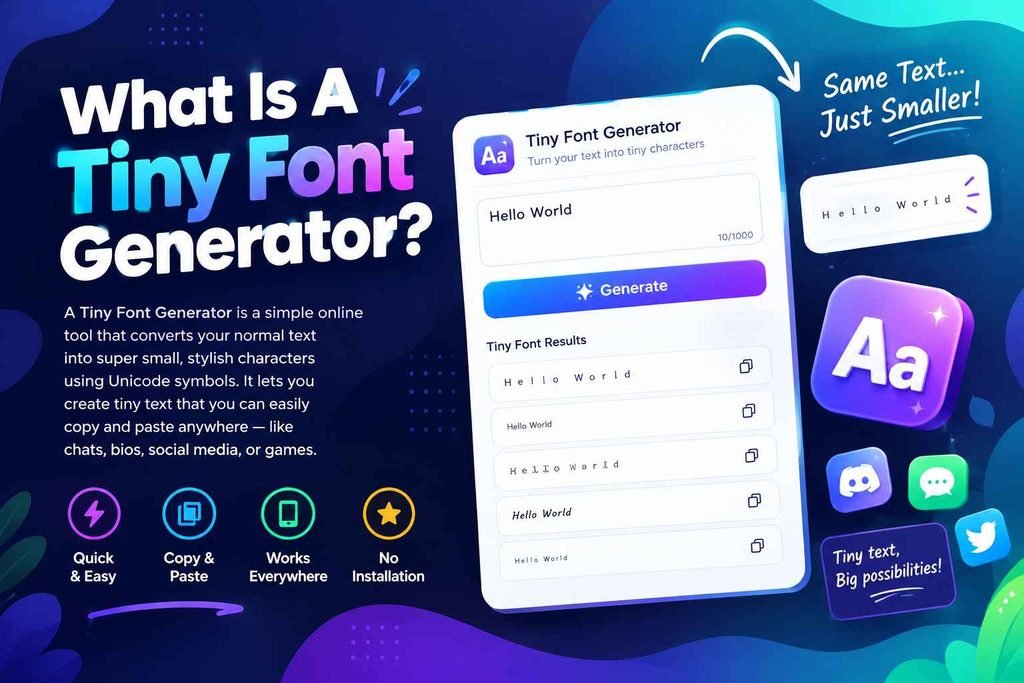
A small text generator is a free online tool that transforms regular text into special Unicode characters. It uses letters, symbols, numbers, and stylized forms rather than changing installed fonts for messages, posts, and bios.
Unlike ordinary font resizing, these 38 styles may include bold, fraktur, small caps, superscript, subscript, or italic characters. Script goes into a field; display varies by device, destination platform; copy and paste keeps documents smaller.
How To Use The Tiny Text Generator
Begin with an input phrase, then select a small text generator style that matches your profile. Preview tiny text before choosing it, and copy and paste the finished version into your preferred app without friction.
Move the result into your destination field and inspect it on Instagram, TikTok, or Discord. Because Unicode depends on the device, I recommend checking spacing, character shape, and readability before publishing for your audience too.
Also Read: How Discord Font Generator Works
Tiny Text Styles Explained (Small Caps, Superscript, Subscript)
Small Caps keep letters near a capital height while retaining a compact letterforms appearance, making them useful for usernames, labels, and decorative text. Superscript shifts characters upward, while Subscript places them below the baseline for formulas.
Tiny text is not one universal shape: Small Caps can use a separate alphabet, Superscript often has limited coverage, and Subscript may miss letters. I prefer checking 0–9 and lowercase behavior before publishing styled copy.
The 3 Smallest Unicode Styles
Among tiny outputs, Superscript, Subscript, and Small Caps are the most useful Classic styles I test. They create compact text with distinct character behavior, making aesthetic bios, footnotes, labels, and short profile text practical online.
In practice, I choose raised text for exponents, lowered text for chemical formulas, and miniature capitals for headings. Their limited character set matters, especially when unusual letters need Unicode rendering consistently on modern phones today.
Small Caps Vs Superscript Vs Subscript Vs Tiny Text
When I compare them, lowercase only styles feel more readable in short names, whereas all letters and numbers give stronger consistency for mixed strings. A font size trick looks convincing, yet smallest look often hides limitations.
For a username, sᴍᴀʟʟ ᴛᴇxᴛ may preserve a compact appearance, while ˢᵐᵃˡˡ ᵗᵉˣᵗ reads clearly as elevated notation. ₛₘₐₗₗ ₜₑₓₜ is different again, especially when positioning matters beside ordinary letters in short names, profiles, and gaming tags online.
What To Know About Small Unicode Text
Small text is more about character choice than shrinking. A generator maps letters to distinct Unicode characters which can create tiny letters for a bio or comment without changing your font size inside your app.
I usually test these characters across devices before publishing, because support depends on available glyphs. Some styles include superscript numbers, subscript text, or small capitals, while other letters may remain normal size after conversion sometimes.
Where To Use Tiny Text
From my testing, the format works best in Instagram / TikTok bios, Discord, WhatsApp, and Twitter/X when space matters. I also use it for short callouts, compact labels, and understated profile decoration without crowding content.
It can also fit Reddit comments, YouTube, web pages, and chat apps, especially for compact side notes or short emphasis. In practice, I avoid long tiny text because readability declines quickly on mobile screens today.
Platform Table
I often use Tiny Text for Instagram bios, Discord usernames, and TikTok caption when ordinary text styles feel crowded. It also fits Reddit comments, YouTube descriptions, WhatsApp chats, and iMessage conversations, keeping compact lettering practical.
For gaming, unique usernames and branding benefit from a smaller visual footprint. I have used forms in Twitter posts, Facebook updates, email clients, blog posts, forum signatures, and creative content when native formatting feels unavailable.
Tiny Text Examples
Tiny text examples become useful when space is limited. I often compare small capitals, superscript digits, and subscript digits when plain text must remain recognizable, especially for compact wording that needs a smaller visual footprint.
For social profiles, Instagram, Discord, and Twitter/X can benefit from copy and paste styles such as ᴀ ʙ ᴄ or x². I always preview unusual characters because rendering can vary on current version of service.
Also Read: How Bubble Letters Copy & Paste Works
How Unicode Text Conversion Works
Unicode conversion works by replacing ordinary letters with specific code points and character variants, letting a browser display alternative text. Unlike formatting, the underlying string remains characters, so copyable output can move directly between destinations.
During conversion, each input symbol is matched against available Unicode text alternatives, then returned as copyable characters. This matters because copy-paste preserves the selected representation across websites, while unsupported characters may render differently on platforms.
Tiny Text Vs CSS Font Styling
Tiny text can travel as real characters, while CSS fonts mainly control appearance. In plain text fields, styling may produce an effect lost after copying, whereas Unicode remains embedded in text across a platform.
From my testing, usernames and messaging benefit from Unicode when the destination ignores webpage styling today. Font styling is better for controlled layouts, where typography remains managed by the page and appearance stays consistent.
Tiny Text For Discord: Usernames, Status & Server Names
For Discord, server names can feel distinctive without sacrificing readability. I usually test Unicode styles beside ordinary lettering, especially when a profile must remain recognizable across menus, invitations, search views, and community spaces over time.
For status updates, descriptive lines can work well when you generate a restrained format rather than filling space with decoration. This keeps essential details visible while members scan channels, join conversations, and recognize information quickly.
Common Small Text Mistakes
Common mistakes often appear after conversion: unsupported characters may stay unchanged, while reduced lettering looks attractive but loses readability. I always inspect phrases, punctuation, and spacing on the actual destination platform before sharing polished text.
Unexpected change after posting across apps is another warning sign; I test the output on very old devices before recommending a style. That simple check catches missing glyphs, broken spacing, and previews before users copy.
Also Read: X Fonts Generator
Small Text For Numbers / Names And Usernames / Alphabet Copy-Paste
For numbers, names, and usernames, tiny conversion is most useful when you need distinct identity text without changing the underlying meaning. I often test alphabet rows before copying, especially across social media and gaming profiles.
For copy-paste, choose real copyable Unicode characters rather than styling. A Tiny Font Generator can handle digits, letters, and symbols, but coverage varies, so check unsupported characters before placing a name into your target field.
Conclusion
A tiny text generator can produce compact Unicode-style writing for profiles, comments, and messages, while copy and paste keep results convenient across an online generator, Discord name, and social media bios, free, no sign-up, Twitter.
In practice, I recommend checking Unicode coverage before publishing: missing characters can disrupt a style, and older device may display boxes, so an output test helps confirm the chosen characters remain readable in an app.
What Does It Work?
Instead of changing font files, a tiny text generator converts as you type by selecting different Unicode characters that appear smaller. JavaScript performs the mapping, and the output remains copyable Unicode for apps across devices.
How Do I Make Text Smaller On Instagram Or TikTok?
On Instagram or TikTok, enter text in an online generator, select a tiny font, then copy the result into TikTok captions, an Instagram bio, or social posts. Test display and acceptance before posting it publicly.
Where Can I Use It?
Tiny text fits social media bios, chat, Reddit, Telegram, and digital art. It works for handles, server descriptions, formulas, academic, email, footnote markers, and an app interface, keeping messages compact without clutter.
How Do I Use Tiny Text On Discord?
Use a display name with Unicode ranges for tiny styling, then place it in About Me, status, server names, or chat messages. Test channel names and global username visibility before sharing with different users first.
Why Do Some Letters Or Characters Not Convert / Stay Normal Size?
Some letters remain normal when rare characters lack tiny counterparts, or when older devices and certain apps cannot render them consistently. In practice, fallback glyphs may appear, while different clients preserve ordinary text as expected.


Pingback: Superscript Text Generator – Copy & Paste Superscript Text
Pingback: Cursive Font Generator – Free Copy & Paste Cursive Text
Pingback: Small Text Generator – Copy & Paste Tiny Text