


A small text generator does more than shrink letters; it converts ordinary text into small-looking Unicode styles that can be copied into bios, messages, and posts without installing fonts or editing each character manually.
Use the preview to judge how small caps, superscript, or subscript appear before posting; these Unicode characters may vary across apps, so favor brief accents and keep essential wording comfortably readable on every intended platform.
Table of Contents
How To Use The Small Text Generator
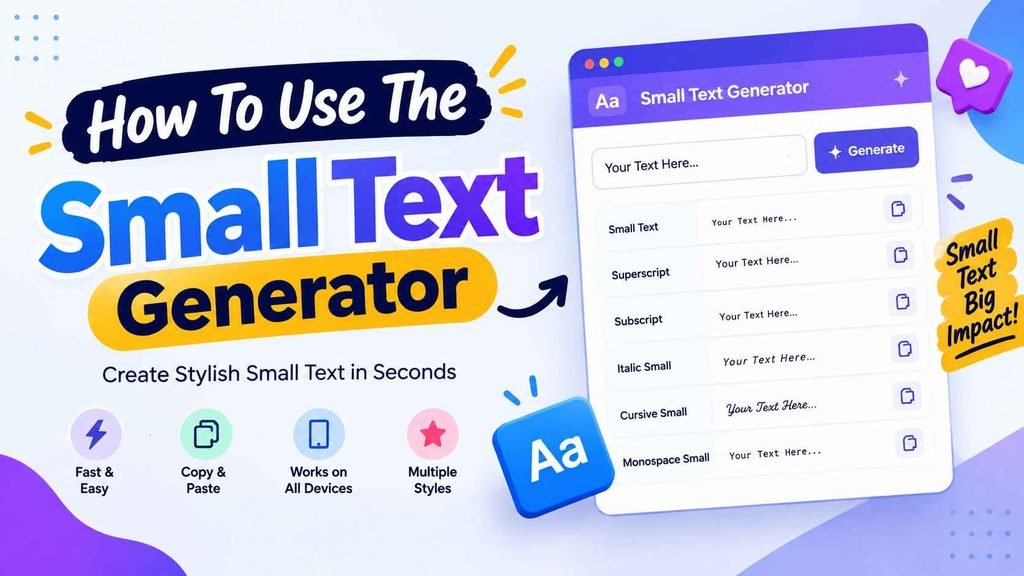
To begin, type or enter text in the input area; then hover over the text to inspect the three results. Compare their shapes and pick a style that remains legible at a glance on screen.
Before finalizing, use press Copy to send the chosen version to your clipboard, then paste it into your intended app or post. Check the optimal display there, since spacing may change across platforms and devices.
Small Text Styles / Modes / Types
Several compact output modes remain, including Unicode styles, superscript, subscript, and small caps. Each option changes the visual character shapes rather than the actual font size, so check how your chosen style appears before posting.
For profiles, tiny text can add a compact accent, while raised digits suit exponents and lowered digits support indices. I recommend testing copied characters in the final layout, because rendering varies across devices in context.
Features / Benefits
The strongest benefit is focused emphasis: Tiny Text makes short headings feel compact, while footnote markers and small numbers separate supporting details from main copy in crowded layouts, while keeping surrounding text easy to scan.
Before posting, preview panels help assess a style’s fit; reading ease, compact notation, and carefully chosen spacing matter more than novelty, especially when a tiny character must remain understandable across common screens after public posting.
Uses / Applications
Use short emphasis for supporting details, not essential instructions. Side notes and callouts can organize casual updates, while superscript notes add distinction when readers scan busy posts. Keep statuses easy to understand at a glance.
On web pages, avoid relying on HTML tags for visual sizing; markup support differs by field. Keep long tiny text brief, use relevant channels, and remember stories and reactions may display differently across many devices.
Also Read: Tiny Font Generator – Small Text Copy & Paste Free
Platforms Where Small Text Works
Small text can appear in Instagram captions, TikTok bios, Facebook posts, Discord profiles, and Twitter/X updates when those apps support the chosen Unicode characters. Always preview the result before publishing across platforms on each device.
Results may vary between a mobile phone, tablet, and desktop because the operating system, browser, or destination platform determines how characters render; WhatsApp and Pinterest may display some decorative forms differently after copying and posting.
How It Works: Unicode, Not A Font
A small text generator does not install a new font; it replaces ordinary letters with Unicode symbols that represent similar shapes. The software applications displaying them decide appearance, so results may vary slightly across devices.
Because these symbols belong to different writing systems, a small Unicode text style may lack a matching character; a mapped alternative or approximate fallback can preserve the look, though not every letter has identical coverage.
Small Text Alphabet / Letter Reference
An alphabet reference helps compare ordinary letters with their small-looking Unicode characters, showing which forms resemble familiar Latin letters and which require a quick visual check before being copied into a profile or message online.
Use the style list to inspect tiny lowercase letters, elevated forms, and compact capitals; then test copy-and-paste output in the intended field, because appearance can vary between platforms and devices before using it in profiles.
Small Numbers
Small numbers add subtle detail without changing the meaning of your text. A number styles converter creates raised or lowered characters for scores, dates, and decorative details, depending on available Unicode characters.
For practical notation, indices and mathematical expressions often need numbers positioned above the line or below the line. I recommend checking each copied result because some tiny characters display differently across platforms.
Names And Usernames
Small text can give usernames a distinctive appearance without changing their original meaning. When choosing a style, consider readability, platform restrictions, and whether your preferred characters remain recognizable across different devices and applications.
For memorable profile identities, experiment with compact Unicode characters before updating your account. I recommend testing each result directly because some services restrict unusual symbols, while others display decorative characters differently after saving your profile.
Also Read: Gaming Fonts Generator – Copy & Paste Gamer Fonts
Preview Feature
A reliable preview feature lets users inspect small text before copying it into usernames, bios, or messages. Comparing styles instantly reveals spacing issues, unusual characters, and readability problems across different platforms.
During testing, I recommend checking display names alongside longer phrases because tiny characters may render differently after pasting. A practical preview helps users select decorative Unicode styles confidently before publishing their final text.
Another Name For Small Text
People often call this cool text or fancy text, but those labels describe appearance rather than a technical category. For clarity, the correct designation depends on whether letters use Unicode characters or actual font-size styling.
Searches may also include uhhh text and other alternative names, especially when users want a small text converter for profiles. Checking the output matters because tiny characters can display differently across apps and modern devices.
Compatibility And Why Display Varies
Small Unicode characters can be compatible across many screens, yet their shape is drawn by the code displaying them. A converter changes character forms, not the underlying display behavior of each app in practice today.
Two visitors may submit matching characters but see different spacing, weight, or alignment because rendering rules and supported symbols vary. Check the result where it will appear; a reliable preview matters more than novelty alone.
Keep Important Text Readable
Use small text as an accent, not as the default for every sentence. Important instructions, names, and calls to action should remain easy to read, especially when readers skim quickly on phones or narrow screens.
Check the destination app before publishing, because rare characters may render unevenly across devices. Preview labels on older devices, and replace cramped styles whenever clarity matters more than decoration in messages users must understand immediately.
Small Text Vs Small Caps
Small text and small caps serve different purposes: small text shrinks characters, while small-caps-like styling uses a compact capital shape for refined emphasis, helping labels look deliberate rather than simply miniature in a profile bio.
In practice, choose small-caps-like forms when an all-caps mood matters; select small text for space-saving decoration. I would test both in the destination app before styling names, labels or passages that readers must scan quickly.
Also Read: Halloween Font Generator
Use Small Text For Design
Small text can add a restrained visual accent to graphic design, labels, and images without overpowering the main message. Use compact styles for decorative details, dates, or brief notes where hierarchy matters most on layouts.
Treat tiny lettering as a design choice, not a substitute for clear headings. Reserve it for short phrases, decorative accents, or secondary labels, and check readability before publishing across different displays and screen sizes carefully.
Small Text For Chemistry/Technical Notation
Chemical formulas often rely on subscript digits to show atom counts, while superscript digits can indicate charge or mathematical powers. A small text maker may help format notes, but verify symbols before using technical notation.
Use Unicode symbols cautiously in reports: visual size does not replace correct notation, and some editors may alter pasted characters. Compare equations across devices, especially when subscripts, exponents, units, or charge states must remain unambiguous.
Conclusion
A small font generator is most useful when style supports meaning, not when it hides it. Test each result in its destination field, then keep important text readable across profiles and messages on different devices.
Unicode styles can add personality to bios, but unfamiliar characters may display differently or confuse readers. Compare the preview, then choose compact visual variants, and test copyable text before publishing anywhere important on your platform.
What Is A Small Text Generator?
A small text generator is an online tool that transforms normal text into small Unicode fonts or compact characters, letting people prepare unique messages without installing a separate typeface or changing the original text’s meaning.
How Do I Make Or Copy And Paste Small Text?
In practice, first enter text in the input box, choose a style, then inspect the result carefully. Copy it and paste text into the destination, checking that small characters remain legible on the receiving screen.
Where Can I Post Small Text?
Small text can appear on Pinterest, YouTube, TikTok, iMessage, and WhatsApp, provided each destination preserves the characters. Try brief announcements, informal exchanges, or public introductions, then inspect the result on another device before sharing widely.
Can I Use Tiny Letters In Usernames?
Yes, tiny letters can personalize account usernames, but a platform may enforce character rules. Keep your recognizable name short, then test the exact field across all devices before saving, as support varies by screen size.
Can The Generator Create Small Numbers?
Yes, the generator can produce digits such as ⁰¹²³⁴⁵⁶⁷⁸⁹ for a compact profile label. These forms suit short identifiers, but always check the result on your target platform before using them publicly across different devices.



Pingback: Aesthetic Font Generator – Copy & Paste Stylish Text
Pingback: Big Text Generator – Copy & Paste Large Text