
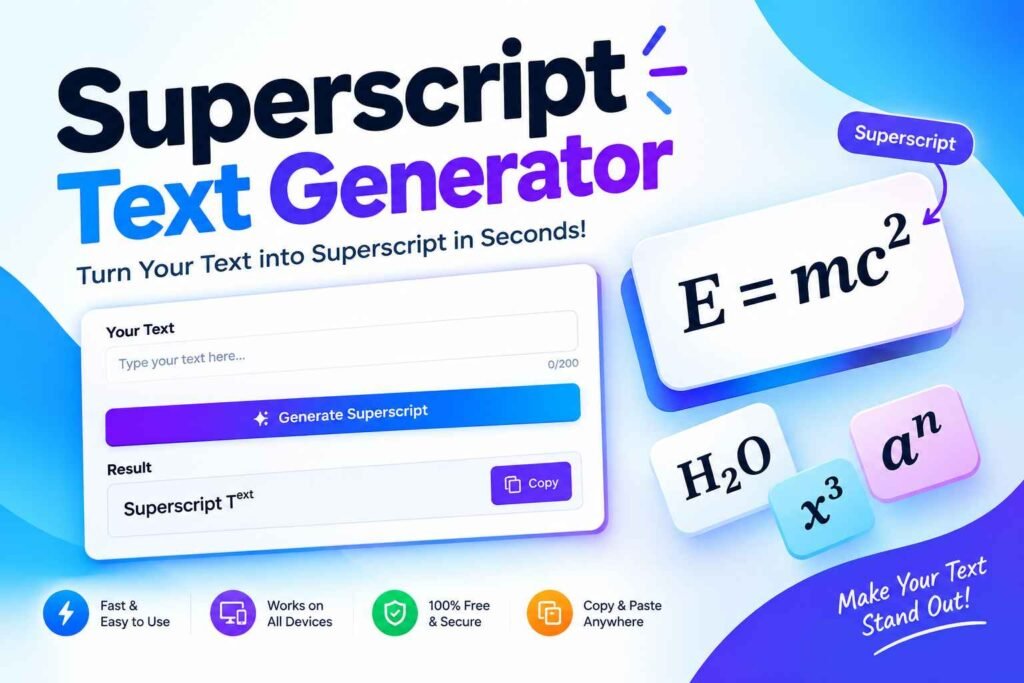

Superscript text generator tools instantly transform plain text into raised superscript characters for bios, captions, notes, and messages, keeping the rest of the text readable. Superscript characters appear raised; I copy characters when formatting matters.
Free online superscript text converter lets me type mathematical expressions and scientific notations, convert with one click at the baseline. Paste exponents, footnotes, and small raised letters;ˢᵐᵃˡˡ ʳᵃᶦˢᵉᵈ letters can copy anywhere with no download.
Table of Contents
What Is A Superscript Text Generator
At its core, a superscript text generator converts ordinary glyphs into smaller raised superscript characters that sit above the baseline. I use such tools when an editor offers no way to produce them reliably today.
The key distinction is that it produces instant conversion through glyph substitution, not a new typeface file. From experience, quick access matters when a student or researcher needs raised notation without rebuilding the page manually.
How To Use The Superscript Generator
Start with a short sample rather than your full sentence, enter plain text, and use the contextual preview to inspect the raised result. With real-time conversion, I find errors become obvious before copy or sharing.
Then select the needed style, copy the Unicode characters, and paste them into a chat message, spreadsheet cell, or social media profile. The process needs no installation, works on phones, and stays fully responsive everywhere.
Why Choose Our Superscript Generator?
I choose our generator when speed matters because simplicity and efficiency keep the workflow focused. It produces authentic superscript text quickly, without requiring software knowledge, making everyday formatting decisions easier for regular users and beginners.From testing across different platforms, I value its reliable output and clear handling of Unicode characters. The practical advantage is consistency: text remains usable when copied between profiles, messages, documents, and creative spaces with ease.
Also Read: Tiny Font Generator – Small Text Copy & Paste Free
Uses / Use Cases Of Superscript Text
Superscript text works best when the goal is emphasis without decoration. I regularly see it used for ordinal numbers, compact scientific notation, and mathematical equations and formulas, where raised characters clarify relationships while keeping text.
Outside research, superscript text suits social media posts and profiles, captions, and branded writing. It can also mark trademark and copyright symbols or references when a platform lacks rich formatting, giving ordinary messages polished finish.
Academic & Scientific
In academic writing, superscript characters give scientific notation a visual role, especially for footnote references, citations, and formulas. Researchers can insert mathematical expressions directly into a plain text field without specialized equation editors or software.
An academic workflow benefits from Unicode support, yet a limited character set can reduce coverage for certain symbols. In chemistry, H₂SO₄ shows why superscript output should be checked before publication, submission, or sharing in practice.
Professional & Creative
Professional creators can use creative projects to add a refined accent to captions, social bios, signatures, and listing title text. Visual interest becomes easier when raised characters complement, rather than overpower, the message in practice.
From my practical testing, tiny labels, display name treatments, and creative text work best when restraint guides the design. Professional output feels cleaner when superscripts support hierarchy, emphasis, or identity without replacing readable standard text.
Unicode Limitations / Which Characters Have A Superscript Form
Unicode does not provide a raised version for every character. Digits and several symbols convert reliably, while letters such as Z, Q, X, and S may remain unchanged because they have no superscript form available.
Good converters use genuine mappings rather than use lookalikes when characters are missing. For example, lowercase q can be dropped, while C, F, and Y may be passed through as standard characters, preserving readable input.
Superscript Text Generator
Superscript text becomes useful when ordinary lettering needs a compact raised position. A generator converts selected characters into Unicode character forms, helping writers create superscript details without software or complex formatting knowledge or markup controls.
From scientific notation to social profiles, this approach keeps the original message recognizable while adding decoration. I find it especially practical when copy and paste workflows need raised characters that travel across platforms reliably consistently.
Test Your Superscript Text
Before publishing, I always test superscript text in the target platform, then check the output for readable characters, correct raised placement, and intact regular characters. This catches Unicode limitation issues before sharing a finished caption.
Then I paste the result into Instagram, WhatsApp, or Discord message and compare the display. I also test mobile devices, Google Docs, and text editors, because genuine superscript characters can behave differently across an app.
Also Read: Discord Font Generator – Free Discord Fonts to Copy & Paste
Solving Real Problems With Our Superscript Generator
Real problems rarely involve typography alone; they involve limits, accuracy, and speed. Our superscript generator helps when character limits interrupt a draft, keeping Unicode superscript characters ready for quick reuse during everyday digital writing tasks.
In practice, I use it when mixed-format text becomes awkward across multiple tabs or other tools. Real-time character counting exposes characters left, while combine different styles supports cleaner copy-paste workflows without unnecessary manual layout work.
Our Story: The Superscript Generator That Actually Works For Your Needs
I built this tool after noticing that real-time conversion mattered more than decorative effects. During testing, I checked Unicode special characters, copying, and browser behavior so superscript text remained practical for everyday writing from real-world.
My goal became clearer: users needed reliable output, not a complicated workflow. I refined the experience around input, letters, digits, and formatting, while checking complete privacy and making results easy to move into real conversations
Example
In testing a basic superscript converter, I noticed that tool limitation often appears when people move between Twitter, subscript, and rich text editor workflows. Checking count characters before conversion prevents avoidable formatting surprises in notepad.
That check becomes when juggling multiple text styles inside rich text editing: I generate text three times, compare regular letters, bytes, inspect quota, and Unicode transparency within 30 characters and 10 characters in a single workflow.
Common Superscript Characters To Copy
Common superscript characters are easiest to reuse when they exist in the Unicode standard. The familiar forms include ¹, ², ³, and ⁰, making everyday raised numbering simple to copy across supported platforms and text fields.
I regularly keep a reference set for math and science, including E=mc², m³, and ®. These characters also suit document footnotes and annotations when simple raised text is supported, making everyday copying much easier online.
Superscript Text Examples To Copy
When building examples, I usually start with x², x³, and xⁿ, then add 1ˢᵗ, 2ⁿᵈ, or 3ʳᵈ for quick comparisons. These samples stay useful in notes, captions, formulas, and profiles across everyday digital writing contexts.
Try 4ᵗʰ beside fourth when teaching ordinals, or place ™, trademark, ®, and registered marks near brand text. A small ° works for degree values, while x² and squared clarify mathematical meaning in practical examples.
Also Read: Strikethrough Text Generator
About Our Superscript Generator Tool
Our tool grew from observing how people need free online text conversion without no download steps. I focused on clean superscript characters, practical copying, and reliable results for academic contexts, creative, and everyday writing tasks.
After testing different character sets across browsers, I found instant conversion matters less than predictable output. The generator handles small raised letters, supports messages, and keeps regular text readable when styles are mixed thoughtfully together.
Start Using Superscript Generator Today
Start by testing a sentence, then compare the result inside applications. My workflow favors the best free online option when handling a science project, writing a paper, or creating documents that need clean superscript characters.
A polished workflow also values CSS styling, footnote markers, user feedback, and a saved bookmark for quick return; these small details make experimentation easier when you need consistent raised text for work or study today.
Conclusion
After testing superscript tools across practical use cases, I find the best results come from instant conversion, small raised letters, and one click copying. This approach keeps notes, messages, exponents, and scientific notations readable consistently.
For wider publishing, Unicode matters because characters remain portable, whereas the HTML sup tag depends on markup. I recommend checking each bio field, academic document, or profile before sharing, especially across different devices and platforms.
Is This Superscript Generator Really Free?
In my testing, this tool is genuinely 100% free, with no charge required. I can create superscript text immediately, reuse results, and trust privacy protected output, giving time saving convenience for everyday practical styling needs.
What Does A Superscript Generator Do?
Superscript generator tools convert ordinary characters into a raised position, producing exponents, ordinal suffixes, and footnote markers; users can instantly create superscript format, then copy anywhere across bios, messages, and captions without extra setup.
Does The Superscript Generator Work On Mobile Devices?
Yes, it works smoothly on mobile devices, letting you create mobile friendly raised text directly in your browser. I often use such access for TikTok and emails, where fast copying matters during everyday editing sessions.
Is My Data Safe / Is My Text Private?
From a privacy standpoint, client-side processing is preferable because input can remain locally in your browser; however, registration requirements and server-side handling matter. I avoid sharing passwords or identifying details until the site’s policy is reviewed carefully.
Why Can’t Some Characters Be Converted To Superscript?
Some characters simply lack a superscript equivalent within character encoding, so conversion stops instead of inventing unsupported glyphs. The patchwork origin of standards leaves gaps, especially with uppercase A to Z, causing frustration in formatting.



Pingback: Gothic Text Generator – Copy & Paste Gothic Fonts