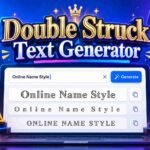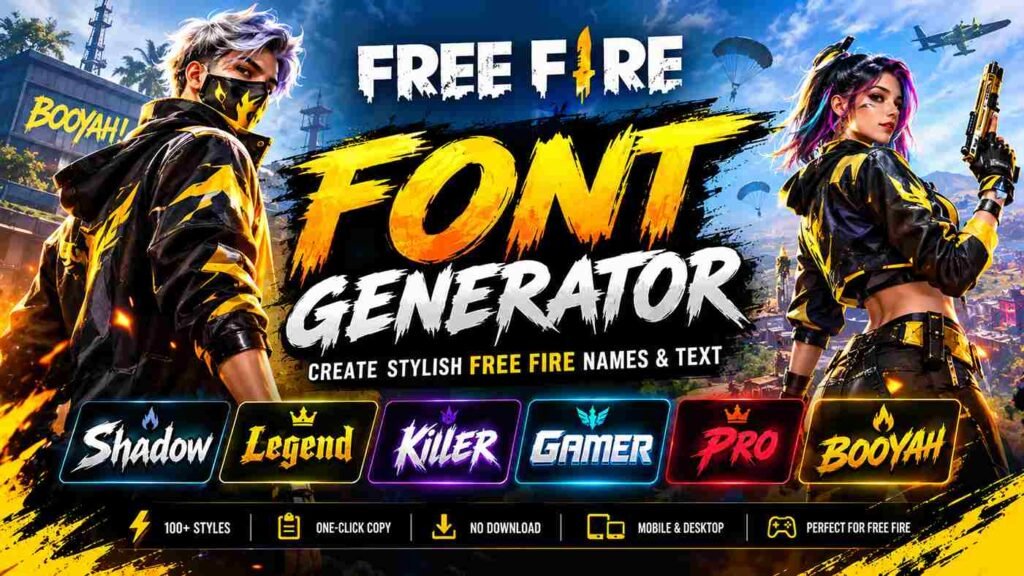

Free Fire names can gain personality through star decorated details, wide text, or square text, but the strongest result remains easy to recognize during a fast match when teammates scan the lobby or kill feed.
A generator is best treated as a preview tool: compare Unicode styles, then copy and paste a short gamer tag and check that each mark appears correctly before safely saving it to your player profile.
Table of Contents
What Is A Free Fire Font Generator?
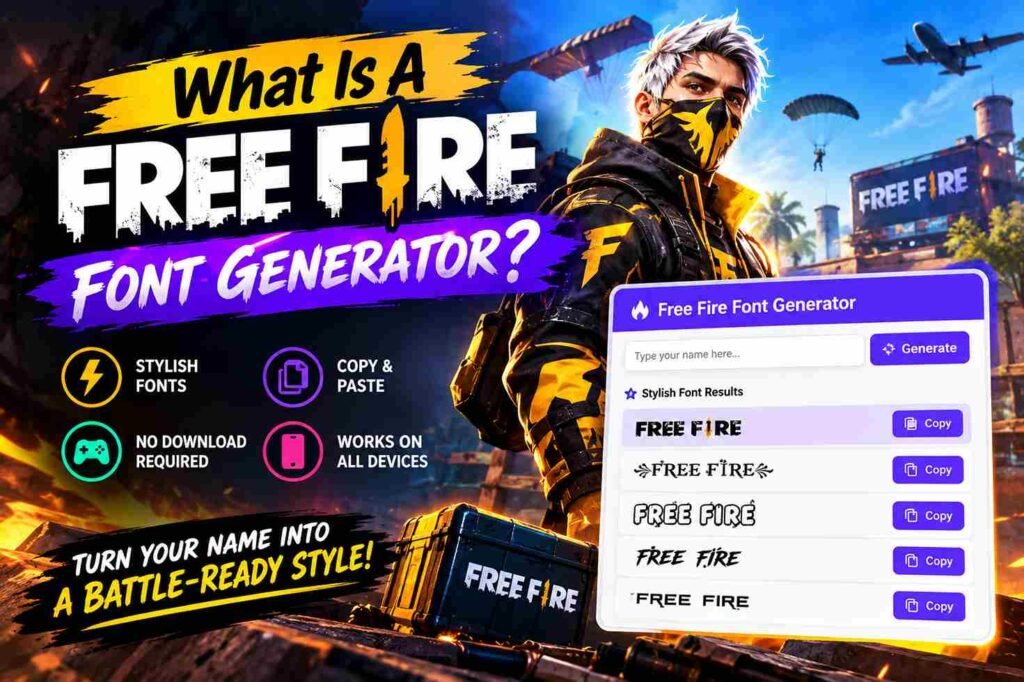
Free Fire fonts are usually Unicode text, not installed fonts or a downloadable font file. A web tool changes names into fancy text for a distinctive gaming appearance, provided the game accepts the supported characters.
From testing player profiles, the difference is copyability: choose a readable style, check legibility on mobile or computer, then copy and paste it. Decorative marks may fail, so preview your nickname before saving it in-game.
Free Fire Fonts Vs Regular Fonts / Symbols / Name Generators
Unlike regular fonts, Free Fire font styles transform typed names into Unicode characters, not an installed typeface; players can copy results into a game field and check display before saving directly on the target device.
Symbol accents and name generators solve separate tasks: accents decorate a name, while random-name tools create ideas. Brackets or flourishes may consume space, so a short core word and simple style remain clearer during play.
How To Use The Generator
Start by entering your player name, then browse available stylish fonts and compare each preview before choosing a design. Prefer readable characters, especially when your nickname must fit the game’s limit before you confirm it.
Tap the Copy button to transfer your chosen gaming style into the nickname field, then paste and check it in-game; decorative symbols may render differently, so test the final result before saving your profile change.
Where To Use Free Fire Fonts / Best Uses
Use Free Fire fonts for a distinctive gaming profile, a unique nickname, or a memorable clan name that helps teammates recognize their identity in crowded lobbies. Keep names readable, especially during matches and squad invitations.
Beyond the game, try styled text in Instagram bio, social media posts, comments, stream titles, and fan captions; use squad tags or a short recruitment line to keep team branding consistent without overloading every design.
Free Fire Font Styles
Free Fire font styles range from Zalgo and bubble text to Fraktur, Small Caps, and tiny text. For squad identity, compare stylish text, gothic letters, and Bold Script before copying your nickname into the game.
Test mirror text, strikethrough, underline, and heart decorated options against your usual player tag. Prefer clean symbols and readable letters; elaborate designs may look impressive in previews but fail across devices on some player screens.
Why Use Free Fire Fonts
Players choose nickname fonts to make a name recognizable before a match starts. Cool fonts and fancy fonts can signal confidence, match a squad theme, and help a profile feel personal and memorable online, too.
Because copy-paste ready Unicode style changes characters rather than installing a typeface, test each result in the game first; clearer letter shape and kill feed readability matter more than complicated decorations during fast team fights.
Symbols
Treat one symbol one character as a starting estimate, not a guarantee. Check your design in the in-game test, because a matching pair in a framed nickname can consume space faster than expected during setup.
Begin with a clean name, adding brackets, stars, or flourishes one at a time. Check the counter; remove stacked decorations or marks rendering badly on your device, then test it again before saving your nickname.
Tips And Things To Know Before Using
Before choosing a design, check the live preview and character count; Free Fire’s 12-character limit can turn a dramatic nickname into a rejected entry, especially when Unicode symbol accents or layered characters take extra space.
Prefer reliable accents such as ★ or ⚡, but test the exact string in-game; device-dependent glyphs may become empty boxes, so check supported characters on your own phone and another device before saving the nickname.
Are Free Fire Fonts Free?
Yes, the generator is free of cost, offering many styles you can preview and copy for a distinctive nickname; you generally need no paid font file, subscription, or special software to create styled text online.
Also, no sign-in is usually needed to generate the text, but the game may separately charge for a profile rename; test the chosen characters before spending diamonds or saving changes to your gaming account safely.
Feature Blurbs: 120+ Styles
Choose from gaming fonts, clan fonts, and pro fonts to match your squad’s mood. Try bold sans, bold italic, gothic, Fraktur, script, or cursive styles before settling on a readable nickname for your next match.
Browse superscript, small caps, glitch, distorted, strikethrough, and monospace options, then compare double-struck lettering and stacked characters. For polished results, choose clean designs for esports tags, tactical names, and short guild tags that fit clearly.
Feature Blurbs: Save Favorites
Keep 120+ styles close while exploring new nicknames for every squad or profile. Save a bold look, compare decorative styles later, and return to your favorite design without starting over each time you play again.
Favorites also make copyable text easier to manage when testing Unicode characters in your Free Fire names. Keep a shortlist of readable choices, check the counter, then paste the best option before confirming the rename.
Feature Blurbs: One-Click Copy
With one-click copy, transfer the chosen lettering directly to your clipboard; this avoids retyping and keeps decorative characters in order. Next, place the result in the nickname field and review it before confirming the update.
A phone preview can expose alignment problems before you save the name: ornate lettering may render differently across devices, and an ornament that looks balanced on one screen can crowd the game interface elsewhere unexpectedly.
Feature Blurbs: Fast, Free And Mobile-Friendly
A browser-based Free Fire font generator keeps setup simple: enter a name, preview stylish text, and use the copy button. With no app or no download, the tool stays mobile friendly during quick gaming breaks.
Fast copying matters when a nickname must fit the game field. Compare 100+ fonts, check Unicode support, then one-tap copy a compact option before pasting it into your profile on Android or iPhone with confidence.
How It Works (Unicode Explanation) And Games Hub
A generator keeps your typed name intact, then maps supported Unicode code points to styled alternatives; it does not install a typeface. Each result is text, so the Unicode standard determines how characters are encoded.
In a squad lobby, I test copied designs before saving: decorative marks may render differently across devices. The styled Unicode text can label clan names, profiles, and a leaderboard, but game fields still apply rules.
Free Fire Name Character Limit: Why It’s Only 12
Free Fire’s 12-character cap is a design constraint, not a measure of creativity: the game counter on the nickname screen shows 12/12, so symbols and letters must share one fixed space before confirming your name.
Adding ꧁ and ꧂ around Ghost can consume the twelve budget quickly; treat every mark as a possible character, compare 5 characters, 6 characters, 7 characters, and 9 characters, then test your framed names in-game.
What Decoration Actually Costs You
Decoration isn’t free inside a nickname: long frames and extra glyphs consume space without necessarily improving recognition. Players test it inside the live lobby before selecting decoration that teammates can recognize quickly during active matches.
Check device rendering and Unicode rendering before saving, since an elaborate preview may differ across screens in matches; choose a compact design, test the game field, and keep enough room for letters teammates recognize quickly.
How Free Fire Counts Symbols
At a glance, decoration cost follows the character count table: one symbol one character. A matching pair like ꧁ and ꧂ uses two slots, leaving fewer letters for your Free Fire nickname before saving it.
The counter 12/12 can still flag a full name when it appears shorter: 『 』 uses two characters, just like ⚜ and ❧ each take space. Preview and adjust before saving your final name in-game.
Why Your Free Fire Name Isn’t Working
Free Fire may reject a name when symbol characters consume space unexpectedly; one character each can occupy an invisible slot, even when the screen displays nothing and shows no error during your next rename attempt.
Before changing it, check whether the name already exists; duplicate nicknames are common. If the field stops accepting text, shorten the design, use a live tally, then paste and check the final version before saving.
Also Read : Gaming FontEmoji Take Up Space And Show Nothing
An emoji may look compact in your Free Fire nickname, yet it is counted as a character even when the visual result doesn’t display consistently across devices or updates; test it carefully in-game before saving.
A heart emoji can consume more name space than its appearance suggests; eleven visible characters may already fill the field, and decorative symbols usually carry the same cost even if they seem small in preview.
Some Names Render As Empty Boxes
An empty box usually means the character arrived, but the device has no drawing available for it; the game receives the symbol, yet its installed font cannot display that design correctly on screen during play.
From experience, a font-set limitation often affects rarer decorative characters, not the whole nickname. Test a bolder style or a widely supported design, then verify the saved name inside the actual game before spending diamonds.
Your Keyboard Can’t Type These Characters
Your keyboard does not need to contain every symbol shown by a Free Fire font generator. These designs use Unicode standard characters and rare decorative marks absent from many keyboards, so copy the result directly.
An empty box, such as ▯, usually means the receiving device lacks a matching font set. A name may be accepted vs visible; test plain styled letters first before adding stacked layers or ornamental sets.
The Name You Want Is Already Taken
Finding that your Free Fire name is unavailable doesn’t mean you must abandon identity. Try a name generator to explore copy-paste styles, then adjust spacing, symbols, or letter forms without making the result difficult to read.
Keep your existing nickname recognizable by testing a small change first: swap one letter for a supported symbol, add a short accent, or choose a cleaner Unicode variation. Preview it before spending diamonds in game.
How To Change Your Free Fire Name And What It Costs
Open your profile, tap the edit icon beside your name, and check the rename dialog before confirming. Some guides list 390 diamonds, but verify the live price before spending currency on a profile change today.
From the profile screen, tap edit beside your name, paste the tested version, then review the exchange section if a Name Change Card could save diamonds. An active guild may offer another route using tokens.
Guild Names Cost Separately
Guild naming has its own price, separate from a player’s nickname change. The available figures include 500 diamonds, 5,000 gold, and 100 diamonds, depending on the guild action shown in-game before you spend any currency.
Creating a guild and changing an existing guild name may trigger different charges, so don’t assume one rate covers both. Review the current create guild or rename prompt before confirming payment for your account in-game.
Guild Tags: Not What Most Pages Claim
Clan tags are not separate magic labels: many lists confuse a decorative prefix with the actual guild identity. Check strict fields in the game, because a generator preview cannot confirm results before finalising a rename.
Clan tags may look elaborate, but the displayed organised look is only a visual impression; shorter styles and 3 to 12 characters fit many forms better, so test copied text in-game before finalising changes carefully.
- Also Read: Glitch Text Generator
Free Fire Fonts In Tamil
Tamil players can keep their identity visible by using Tamil script directly when the game supports it; otherwise, styled English transliteration offers a practical alternative for names that need consistent rendering across devices and profiles.
Before saving a nickname, check universal display on your own phone and ask a teammate to inspect it; extra marks can consume character headroom, so shorter Tamil names often remain clearer in crowded player lists.
Can You Download Free Fire Fonts?
Most generators run in a browser, letting you enter text, choose style, and copy results. No install is needed, and there is no downloadable font file; only text can be pasted directly into profile fields.
Free Fire’s in-game proprietary UI font is separate from generator output; there is no official download for these styles. Avoid look-alike files claiming to install Garena fonts, and test copied names in-game first, before saving.
Conclusion
A useful Free Fire font generator is judged by how reliably a name appears in-game, not by decoration alone. Preview styles in-game; first, carefully test the final name before confirming your choice on your device.
For graphics outside the game, Bebas Neue, Impact, and Google Fonts may inspire headings; fan art, overlays, and thumbnails need their own design choices. Treat these as visual projects, not downloadable game fonts alone.
What Are Free Fire Fonts / What Is This Tool?
Free Fire fonts style Unicode text; no typeface install is needed. A generator previews clan names for leaderboard and profiles on Instagram, WhatsApp, YouTube, or Discord, although rejected symbols with a keyboard may fail in-game.
Is It Free?
Yes, the generator is free, with unlimited styles, no installed font, no account, and no signup required. You can copy results and try as many styles as needed; unlike a traditional font, nothing needs installing.
How Do I Create Free Fire Fonts?
First, enter your nickname, then pick a style and paste the result into the game’s name field. Compare previews for readability, keep symbols limited, and check character space before confirming a change to avoid rejection.
Can I Use These Fonts For My Free Fire Name Or Nickname?
Yes, styled Unicode letters can personalize your Free Fire nickname, but test the text in the name field before saving. Rare decorative characters may display as boxes or be rejected, so keep a readable backup.
How Do Free Fire Fonts Work?
Each character style is linked to a numeric code; the generator arranges available variations into a user-friendly list. This game tag creator helps non-technical users choose copyable text without installing font files for game names.