
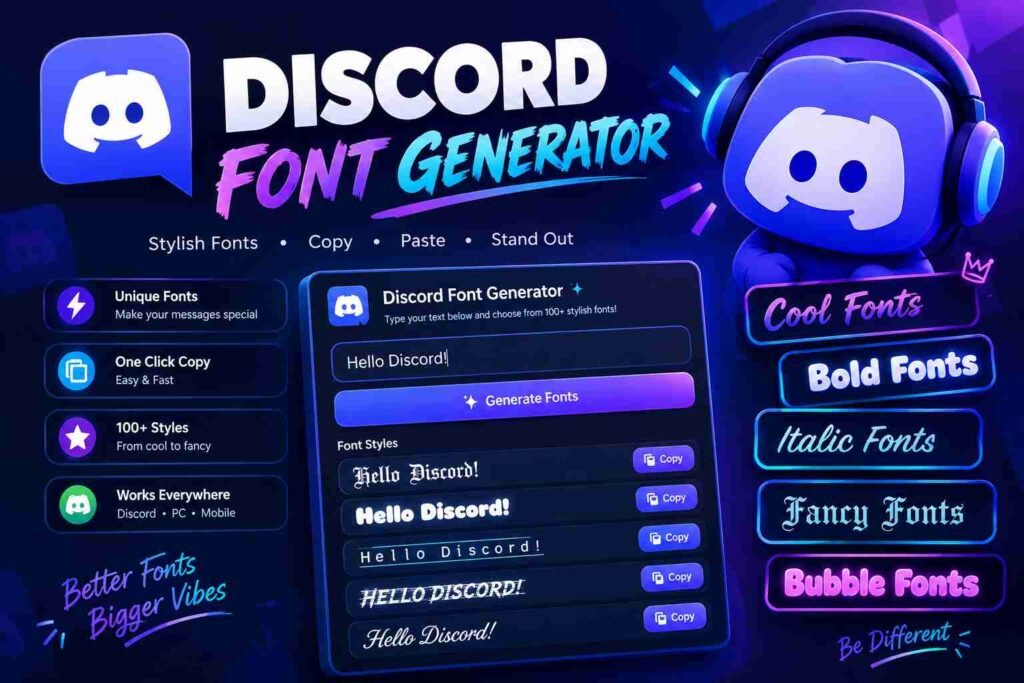

Discord Font Generator
Create stylish Discord text, copy it instantly, and paste it into Discord servers, profiles, usernames, statuses and messages.
Generated Discord Fonts
0 stylesQuick Text Decorations
A good font generator is less about changing the app itself and more about shaping how text feels. I use Unicode, font styles, and preview checks to make names, messages, and profiles distinctive for use.
The practical advantage appears when text needs personality without downloads: type text, inspect the sample outputs, then copy a chosen style into chats or bios for Discord. This keeps the workflow quick and familiar today.
Table of Contents
How Discord Font Generator Works
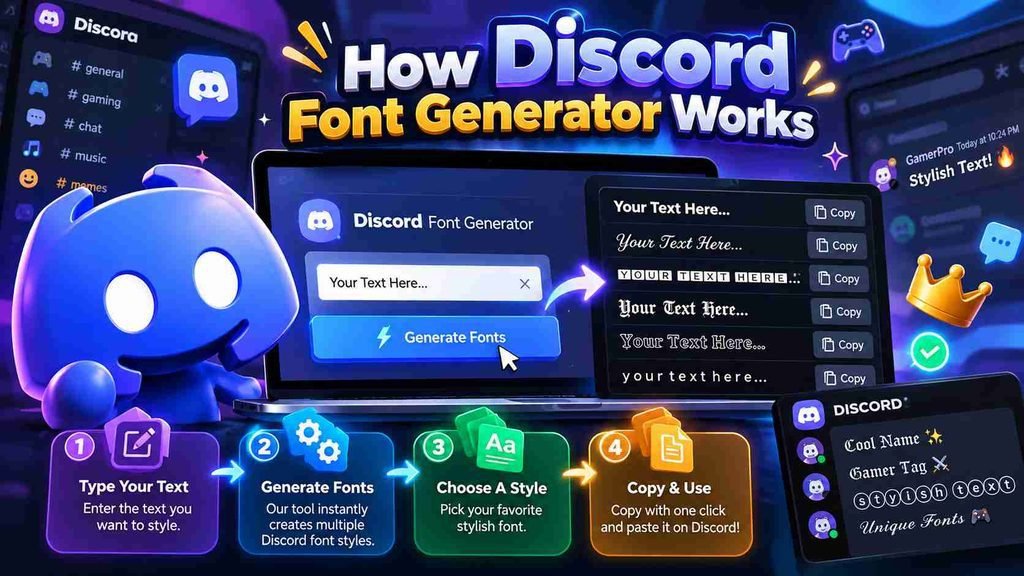
Start by entering your message, then browse the available styles before choosing one that suits a Discord profile, server name, or channel. I usually test readability first, especially on mobile devices and different screen sizes.
After selecting a style, click the generated result, copy it to your clipboard, and paste it into messages, DMs, channel topics, or profiles. Preview unusual symbols because some characters may render differently across devices too.
How Unicode Fonts Work / What Is Unicode
Unicode is a universal encoding standard that gives platforms a way to represent consistent text across languages, devices, and applications. In practice, this lets Discord display styled Unicode characters without changing the underlying interface font.
When a generator creates fancy letters, it selects supported Unicode code points rather than installing a typeface. That distinction explains why generated styles can appear across Discord, yet some characters remain unchanged or render differently.
Font Styles Available / Collection
Discord font collections work best when style changes are chosen for purpose, not decoration alone. Bold, italic, cursive, and fraktur can shift emphasis, while gothic, bubble, and zalgo styles create stronger personalities without overwhelming channels.
From daily chats to profile branding, small caps, underline, strikethrough, and wide text offer distinct visual signals. I usually test several decorative options beside readable styles, then choose the version that remains clear across interfaces.
Also Read: How Bubble Letters Copy & Paste Works
Why Use It / Benefits / Use Cases
Discord profiles feel repetitive when every message uses default typography. A font maker adds variety through styled letters, fancy letters, and Unicode styles, helping creators make eye-catching names, bios, and channel spaces without changing Discord.
From gaming communities to personal profiles, these styles give users practical control over presentation. copy and paste workflows save time, while custom fonts, double-struck, small text, and monospace options support distinct identities across chats daily.
Discord’s Default Formatting And Limits
Discord keeps its native typography intentionally restrained: markdown handles emphasis, while plain text remains the baseline for chat areas and posts. Styled Unicode can imitate visual variety, but it does not change the application’s actual font.
Character limits are important: each Unicode letter counts as one, while usernames follow rules for lowercase letters, digits, dots, and underscores. Restrictions can also affect unusual display choices when display names conflict with server rules.
Where Else The Fonts Work
Beyond ordinary chat, profile spaces, channel descriptions, and DMs are practical places for styled Unicode characters. I often recommend previewing these areas because compact text can change spacing, readability, and visual balance unexpectedly before launch.
For community branding, statuses, role names, and bot messages can carry fancy text without altering the interface itself. Alternative text may also appear useful elsewhere, but compatibility should always be checked before publishing in practice.
Compatibility Caveats
Compatibility can shift between iOS and Android, desktop, and web, because stylized Unicode text depends on support rather than a true typeface change. From experience, unusual mappings may appear differently across phones, browsers, or tablets.
A server name or display name can preserve a style while an @username may follow stricter rules; nicknames and messages can render well, yet special characters or emojis may remain unchanged when no mappings exist.
What To Know About Fonts On Discord
On Discord, fonts are mostly about how text is encoded, not a hidden font switch. The UI normally uses gg sans, while a Discord font generator supplies special Unicode characters that resemble different typefaces visually.
That distinction matters because pseudo-alphabets and look-alike symbols may behave differently from normal text. You can paste generated characters into profiles, messages, or names, but standard letters and numbers remain reliable across clients and devices.
Discord Font Examples
Discord font examples become more useful when users test generated styles across profiles, channels, and messages. I usually compare bold, italic, cursive, and small caps while checking whether each style remains readable everywhere mobile chats.
For practical testing, symbols, fancy letters, and alternative text can create distinctive names, notices, or themes. Try Unicode character sets beside Discord markdown, because appearance can change across platforms and devices in practice for readers.
Also Read: How Does The Underline Font Generator Work
Common Discord Font Mistakes
A common Discord error is assuming bots will preserve every symbol-based font unchanged. In practice, emojis, punctuation, and special characters can behave differently, while characters may not display correctly across clients or devices consistently.
Another mistake is ignoring Discord’s limits when using 32 characters in plain names. A decorative username may strip unsupported characters, trigger a character limit, or require a username change after server owners or moderation bots intervene.
What Font Does Discord Actually Use?
Discord currently uses gg sans as its UI font, replacing Whitney across the client and other surfaces from 2022 onward. It is proprietary, so casual font generators cannot reproduce its source files directly in full. Discord Support
What users can imitate is appearance, not the original typeface itself. Discord offers no font options for the interface, while font size, basic emphasis, and readability settings can alter presentation without changing the underlying font.
Fonts Closest To Gg Sans
For a convincing Discord lookalike, Inter and Arial are practical starting points, while Helvetica Neue offers a familiar system feel. In testing, the closest result depends on browser rendering and platform defaults rather than exact control.
A lightweight CSS fallback using Noto Sans can preserve spacing when custom rendering differs, and a font stack helps keep headings stable. For a free lookalike, prioritize clean glyphs, weight, spacing, and readability over imitation.
Unicode Fonts Vs Discord Markdown (And Real Small Text)
Unicode fonts change the characters themselves, while Discord markdown controls formatting around text. In practice, styled Unicode can imitate tiny text, but it remains character data, not a separate font-size setting inside Discord directly there.
A distinction appears with Discord’s -# subtext: markdown changes rendered size, whereas alternate Unicode characters change the symbols sent. Some styles use two per letter, but each styled letter counts as one character in limits.
Small Text On Discord
Small text on Discord usually relies on Unicode rather than a true font change, so the result behaves like tiny text inside messages, profiles, or channel topics. It can add hierarchy, emphasis, or compact notes.
From my testing, superscript and subscript styles are useful for compact labels, while bold sans or full width can improve visibility. However, harder to read designs may distract, especially on smaller screens during busy chats.
Also Read: Facebook Fancy Text Generator
Pseudo-Alphabets Explained
On Discord, pseudo-alphabets are really symbol alphabets built through Unicode encoding, not downloadable fonts. In practice, single-codepoint styles can imitate lettering, while math sans variants create consistent decorative characters across compatible interfaces and letters with formatting.
I find these styles useful for identity because each character belongs to a universal standard, yet results vary by platforms. Some combinations may appear clipped, especially when other languages or uncommon characters enter Discord messages.
Conclusion
Discord font tools support instant generation for users who want stronger identity across messages, profiles, and communities. A practical approach favors styled text that stays readable, preserves Discord compatibility, and works naturally alongside ordinary conversations.
From repeated testing, I have found that 44 styles, copy?, and phone convenience matter less than reliable rendering. Check standard letters, punctuation, and combining-mark styles, because unusual characters may appear broken on some devices or clients.
How Do I Change My Font On Discord / How Do I Make Fancy Text?
Discord itself does not offer a font-switching control, so I usually generate styled text externally, then paste it into chats, profiles, or servers. For instant results, enter text, choose fancy letters, and reuse the output.
How Do I Use A Discord Font Maker / Copy And Paste Fonts?
Start by pick a style, type your message, then copy the styled card output and paste it into Discord. From my testing, ready to use Unicode designs work best when plain text limitations appear directly.
Do These Fonts Work In The App / On Different Devices?
On phone and PC, Unicode styles usually display through Discord compatibility, but broken mappings can affect non-plain display names. Standard letters, punctuation, and member lists generally remain reliable, supporting sharing across platforms on modern devices
What Is A Discord Font?
In practice, I describe a Discord font as text shaped through the universal encoding standard, rather than an installed typeface. Generators can produce fraktur, gothic, boxed, or script characters, giving profiles and messages identity instantly.
What Font Is Closest To Discord’s Gg Sans?
For practical design work, Inter is the strongest free lookalike for Discord’s Gg Sans, while Noto Sans follows Discord’s font stack as the first fallback. Arial and Helvetica Neue remain later substitutes in system rendering.


Pingback: Tiny Font Generator – Small Text Copy & Paste Free
Pingback: Bold Text Generator – Copy & Paste Bold Fonts