


✈ Telegram Font Generator
Create stylish text for Telegram names, bios, channels and chats.
These styles use Unicode characters. Some characters may look different on certain devices or Telegram versions.
A Telegram font generator uses character mapping to transform a plain text string into stylish fancy text, offering a fresh name font style for profile presentation without requiring a separate font file or an editor.
Its value is practical: Premium features are not required to experiment, and output can include real characters placed into Telegram fields; compare previews on different devices before choosing decorative text for everyday conversations and profiles.
Table of Contents
What Is A Telegram Font Generator?
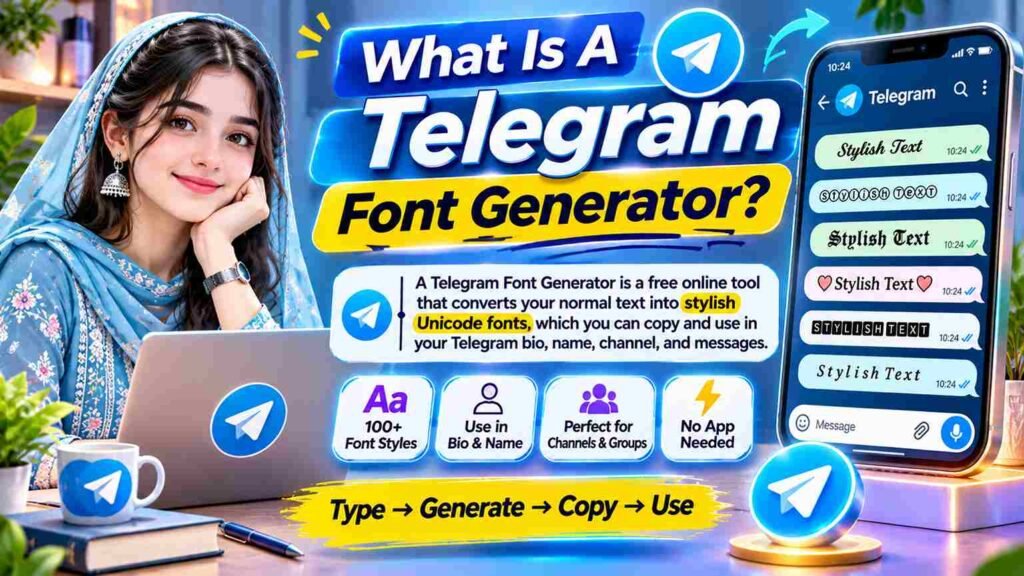
A Telegram font generator is an unofficial tool that transforms ordinary typing into font variants using Unicode characters, creating distinctive bio fonts, display names, and channel titles without requiring downloadable font files or special applications.
Unlike a downloadable typeface, it usually swaps standard letters for stylised counterparts such as bold, italic, cursive, fraktur, or monospace symbols; results are copied as plain text into private conversations and profile fields across devices.
How To Use The Telegram Font Generator
Open the online tool, enter a name or line, and compare stylish fonts side by side. Choose lettering that remains legible at small sizes before placing it in a public Telegram space, then share widely.
After choosing a result, use the font style generator to create a new look for your Telegram profile bio. Use add to profile only after checking how characters appear on your device and Telegram client.
Unicode Fonts Vs Telegram’s Built-In Formatting
Unicode text changes the characters themselves, so a decorative name may look different across devices and remain less searchable. Telegram’s native editor instead applies emphasis to message text through formatting controls within supported messages directly.
For channel titles, bios, and display names, copied Unicode characters travel with the text; for emphasis inside a message, Telegram’s own controls are usually easier to edit and clearer for screen readers on most devices.
When To Use Unicode Instead Of MarkdownV2
Choose Unicode variants when styling must survive copying into a bio, username, or channel name, where plain text is stored without message markup. They generally remain visible independently of Telegram’s formatting controls in supported clients.
Choose MarkdownV2 for message-level bold, italic, underline, strikethrough, spoiler, or inline code when you need structured emphasis; these characters suit names and labels that travel as ordinary text between separate fields cleanly without extra markup.
Font Styles That Work Best
Bold works best for key notices, while Italic suits quotes and short descriptions; choose native formatting when emphasis matters more than decorative profile appearance or when recipients need dependable clarity on Telegram across different clients.
For technical posts, Mathematical Monospace suits command prefixes and product codes; Mathematical Script or bubble letters can personalize channel names, but test on mobile and desktop for readability before using it in long public announcements.
Bold
Telegram’s strong simple styles can guide readers through small previews without crowding a message. For safest styles, keep emphasis focused; dense decoration may distract from names, important updates, and quick instructions in busy channels everywhere.
Use plain Bold for selective emphasis, plain Italic for subtle distinction, and plain Monospace for technical snippets; these widely supported options keep styling deliberate instead of making every line compete for attention for everyday messages.
Italic
Italic styles can soften a Telegram announcement without changing its message. I use italic characters sparingly for emphasis, brief notes, or headings, checking how each option appears before publishing for wider online chat audiences everywhere.
Remember, italic letters may differ from the app’s built-in treatment. Keep key instructions plain, test unusual glyphs on older phones, and avoid relying on appearance alone to convey meaning to every reader across varied devices.
Script / Cursive
Script and cursive styles give Telegram profiles a handwritten feel, helping creator bios and personal profiles express personality without images. Choose flowing italic styles for short names, expressive lines, or a distinctive personal touch online.
Use copy and paste to place script in a bio or display name, then preview it on mobile and desktop; certain clients may render decorative characters inconsistently across languages and older devices on all platforms.
Monospace
Monospace keeps every character evenly spaced, helping readers compare commands, snippets, and columns. This fixed-width treatment suits technical conversations, although long passages can feel rigid and harder to read on phones during quick checks too.
Use monospace selectively when spacing itself carries meaning, such as comparing short values or showing a command. It is less suitable for decorative names, updates, or lengthy community posts on mobile screens with limited space.
Also Reads: Pinterest Font Generator – Social Stylish Text
Gothic / Fraktur / Double-Struck
On Telegram, Gothic lettering gives a nickname a medieval character, while Fraktur offers a sharper blackletter appearance. Neither installs a new typeface; each uses Unicode characters that supported apps display as text on screen clearly.
Double-Struck characters suit short initials or compact branding, but their mathematical outlines can feel ornate in crowded chats. Try one version beside a simpler alternative, then choose the form that stays legible on your device.
Bubble And Square
Bubble letters give Telegram names a rounded, friendly look, while square letters create a sharper, boxed appearance. Both styles can distinguish a profile or channel title, but preview them on mobile before using them everywhere.
For dependable results, keep decorative lettering short and check how it appears across Telegram apps. Rounded and boxed characters may render differently on older devices, so retain a plain-text version for important names and links.
Small Caps
Small Caps can give Telegram labels a compact, composed appearance without relying on heavy decoration. They work best for short names, channel headings, and brief profile details where readable text remains important on different devices.
Use them sparingly in busy chats, where quick scanning matters more than ornament. A chosen variant can highlight a brief category, but test copied text on several clients before publishing important details for all readers.
Light Symbols And Dividers
Light dividers can organize a channel without making every update feel crowded. Try decorative marks between sections, or use symbols to frame a short message; keep the main details easy to scan quickly on phones.
For a lighter finish, pair stars or arrows with short labels. Check the preview on mobile Telegram and desktop Telegram; decoration should guide readers, not distract them, especially on small screens when adding decorative accents.
Where It Works On Telegram / Best Uses
Telegram styled text is useful beyond profile names: channel admins can emphasize poll titles, while creators use sticker pack descriptions to keep themed communities recognizable without changing Telegram’s underlying settings or altering device typography overall.
For everyday conversations, use simple accents in direct messages and group messages, then check how notification previews appear on mobile; restrained decoration helps readers recognize important updates before opening a chat or joining a channel.
What Is Telegram Name Style And How To Use It?
Telegram name style gives an ordinary label a distinctive profile look through decorated name styles and Unicode fonts; it changes appearance, not account settings or permissions, across profiles on different devices and Telegram clients too.
To use the tool, type your text, choose a style, then copy and paste it into a channel title, group name, or Telegram messages; preview results across devices before publishing to check readability and layout.
Why Do We Need A Stylish Name For Telegram?
A stylish name gives your Telegram account a recognizable identity, helping friends distinguish similar accounts at a glance. A thoughtful profile name can communicate your interests before anyone opens your messages or joins your group.
Channels and communities also benefit: a clear channel name or group name helps members recognize the space, while tasteful symbols create a standout look without making titles difficult to read or remember during quick searches.
Telegram Name Styles And Ideas
A name style can shape your Telegram profile before anyone opens a message. Choose a stylish look that fits your interests, but keep the wording clear enough for friends to recognize you across chats easily.
Try a trending look for a public group, yet avoid copying another creator’s identity. A small visual twist can point out channel themes and offer unique identification without making your Telegram name difficult to read.
Also Reads: Social Media FontsTips And Best Practices
Before publishing, pick a style that suits the message rather than decorating every line. Test the result with copy and paste in a private chat, then check readability on your usual device before posting publicly.
Use plain-text keywords in searchable titles, reserve heavy decorative letters for short accents, and preview older clients. If unsupported glyphs look like empty squares, switch to a simpler style and keep instructions in standard wording.
Symbols & Emojis For Telegram
Use the symbol palette and emoji palette to personalize a Telegram name or bio. Choose accents that complement the wording rather than crowding it with decoration. One detail can make a profile easier to recognize.
Try ★彡, ꧁꧂, ༺༻, ♛, or ⚜ as a symbol on each side, then tap to copy your choice. Check its appearance across devices before using it publicly. Rare characters may not render consistently everywhere.
Bottom Line
Treat generated lettering as styled versions, not font files: it creates no theme change and leaves no feature unlocked. Choose decorations only when they help readers recognize your channel and understand its message clearly online.
Remember, a generator can map each character to a Unicode equivalent, drawing from thousands of special characters; it does not replace Telegram’s interface. Test readability; you need to install nothing to begin using it today.
Conclusion
To finish, pick a font that suits your Telegram name, then test it in a channel before sharing widely; built-in formatting and bold emphasis often keep important messages clearer than decorative text alone across devices.
For a distinctive profile, combine a restrained symbol with readable text, and remember that @username handle rules may differ from display-name styling; keep essential details plain-text only when clarity matters, especially for new visitors online.
Is The Telegram Font Generator Free? / Do I Need To Install Anything?
The free Telegram font generator runs in your browser, so no app is required. Choose a style, copy the result, and paste it into Telegram, then preview it before sharing with friends on different devices.
How Do Telegram Font Generators Work?
Telegram generators replace ordinary letters with Unicode alternatives, including mathematical alphanumeric blocks that create bold, italic-like, or a gothic look. The result is styled text you can copy and paste into chats directly on Telegram.
Are These Real Font Files?
Telegram font generators usually transform regular letters into Unicode characters that resemble font styles, rather than creating downloadable font files. The result is copyable text, so appearance depends on each app’s character support and rendering.
Can I Use Styled Text In Messages, Bot Messages, And Other Text Fields?
Styled text may work in bot menu buttons, option labels, and short command descriptions, but support depends on the field and client. For poll questions, test a sample first; keep essential instructions in plain characters.
Can I Make My Telegram Name Bold?
Yes, Telegram bold text can make a display name stand out, but Unicode Mathematical Bold differs from Telegram’s built-in formatting. Test short names on your devices; some clients may display characters differently or reduce readability.

