


KOREAN TYPOGRAPHY STUDIO
Korean Font Generator
Create beautiful Korean text styles for names, bios, designs, and social media.
Your Korean Text
LIVE EDITORChoose a Style
7 PRESETSCustomize Your Design
Available fonts depend on your device.
Live Preview
LIVEExport Your Design
Copy your Korean text or save the visual design as an image.
Good to know: Copying preserves the original Korean characters, not the visual effects. Download the PNG to keep your chosen colors, outlines, shadows, and gradient.
Typography begins with language, not decoration: hangul is the standard writing system, designed so letter shapes remain faithful to the sounds they represent. That principle matters when selecting styles for greetings, names, or everyday captions.
Created in the 15th century CE under King Sejong the Great, hangul groups letters into blocks. This structure helps designers choose typefaces that feel authentic while preserving legibility for names, greetings, and everyday short captions.
Table of Contents
What Is Korean Font Generator ?
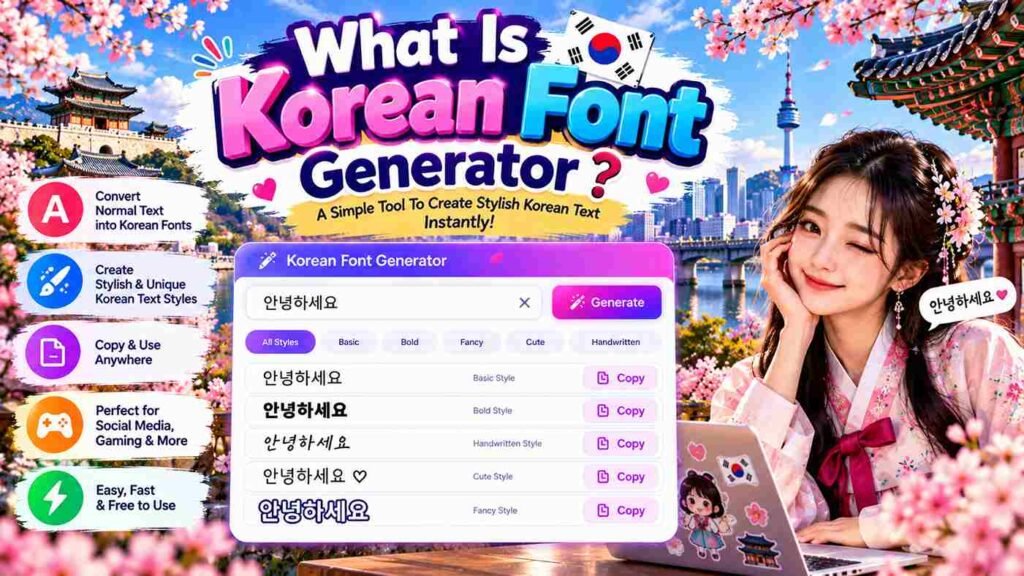
More than decorative lettering, a Korean Font Generator Online helps creators explore Hangul, shape stylish text, and prepare graphics for a design project without installing complex software or limiting experimentation to professional designers with ease.
Instead of treating every typeface as interchangeable, compare authentic Korean fonts, test colors and text effects, then type and copy a result or save image for social media, branding, gaming, or cinema-inspired content across platforms.
How To Use / How It Works
Start by type your text in the input area, then choose an available font that suits your Korean lettering. Check the real-time result carefully, since display quality and character spacing can vary across different devices.
Next, inspect the live preview before adjusting custom colors; save the finished design with download as zip when that option is provided. Keep the layout legible at its final size for the platform you choose.
Enter Your Text
Begin with a name or short message, then watch the live preview to see how Hangul characters sit together. Testing a few variations early helps you choose balanced lettering before copying the finished result online.
Use plain Unicode text when compatibility matters, then copy-and-paste the result into bios, usernames, or captions. Check the display inside your chosen app, because decorative characters may appear differently across devices and operating systems too.
Also Read: Chinese Font Generator – Copy & Paste Stylish Text
Edit Colors & Add Layers
Choose Text Color first, then test Gradient Colors against your Hangul characters; strong contrast keeps each syllable readable. A balanced Background Color can make Korean titles feel polished without overwhelming their shape and surrounding spacing.
Add layers sparingly: place Shadow Effect beneath lettering, use Add Borders for separation, and test the Select an Effect menu before exporting. Subtle adjustments usually outperform crowded styling when icons appear nearby on smaller screens.
Apply Animations
Choose 50+ Looping Animations to give Korean lettering movement without overwhelming its shapes. Test a gentle entrance, pulse, or sweep, then adjust Animation Speed until each syllable remains clear on screen across common viewing sizes.
For a Korean title, use the advanced editing engine to balance creativity with readability; subtle entrances usually outperform constant motion, especially when viewers need to recognize each Hangul block accurately on phones during fast playback.
Set Canvas & Download
Set the canvas before polishing typography: choose Original Size for accurate proportions, then adjust the Background to contrast with Hangul. Check spacing around every character so the final composition feels balanced on different screens too.
When the preview looks right, choose Transparent where needed and set Export Quality carefully. Use Download PNG for a sharp image, then inspect the saved file before posting it on your preferred platform or sharing.
100% Free, No Sign-Up
A subscription or account should not stand between users and Korean typography: this completely free tool removes the paywall, adds no watermarks, and lets beginners quickly generate text for a perfect look in every design.
There is no sign-up barrier; the export button saves a high-quality image file with crisp results, free to download and ready to use, so you can experiment with no limits on personal projects at home.
Instant Live Preview
An instant preview lets you test a font before committing: enter text, compare customizable styles, and watch the design render live. Small adjustments reveal whether Hangul feels balanced, legible, and suitable for its intended placement.
Use the live result to judge spacing, contrast, and character shape, not merely novelty. Check apps render differently across platforms, then use the Copy option only after confirming readability at actual display size on phones.
Works Everywhere
Your design should work everywhere, but Korean glyphs can render differently across a browser, desktops, and phones. Test the copied result on each destination, because appearance depends on available characters and platform support in practice.
Before sharing, test Unicode small capitals and Mathematical bold in target apps; some preserve these copy-and-paste Unicode styles, while others substitute plain text or show missing glyphs across chats, captions, documents, and gaming profiles sometimes.
Mobile Friendly
A mobile font tool online should feel comfortable on smaller screens, letting you enter Hangul, adjust appearance, and copy styled output without pinching, awkward menus, or losing your place during short creative sessions each day.
Check results in familiar apps, then place designs into documents or design tools; phones and tablets should preserve spacing, symbols, and Hangul shapes instead of turning every creative task into a desktop-only chore for users.
Customization Options
Customization works best when you adjust layers and opacity around your Hangul text, then add rich gradients or glowing effects sparingly to preserve letter shapes and keep every word readable on phones, tablets, and desktops.
Try 3D depth for gaming titles, softer aesthetic effects for social posts, or unique typography for a custom image; compare each version in the preview before choosing an option that suits your audience and platform.
Also Read: Aesthetic Font Generator
Korean Font Previews / Font List
Previewing Hangul styles side by side makes differences easier to judge: compare Font Family, Font Size, and Text Style, then test Glow Effect or Gradient to see which treatment keeps samples clear at small sizes.
A useful font list should show each sample against realistic uses, from a compact logo to a wide banner; adjust Text Alignment, Line Height, and Aspect Ratio before saving a clean PNG or JPG preview.
Copy & Paste Font Styles
Choose a preview such as 안녕하세요, compare NanumPenScript-Regular with Stylish-Regular, then copy the rendered Korean text into a profile, caption, or chat. Check spacing after pasting, because some apps may replace unsupported characters on phones.
For reusable Unicode styles, test NanumGothic and NotoSansKR-Regular in the destination app before publishing. Plain text is usually easier to reuse than an image, and a quick preview catches broken syllables or spacing on mobile.
Tips For The Best Results
Start with a short Korean phrase, then Select a Font that keeps each syllable block clear. Check spacing and contrast at your final display size before adding decorative effects or symbols for mobile screens too.
Use Select a Color with strong contrast, preview the result against its background, and test Bold or Italic styles on mobile friendly layouts. Prefer readable Hangul over extra symbols when sharing names or captions online.
About Korean Language & Hangul
Hangul is Korean language writing system used across South Korea; its organized letters represent sounds rather than decorative symbols, so choosing fonts should preserve legibility while supporting cultural context online for clear digital communication today.
From K-pop graphics to K-dramas fan posts, Hangul appears in everyday media; Seoul branding, CJK text support, and non latin characters remind creators to test spacing, glyph coverage, and readability before sharing across digital platforms.
Also Read: Arabic Font Generator – Stylish Text Copy & Paste
Platform Compatibility
A Korean Font Generator should produce text that remains readable across mobile screens, desktop browsers, and social media platforms. Test each style before posting, because decorative characters may render differently between devices and operating systems.
On desktop, download your result and verify that it displays smoothly in the target app. Without real font files, decorative Unicode may shift across platforms; preview the final post before publishing on each intended device.
For K-Pop & Gamers
K-Pop fan edits pair Hangul with bold titles, concert clips, and profile art. Use the Korean wave as visual inspiration, but keep artist names clear when sharing stunning visuals on TikTok or Instagram with fans.
Gamers can use stylized Korean names for team identities, stream overlays, and Discord banners, yet readability matters during fast matches. Choose clear styles, test special characters, and keep a plain-text version ready for teammates too.
Conclusion
Strong designs are not defined by decoration alone; readable spacing and contrast help names remain distinct, while platform compatibility matters to gamers sharing profiles, fan edits, and short messages across devices without losing clarity online.
Before publishing, check each font license rather than assuming every attractive style permits commercial use; test the copied result on target apps, and keep important Korean text readable at small sizes on mobile screens.
What Is The Korean Font Generator And How Does It Work?
A Korean font generator online creates eye-catching Korean text designs for creative projects. Type your text, select free Korean fonts, and press the Generate button to preview results instantly for banners and posts across platforms.
Is The Korean Font Generator Free To Use / Download?
This free tool lets users preview Korean-inspired text online; it requires no accounts, no sign-up, and offers no watermarks. Downloadable font files may carry separate licenses, so check usage terms before commercial projects or redistribution.
Can I Use These Fonts/Designs For Commercial Projects?
Commercial use depends on the specific font, artwork, and license—not simply whether a Korean Font Generator is free. Check the downloaded font terms; labels such as PERSONAL USE ONLY prohibit commercial projects or redistribution.
How Do The Aspect Ratios (1:1, 9:16, 16:9) Actually Work?
Choose 1:1 (Square) for profile graphics, 9:16 (Reels/Shorts) for vertical stories, and 16:9 (YouTube) for widescreen videos. Matching aspect ratios to each platform keeps text balanced, protects important details, and prevents awkward cropping across devices.
I’m Not A Pro Designer. Is This Tool Hard To Use?
Even without design experience, the easy to use interface lets you enter a phrase, preview Korean-inspired lettering, and choose a look. Start with simple text; adjust styling when your result needs extra personality or polish.


