
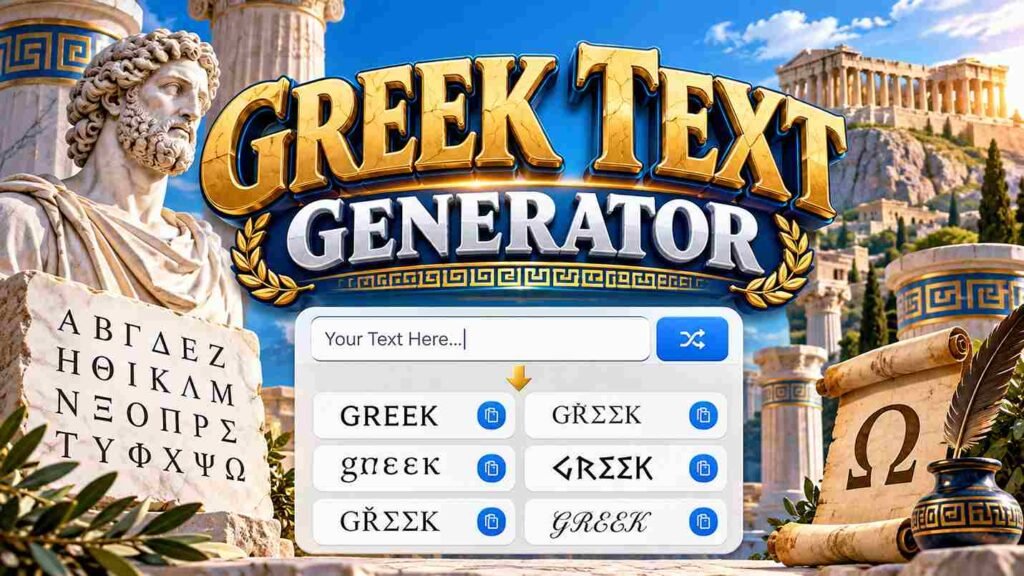

Greek Text Generator
Create Greek letters, stylish text, and copy-ready Greek characters in seconds.
Choose a style and copy the result with one click.
Click any letter to copy it.
Greek typography can serve a visual purpose without replacing language: a Greek alphabet text converter may help content creators build distinctive headings, while historians should verify spelling whenever genuine Greek meaning matters most for publication.
In historical presentations, compare a Greek-style preview with standard lettering before choosing decoration; these samples can inspire layout experiments, yet meaningful Greek text still needs accurate letters, grammar, and context for clarity across printed materials.
Table of Contents
What Is A Greek Font Generator?
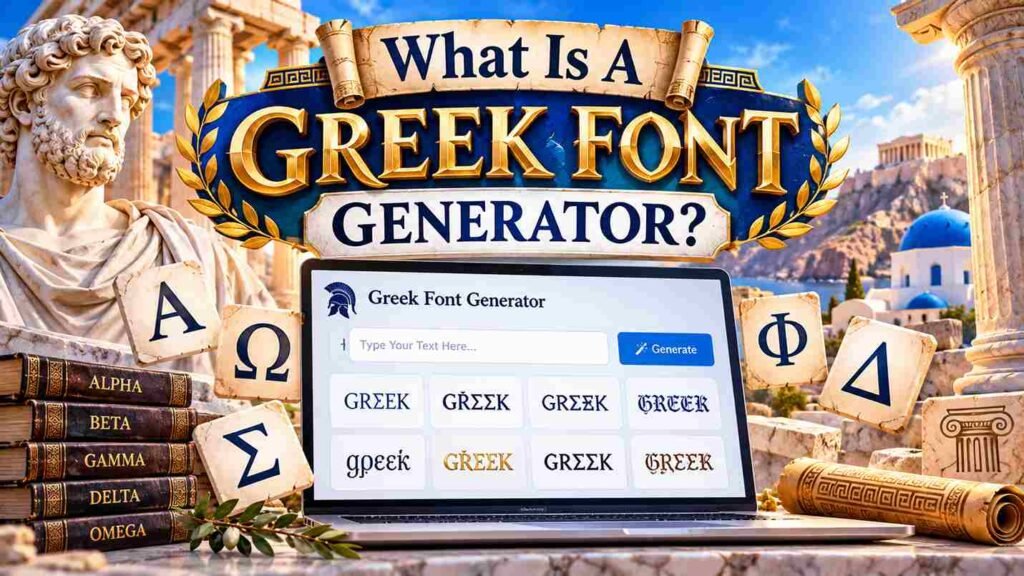
A Greek Font Generator turns a short phrase into Greek-style Unicode text, displaying Greek-looking rows for comparison. The preview size helps judge visual fit before sharing, without downloading a typeface or changing the wording itself.
Choose copy one row for a label or copy full set to compare options; because these are text characters rather than an installed typeface, paste a sample into the app and inspect spacing before publishing.
What This Greek Text Generator Creates
A Greek text generator creates stylized text for short social bio layouts, decorative headline designs, and poster mockup previews. It can offer copy paste tools while keeping styling English text distinct from real Greek writing.
It may provide a small set of visual treatments for names, captions, and headings, but it is not a full language keyboard; test each result on your target platform before sharing long paragraphs or documents.
Greek-Style Text And Real Greek Letters
Greek-style text can imitate lettering through Latin lookalikes, Cyrillic-looking forms, or mathematical symbols. These visual substitutions may decorate a username, yet they do not automatically become real Greek letters or preserve a word’s meaning.
Authentic Greek typography relies on the intended script and spelling, while Greek alphabet equivalents in decorative tools may only suggest a Greek appearance. For study, names, or translation, verify actual characters before sharing or printing.
What Is A Greek Unicode Font?
A Greek Unicode font is often text built from genuine Greek Unicode characters rather than a separate font file. These characters may appear in names, captions, and profiles, depending on device support and chosen styling.
Unlike ordinary typography, Unicode text travels as character data, so apps choose their own visual rendering. A Greek-style result can resemble ancient lettering without guaranteeing authentic spelling, pronunciation, or historical accuracy across devices and platforms.
Greek Font Vs Normal Font
A classroom handout may need real Greek language writing, whereas Unicode Greek fonts often substitute familiar text characters for visual effect. They may resemble Greek lettering without providing a true typeface or verified language content.
A decorative thumbnail or printed design may benefit from contrast, yet the final pasted result can appear inconsistent across devices. Treat generated forms as visual styling, not proof of accurate spelling or translation into Greek.
Understanding “Greek-Style” Fonts
Greek-style lettering serves different jobs: a decorative generator reshapes visible characters, while a typeface file supplies glyph designs inside a compatible design app. These approaches affect appearance, not automatically the language meaning of text itself.
Before sharing, compare profile previews and paste the result into your intended platform. Greek copy text may work for short bios, but OTF or TTF font files suit projects needing consistent typographic control during export.
How To Use The Greek Font Generator
Begin by typing plain words into the online tool, then choose a simple Greek font style and compare the Greek-style output rows. Select copy-ready text only after checking how it appears on your destination platform.
On mobile or desktop, test the copied characters in the actual app: some services replace decorative Unicode, while others display it clearly. For important names or longer text, keep a readable version nearby as backup.
Popular Greek Font Styles
Popular Greek font styles often balance Classic structure with Ornate details; Archaic and Ancient looks suggest historical inscriptions, while Hellenistic influences add a crafted character suited to titles, emblems, and themed graphics for campaigns online.
Modern designs suit clean branding, Cursive adds motion, and Decorative or Bold treatments create stronger emphasis; choose Elegant variants for restrained invitations, then test every copied character on the platform before publishing to confirm readability.
How To Choose The Right Font
Choose clean bios for small profiles, but test Greek-style labels beside your actual username before publishing. An Outlined Greek look may attract attention, while a simpler design usually keeps longer text easier to scan quickly.
For expressive display, try Etched Greek or Rough Greek; choose small mobile sizes only after checking legibility on your device. I favor a style that suits the setting, not one that merely looks unusual online.
Vast Style Library
A vast style library gives a Greek Font Generator room to offer Symbolic effects, Classic Greek-style lettering, Readable caps, and Real Greek mix options, helping users compare visual moods before choosing a result for profiles.
A vast style library is useful only when variety serves tasks: compare Bold Italic treatments with Modern Greek or Ancient Greek looks, then check whether the pasted result stays readable across the intended platform first.
Styles Listed In Tool
The comprehensive collection includes Fraktur, circled, cursive, and monospace styles, giving you several visual directions without installing typefaces. Compare the results at the size you expect readers to see before selecting one for your text.
A circled option can stand out in a short label, while Fraktur feels weightier and cursive looks more fluid; try monospace when uniform spacing suits the layout, then check the pasted result on each platform.
Rows Listed In Tool
The tool’s rows present Classic Greek, Italic Greek, Bold Greek Script, and Small Caps Greek previews beside each other, helping users compare letter shapes before choosing a style for names, captions, or short headings online.
Each row should make copying simple while revealing whether Modern, Ancient, Sans Greek, or Monospace Greek fits the intended use. Preview the result on your destination platform, because character support and spacing can vary slightly.
Key Features
Useful comparisons matter more than novelty: this generator offers multiple font styles, quick previews, and instant generation for names, captions, and headings without requiring users to install font files or software before copying them elsewhere.
With authentic Greek Unicode characters, a mobile-friendly interface, and universal platform compatibility, users can test decorative results in bios or messages, then check readability before sharing across their usual apps on phones, tablets, and computers.
Greek Fonts For Social Media
On social media, Instagram bios can use a compact Greek-style heading to give profiles a distinctive identity, while readable wording helps followers recognize names quickly and keeps decorative characters from obscuring the intended message online.
Across Twitter posts and social captions, test each copied style on the app before publishing; platform rendering risk varies, so simpler characters often preserve readability better than elaborate Unicode combinations on older devices or browsers.
Instagram Bio
An Instagram bio has limited space, so a short Greek-inspired profile label can add personality without hiding essential contact details. Test Greek-looking letters on your device before saving, especially for profile visitors using another phone.
Use styled text sparingly: one Greek-style word can highlight your identity, while accessibility, search clarity, and search keywords remain priorities. On social media, keep long captions and essential links readable for visitors at a glance.
Captions
For social media captions, Greek-style lettering can add an accent without changing the message. Try a short caption opener, then keep the rest readable so followers understand the context and recognize your voice instantly online.
Before sharing a styled line on WhatsApp, test its characters on your device. A quirky look works best when the wording still feels natural and remains easy to read across different screens and apps alike.
Gaming Profiles
On gaming profiles, Greek-style text can distinguish an in-game name without changing its meaning. Choose decorative Greek-style rows carefully, then copy a display name into Discord or another game profile and check readability before publishing.
For competitive gaming usernames, prioritize legibility over novelty: try a short team label, compare real Greek letters with Greek-looking Unicode rows, and paste the result into your profile only after testing it on your device.
Also Read: Letter Font Generator
Where To Use Greek Text
Use Greek-style text for TikTok bios, social media profiles, a Twitter name, or Facebook posts when a distinctive look matters; check each platform afterward because decorative characters may display differently across devices and messaging apps.
For gaming, test Greek-inspired names in Valorant, Fortnite, Minecraft, or Call of Duty before choosing an IGN; use them in server headers, leaderboard labels, and lobby displays when legibility remains clear on different screen sizes.
Where To Use Your New Fonts
Try Greek-style text in Instagram bio names, Twitter (X) usernames, and a messaging app profile when a brief visual accent helps recognition. Check each platform’s display before publishing, especially when unusual glyphs appear beside regular characters.
Use forum post titles, Facebook post intros, Telegram channels, and Viber messages for short announcements. In professional design projects, test contrast, readability, and copy-paste behavior before sharing designs publicly across different devices and operating systems.
Greek Letter Helper
Use the Greek letter helper when you need a quick reference, not a translation: browse the uppercase Greek alphabet and lowercase Greek alphabet, compare each closest letter, then copy a character into your text field.
For unfamiliar marks, use alphabet lookup to identify the historic symbol and compare it with classical Greek forms; a compact common-letter helper supports Greek letter picking, while checking pronunciation remains your responsibility online when publishing.
Greek Alphabet Copy And Paste
Copy Α α Β β Γ γ Δ δ directly from the Greek alphabet helper, then paste them into a bio, username, study note, or message. These are common real Greek letters, not translated words.
Select uppercase or lowercase forms, including Θ θ Λ λ Σ σ Ω ω. Keep characters matching your intended meaning; a Greek-style display is not a translation of English text across different apps and devices.
Compatibility And Limits
Cross-platform compatibility varies by app, so check the copied result in its intended destination; unsupported characters may display differently or disappear entirely on older operating systems or devices after sharing before using it publicly online.
Long entries can expose character limits or inconsistent rendering, especially where apps choose fonts differently. For reliable results, keep decorative effects brief, retain readable text, and verify each paste on target platform before publishing online.
Accessibility And Browser Privacy
Privacy in a browser matters because a Greek font generator may process typed text inside your device rather than sending it elsewhere. Check whether the tool stores entries or uses services before pasting personal messages.
Accessibility also depends on how screen reader software can interpret special characters. Stylized Unicode may look clear visually yet sound confusing when announced aloud. For important information, choose regular text and reserve ornaments for display.
Also Read: Chinese Font Generator – Copy & Paste Stylish Text
Generator Vs. Helper Vs. Translation
A Greek font generator mainly styles text for display, while a small Greek letter helper lets you insert selected symbols. Neither automatically checks Greek meaning or guarantees a correct phrase for formal academic use alone.
A language converter serves a different purpose: verify English into Greek rather than treating decorative Greek-looking Unicode characters as authentic wording. For study, check spelling and intended meaning separately before formal academic use or publication.
Greek Tattoo Font Ideas
Greek tattoo drafts deserve more than an ornate look: test Spartan, Stone Greek, or Greek Script lettering against the skin’s contour, checking that every design remains clear at tattoo size before any permanent inking begins.
For longer designs, compare Elegant Greek, Calligraphy, and Curved Greek previews, then verify Greek spelling separately; ornamental lettering may suggest a classical mood, yet a generator cannot confirm the language or meaning without expert review.
Greek Letters For Fraternity & Sorority
Fraternity and sorority displays often combine Greek letters to represent a chapter, founding ideals, or campus identity. Before copying a design, confirm each letter’s meaning and your organization’s approved order with current members and advisors.
Keep team names and short handles readable across merchandise, event posters, and social bios; elaborate Unicode may render inconsistently. Test each design on phones, printed proofs, and approved chapter materials before sharing with your members.
Conclusion
A Greek Font Generator is most useful when decorative text serves a clear purpose: explore classical Greek typography, compare readable styles, and check how chosen characters appear before sharing them across everyday digital spaces confidently.
Treat each result as a visual option, not proof of translation: confirm historically accurate letterforms when precision matters, review the browser preview, and test the final copy and paste result in its destination before publishing.
What Is A Greek Alphabet Text Converter / How Is Greek-Style Text Different From Real Greek Letters?
A Greek alphabet text converter creates Greek-looking text, but appearance does not make it real Greek. For short text or a game tag, typing actual Greek letters protects meaning; screen readers may handle forms inconsistently.
What Styles Does It Offer / Can I Use It As A Greek Font Style Tool / Which Simple Style Should I Choose?
Choose Smooth Greek for understated names, Bold or Strong Greek for emphatic titles, and Temple Greek for ceremonial headings. I usually match the style to target audience, then test readability before copying to social media.
Does It Work On Mobile / Do I Need To Download Anything?
Yes, it works on phones and tablets: the tool is browser-based, requires no downloads, and offers instant results. Type your text, preview the style, then copy the result across compatible devices easily without extra setup.
Which Platforms And Apps Does It Work On? / Will It Work Everywhere?
Greek-style text works in social apps, documents, and games, but appearance varies by app. Test Unicode support after pasting; some game clients may replace unusual characters, so all platforms are not guaranteed to match perfectly.
How Accurate Is It? Can It Handle Long Text?
Accuracy depends on Unicode characters and the destination app, not just the preview. For long text, check word count, character count, line breaks, and real-time rendering before copying; some platforms display styled rows inconsistently.



Pingback: Medieval Text Generator – Copy & Paste Gothic Text