


Signature Font Generator
Turn your name into an elegant signature. Explore script and decorative styles, copy text, customize the ink, or save your signature preview as a PNG.
1. Enter your name
LIVE PREVIEW2. Your signature preview
SELECTED STYLEChoose a signature style
Select a card to preview it, or copy a style directly.
Tip: Unicode styles can usually be copied into bios, messages, and profiles. A handwriting-only preview uses common system fonts, so its exact appearance may differ across devices and apps. This tool creates text styling, not a legally verified or secure digital signature.
A signature text generator can give names a handwritten appearance without scanning paper or installing software. I recommend testing signature styles at actual display sizes, because clarity matters more than decoration when signatures shrink onscreen.
For a polished result, enter a first name, full name, or nickname, compare flowing script with cleaner design options, then copy the version that suits your email footer, profile, or personal branding in everyday use.
Table of Contents
How To Use The Signature Font Generator
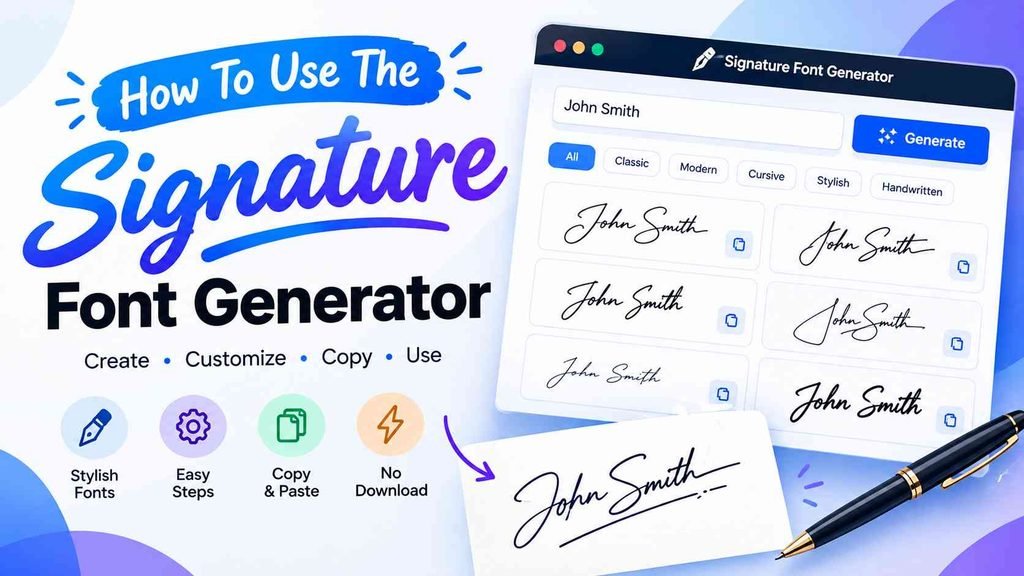
Use the signature font generator as a design aid, then test Unicode script characters beside ordinary lettering. Compare brand scripts in a Notion page and check their appearance across devices before sharing publicly with confidence.
Keep the private in browser workflow simple: enter details, inspect the lettering, and adjust spacing until the result feels natural. A crisp at any size design helps you select a usable option for daily use.
Signature Styles
A signature should feel personal before it looks elaborate. Try initials, a brand name, or a short phrase, then compare tall ascenders, rounded shapes, and flowing decorative lettering to find a balanced appearance that fits.
For a signature, test the same signature style across names and digital settings; experiment with underlines, loops, or swashes, but protect readability and a professional appearance in compact layouts without sacrificing balance at smaller sizes.
Email Signatures
Email signatures benefit from a readable handwritten signature style that adds a personal touch without overwhelming essential contact details. Choose elegant cursive lettering, then test how it appears across devices and email clients before sending.
Treat the footer as your personal branding: use a font name and copy and paste workflow carefully; avoid decorative Unicode text, since Unicode text can confuse screen readers or display unpredictably across Gmail and Outlook.
Where To Use Your Signature (Bios, Cards, Posts, Documents, Branding)
A text signature can personalize an Instagram bio, LinkedIn bio, Discord About Me, or social bios; choose styled Unicode name carefully, because plain words remain easier to read, search, and recognize across devices and platforms.
For digital cards, posts, document footers, brand kits, and logos, match the signature style to your audience; export a transparent PNG when imagery matters, but test copyable text wherever editing matters before publishing anywhere online.
Also Read:Underline Font Generator – Copy & Paste Underlined Text
Not A Legal Signature (Digital Text Vs Real Signature)
A signature font generator creates decorative text for names, but its visual appearance alone does not establish a legal signature. For contracts or official records, check whether the recipient requires a verified e-signature service instead.
Use generated lettering for previews, branding, or informal sign-offs; do not assume copy-and-paste styling can sign documents validly. When acceptance matters, follow the platform’s identity checks, consent steps, and recordkeeping requirements before completing a transaction.
Why Use Our Generator
Our generator helps you compare results quickly and copy the style that suits your name, brand, or message. Explore elegant font styles without signup, creating a distinctive signature for everyday digital use across online spaces.
From an email footer to social profiles, personal and commercial use options make experimentation flexible. Preview readable on phones designs, keep contact details clear, and choose a finish that feels recognizably yours without extra software.
What Is Signature-Style Text?
Signature-style text changes the appearance of your name through script-like characters, giving a typed identity a personal touch without producing a photograph. It differs from formal lettering because its intended use favors individuality over ceremony.
A copy-and-paste text generator offers quick variations, but display depends on each platform’s character support. Use plain text when clarity matters, and reserve profile text with decorative styling for aesthetic purposes, not legal identity verification.
Also Read: Tiny Font Generator – Small Text Copy & Paste Free
Signature Styles For Names
In practice, names benefit from recognition over decoration: Classic Signature offers familiarity, while Modern lettering and a Monoline Signature keep personal marks clean across digital profiles on phones and in communication settings without visual clutter.
A practical check is to preview names at small sizes: Elegant Signature feels restrained, Flourished Signature celebratory, and Bold Signature clearer on artwork; test each version before placing it in public profiles or email footers.
Decorative Signature Styles
Decorative signature styles pair flourishes with refined strokes, giving letters a distinctive finish without sacrificing clarity. For personal branding, choose details that complement your natural writing rhythm rather than overwhelm the lettering or intended use.
Ornate accents and subtle decorative movement can make a digital sign-off feel personal, especially on invitations or profile graphics. Test each option at small sizes, ensuring the visual results remain readable across devices and backgrounds.
Signature Vs Cursive Vs Calligraphy
Signature styles prioritize personal identity and quick recognition, while cursive focuses on flowing, connected letterforms. Calligraphy, by contrast, emphasizes deliberate strokes, spacing, and composition, often making each letter more ornamental than practical for everyday writing.
In practice, a signature font mimics handwritten marks for branding or sign-offs; cursive offers readable everyday elegance, whereas calligraphy suits artwork when natural brush strokes, controlled contrast, and ornate styles matter most visually on paper.
How It Works
A signature-style text generator transforms typed names into polished, personalized designs. Enter your name, browse available options, and choose a style for social media bios, supporting everyday personal branding without downloading a separate font file.
The generator matches your input with decorative Unicode characters or available designs, then displays a preview. Press the Copy button to move the signature text into your chosen destination in seconds for easy reuse later.
Also Read: BIG TEXT Letters Font Generator
Accessibility Note
For accessible signature text, prioritize readable lettering over decoration: a light script may look refined, but styles thin at small sizes can become difficult to distinguish on phones or when viewed quickly in busy interfaces.
Decorative Unicode character choices may appear as squares or question marks because of limited font support on older operating systems; test copied results in each target application to ensure clear display for everyone across platforms.
Explore Signature Font Categories
Choosing a signature style starts with its purpose: professional correspondence suits Executive Signature or Professional Signature, while profiles may benefit from brush lettering, retro curves, or a handwritten style that feels personal without sacrificing clarity.
Compare Great Vibes, Allura, and Dancing Script carefully for names and initials; choose Serif Italic or a compact sign-off when space is tight. Test filters and underline effects before saving designs for different profile platforms.
Conclusion
A stylish name should feel legible, recognizable, and appropriate wherever it appears. Choose a style that reflects your identity, then test it across email and digital profiles before safely sharing it confidently with others online.
Although Unicode characters can add personality, they may not behave like a signed image or an actual handwritten signature. Keep essential details simple, prioritize accessibility, and verify the style on every platform before using it.
Is It Free? / Can I Use It Commercially?
This 100% free generator has no hidden fees, making it useful for personal use and online projects involving commercial use. Still, confirm the separate font or asset license before selling
Can I Use This To Sign Documents?
A signature font can personalize sign-offs, but decorative text is not automatically a real signature or legally binding. For contracts, legal documents, or financial documents, use a recognised e-signature platform when formal verification is required.
Will It Work In Gmail And Outlook?
Yes, but test your script name in Gmail and Outlook; email clients can render differently between applications, especially when custom fonts or Unicode text appear in plain-text messages. Clean email signatures remain the safest choice.
How Do I Make A Monogram?
To make a monogram, type your name, reduce it to your chosen initials, and select a balanced style. Initials with periods can feel formal; preview spacing before using the mark across profiles and stationery consistently.
Which Style Is Most Readable On Phones?
In practice, a light, legible script with a consistent line-like appearance usually reads better on phones than ornate lettering. Check styled letters at small sizes; prioritize accessibility and keep names uncluttered on small phone screens.



Pingback: Arabic Font Generator – Stylish Text Copy & Paste