
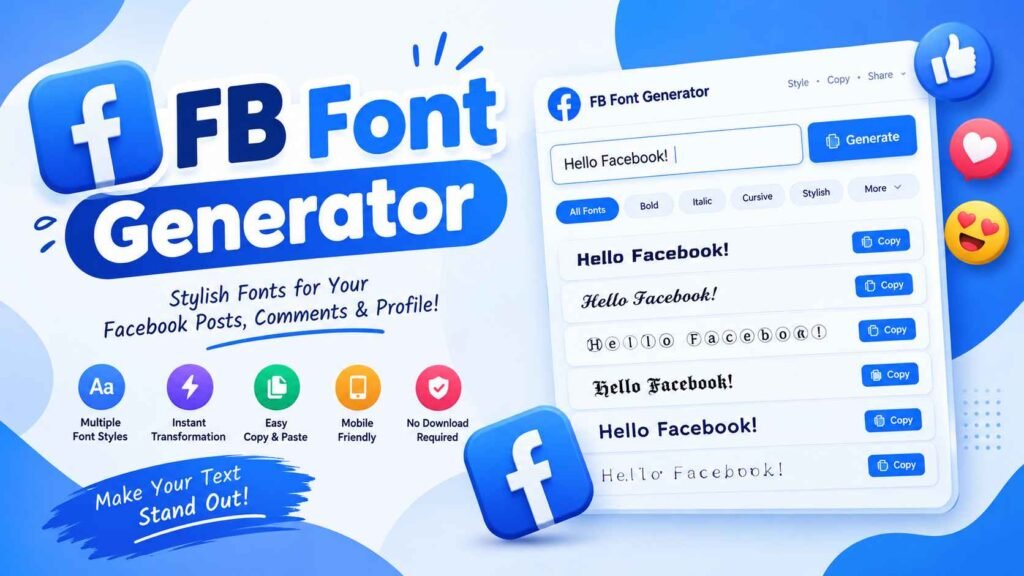

Facebook Font Generator
Make your name, bio, posts, and comments stand out with stylish text you can copy and paste.
Tip: These are Unicode text characters, not installed fonts. Most can be copied into Facebook names, bios, posts, and comments, but how they look depends on the device and app. Some styles may not be accepted in every Facebook field.
An FB font generator gives ordinary writing a fresh visual identity for profiles, captions, and comments. It can style a Facebook status without installing a typeface or changing the platform’s default font on your device.
Use the preview to compare styles, then copy and paste your favorite result into a bio or post. Unicode characters may display differently, so device compatibility matters when readability is important for every intended audience.
Table of Contents
What Are Facebook Fonts?
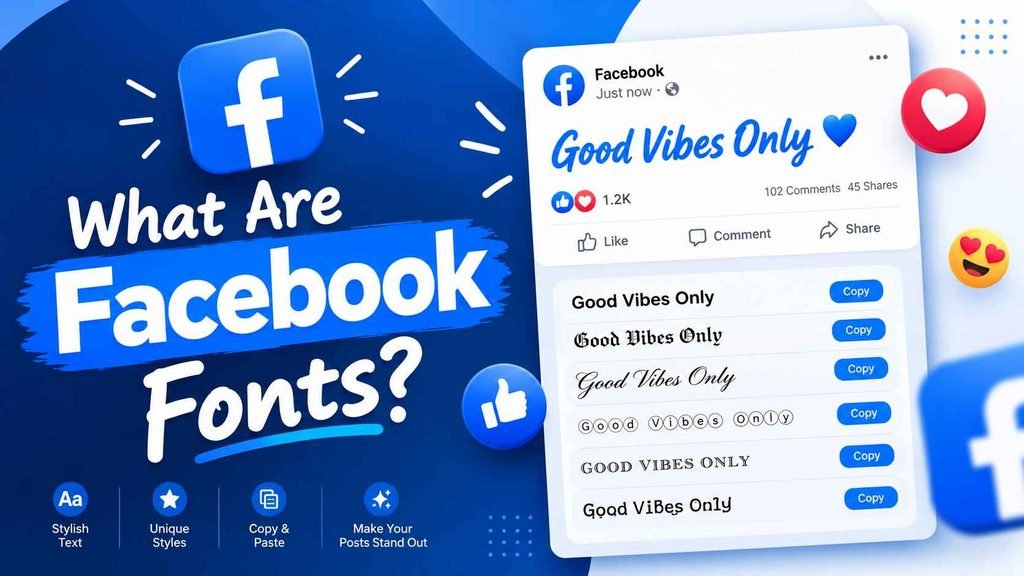
Facebook fonts are simple presentation choices, not downloadable typefaces: a generator rearranges compatible characters into Unicode-based styled characters, helping posts create a lasting impression without changing the platform’s underlying interface or requiring an app installation.
The practical trade-off is consistency: aesthetic fonts may attract attention, yet unusual forms can slow comprehension across devices. I recommend testing a short accent first, then keeping essential details in familiar wording before using them.
What Is A Facebook Font Generator / Font Changer?
A Facebook Font Changer is an online font generator that converts your simple input text into different cool styles using Unicode symbols, rather than installing a typeface on your device or changing Facebook’s built-in interface.
After selecting a result, copy-and-paste Unicode text into a post, comment, or profile field; check how it displays on your device before sharing it publicly, because support can differ across apps, browsers, and older phones.
How Facebook Font Generators Work (Unicode)
An FB font tool converts regular typing into fancy Unicode characters rather than installing a typeface. It maps letters to different Unicode characters that remain similar looking, allowing the result to be copied into Facebook.
The process depends on Unicode, the character standard behind each substitution. A generator displays options for your inserted text, letting you compare styles before using a Facebook Stylish Text Generator to prepare results across apps.
Also Read: Calligraphy Font Generator – Free Copy & Paste
How To Use The Facebook Font Generator (Copy And Paste)
To change the font, start with your message rather than hunting for a setting inside Facebook. Type your words into the generator, compare the previews, and choose a version that stays readable in context first.
Because this tool uses alternate characters, font installation is usually unnecessary; copy the finished text and test it in the intended post or bio. No font installation keeps the process quick across supported devices too.
Popular Facebook Font Styles
Popular Facebook font styles include Bold, Italic, Cursive Script, Gothic, and Double-struck text. I usually test each option in a short sample first, checking whether its decorative characters remain clear across phones, browsers, and layouts.
For profile accents, Script Bold and Sans-Serif Bold create different moods, while Fullwidth letters and decorated text styles add visual distance. Use them sparingly, because unusual glyphs may affect readability or search visibility on Facebook.
Facebook Bold & Italic Text
Use Bold for emphasis and Italic to distinguish key phrases. On Posts & headings, apply both sparingly to preserve Mobile Readability in busy feeds while keeping the surrounding message easy to scan at a glance.
Math bold italic, Math sans bold italic, and Bold Heavy Bracket offer different visual weight, while Double Struck adds an outlined feel. Preview each option on your phone before copying it directly into Facebook posts.
Facebook Cursive / Script Text
Cursive / Script styles give Facebook updates a handwritten feel without installing a typeface. Enter a short phrase, preview flowing characters, then copy the version that stays clear in your bio, caption, or comment on mobile.
The cursive fonts can make a name or greeting feel personal, but ornate forms may render differently across devices. Test each result before publishing, and keep essential details plain for accessibility and readability for everyone.
Facebook Gothic Text
Facebook Gothic / Fraktur text gives names and short posts a medieval look, but ornate letters are not automatically better. I test each style in the actual Facebook text field before sharing it publicly with friends.
Use gothic blackletter sparingly for a username, banner, or themed group announcement; then check readability on phones. If letters turn into boxes, switch to a simpler design so members can recognize every word quickly online.
Where To Use Facebook Fonts
Use profile details and short names where impressions matter; a restrained style can personalize an account without making its purpose harder to understand. For online announcements, post headlines should remain readable when styling adds personality.
In groups, admins can highlight important information through concise pinned notices. For sales posts, Styled titles and Price Firm labels can help readers scan offers, but details and accurate descriptions should always carry more weight.
Also Read: Cursive Font Generator – Free Copy & Paste Cursive Text
Facebook Bio And Profile
Your Facebook bio can feel personal without turning into a wall of symbols. Preview styled Unicode text on your usual screen first, since glyph support differs between phones, browsers, and account views in everyday use.
Keep the layout restrained: integrate one distinctive style into a short introduction, then leave supporting details plain. This helps all Facebook Profiles remain easy to scan and comfortable to read every day across varied screens.
Posts And Updates
An effective status update needs no elaborate lettering: a clear opening, useful detail, and readable spacing help people scan Facebook posts quickly, while restrained styling keeps the main point easy to follow on busy feeds.
For announcements or everyday conversations, use key messages selectively: a short heading, one emphasis style, and regular text make the update easier to scan. If every line competes, decoration loses its purpose for most readers.
Groups And Announcements
In Facebook groups, announcements work best when important information appears before casual discussion. Use Styled text sparingly for welcome messages and rule headings, helping members notice updates without making conversations cluttered or difficult to scan.
For reminders, admins can place announcements near regular posts, using visual structure and clear writing to separate dates, links, and calls to action. Keep decorative lettering brief so readers understand details quickly on mobile phones.
Comments And Replies
Replies do not need elaborate styling to feel personal: a font style can highlight one short reaction, while ordinary letters keep the meaning clear. Check how specific Unicode characters display before posting on different devices.
For busy threads, a generator makes it easy to test Unicode options, but support varies by platform; use decoration sparingly, keep replies readable, and avoid styling every sentence; concise replies often suffice for most readers.
Gaming Names And Profiles
Gaming names work best when profiles stay readable across social media. A Facebook Font Generator can add stylish text and unique font styles, but recognizable names matter more than decoration during matches and quick searches.
Test each name font style beside your usual Bio before saving it. Use symbols sparingly, check name standards, then copy and paste the result on your personal profiles to confirm it displays correctly everywhere first.
Facebook Groups
In Facebook Groups, a generator can create fancy text and stylish fonts for announcements, yet decoration should never bury the purpose. Eye-catching text works best when updates remain clear on small screens for quick reading.
Experienced group admins can use pinned posts to highlight weekly threads, while checking group rules before styling member notices. Keep decorative details limited, so newcomers can scan instructions and join discussions confidently without extra effort.
Facebook Pages
On Facebook Pages, distinctive titles and concise captions establish a clear visual hierarchy before visitors explore updates. A restrained bold statement can draw attention to announcements without making every post feel promotional on smaller screens.
For engaging Page updates, choose unique font styles sparingly and keep the main content readable; consistent formatting helps your audience recognize recurring series, event details, and useful information across a busy feed at a glance.
Also Read: AI Sports Text Effect Generator
Facebook Marketplace
On Facebook Marketplace, clear product details matter more than decoration. Use Unicode fonts sparingly in key phrases, while keeping item names, condition notes, and prices easy for buyers to scan quickly, especially on mobile screens.
For Marketplace listings, test simple styles in brief headings rather than making every line highly decorative. Consistent formatting can support brand recognition, but accurate photos, honest descriptions, and responsive replies build buyer trust over time.
Benefits Of Using Facebook Fonts
Captivating fonts and creative options help messages attract attention in crowded feeds. Through simple copy and paste, people can refresh profile presentation without installing any software or learning complex design tools for everyday social use.
Thoughtful personalization can boost engagement, but the strongest user experience comes from restraint: select custom fonts for brief highlights, then leave surrounding information simple, allowing readers to scan quickly and understand the intended message clearly.
Facebook Profile Name Rules
Facebook’s official name field should reflect the name used in everyday life; input your name plainly before trying a fancy font generator. Avoid unusual capitalization, punctuation, characters, or random additions to keep your profile authentic.
Keep decorative characters for bios or posts, not the main identity field; Facebook Font Name Style experiments should never obscure recognition. If a result changes your identity’s meaning, choose a simpler option for online clarity.
Accessibility, Search Visibility & Best Practices
Test decorative font generator styles with screen readers before publishing, because unusual Unicode may sound confusing to visually impaired users. Keep standard letters in essential links, names, and instructions so meaning remains clear across devices.
For discoverability, retain standard text, important keywords, and names in profile details; reserve decorative Unicode characters for brief emphasis, since internal search and search indexing may interpret styled characters inconsistently across many different platforms.
Screen Reader Compatibility (Accessibility)
Screen readers may announce decorative text and decorative Unicode letters unpredictably, so keep names, contact details, and essential information in standard text. Use styled characters only for short emphasis, never for the main message alone.
For accessibility, test the screen-reader pronunciation on your target device; retain plain text for critical information, use visual separation and concise labels, and check whether Unicode styling remains understandable in long-form content when read aloud.
Facebook Search Indexing & SEO
Decorative Unicode characters can improve visual emphasis, but searchable content should remain readable. For Facebook posts, combine styled characters with regular text so readers understand important information and search systems interpret keywords more reliably.
For Marketplace listings, Groups, and Page descriptions, prioritize clarity over decoration. Keep essential keywords in standard letters, avoid excessive symbols, and use fancy fonts selectively because unusual characters may reduce search visibility and accessibility.
Troubleshooting: Boxes, Question Marks & Unsupported Characters
Empty boxes or question marks reveal why font fallback definitions matter: the browser or operating system cannot find a glyph for a Unicode character, so the device shows a placeholder instead of the intended symbol.
Before changing a post, test the Unicode character set on mobile and desktop devices; older Android phones, outdated operating system versions, and non-Latin scripts behave differently. Try a simpler style from widely supported categories first.
Why Do Some Letters Appear As Empty Boxes Or Question Marks [?]
Empty boxes usually mean your devices lack glyphs for selected Unicode symbols; the text itself may be fine. Check browsers and operating-system support before assuming the Facebook fonts tool failed to display correctly on screen.
Try a simpler style, update the browser, and test the copied text on another device. These solutions often restore Unicode character support; if symbols still fail, choose characters with broader cross-platform support for public posts.
Facebook Wide Text
Facebook wide text uses expanded-looking Unicode characters to create horizontal emphasis, helping a short Facebook post stand out without changing the platform’s interface. Test the styled text in your text field before sharing it publicly.
In practice, wide lettering can add visual emphasis to captions and comments, yet excessive spacing may reduce readability on mobile devices. Compare with normal text, then copy the result only when characters are supported there.
Facebook Fancy Decorated Text
Decorated Facebook text works best when styled characters support the message rather than compete with it. Try fancy text fonts, calligraphy, or decorative styles for a short profile line, invitation, or celebratory update shared publicly.
For longer updates, keep the main message readable and place ornamentation around a name or opening phrase. Preview the result on phones because decorative Unicode characters may wrap awkwardly or appear differently across devices sometimes.
Double-Struck
Double-struck text uses Unicode characters with paired-looking strokes, giving letters a distinctive mathematical appearance. Because valid characters follow the universal international character standard, you can copy & paste styled text into many Facebook fields easily.
On Facebook, double-struck lettering can emphasize a short name or heading, but it does not automatically install a new typeface. Test each styled equivalent on mobile because supported glyphs may display differently across devices there.
Conclusion
A Facebook Fonts Generator can personalize everyday messages without extra software; it transforms Unicode text into distinctive styles, helping Facebook users improve appearance of text while preserving meaning across phones, browsers, and daily social conversations.
Because every character may display differently across platforms, favor readable designs, follow platform rules, and reserve decorative styles for emphasis rather than important messages readers must understand quickly on every device before sharing them publicly.
Why Does My Text Look Scrambled On Mobile Devices?
On a mobile friendly, fully responsive page, scrambled characters may reflect font fallback definitions or unusual glyph support rather than a Facebook problem. Compare the post on a tablet, then refresh Facebook and retest immediately.
What Is A Facebook Fonts Generator?
A free tool converts ordinary text into Creepy, Aesthetic, or Stylish Fonts for FB styles, offering a different look for profiles and posts without downloads through Unicode characters that copy directly into supported Facebook fields.
How Does A Facebook Stylish Text Generator Work?
A Facebook-based FB font generator maps typed characters to Unicode styles, letting you preview search styles before copying results. It changes character representation, not Facebook’s font, so compatibility depends on supported text fields and devices.
How Do I Change The Font In A Facebook Post?
To change a post’s look, draft your message, test a text generator, and compare styles. Use design sparingly, keep important words easy to scan, and help the message stand out without harming readability on Facebook.
Can I Make Bold And Italic Facebook Text?
Yes, you can combine bold letter formatting with italic styling using a Facebook Fonts Generator: type in text, select cool text styles, and copy them directly into Facebook; appearance can vary across devices and apps.



Pingback: Instagram Font Generator – Copy & Paste Stylish
Pingback: Snapchat Fonts Generator – Copy & Paste Cool Fonts
Pingback: Threads Font Generator – Copy & Paste Stylish Text