
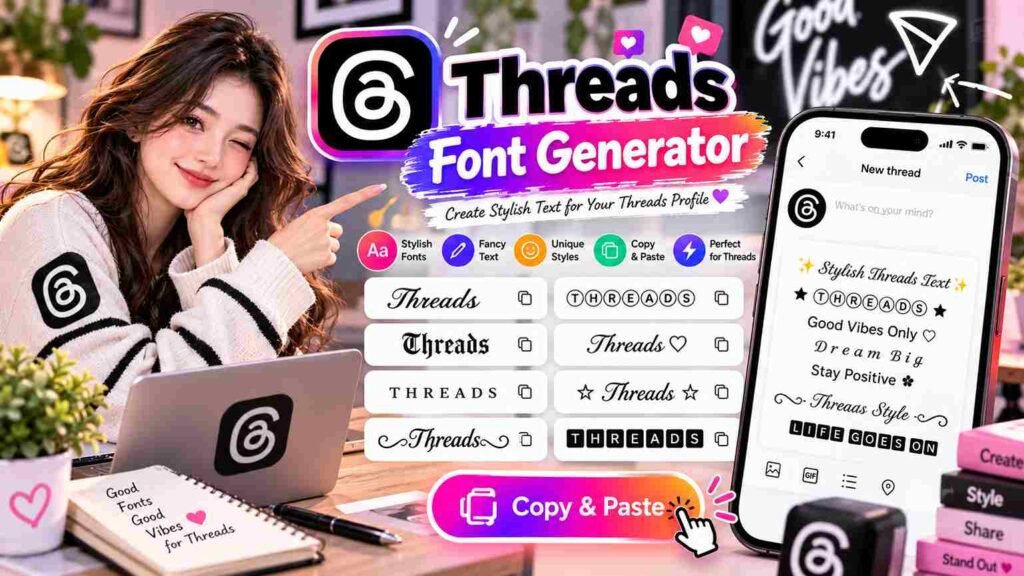

A Threads font generator turns ordinary text into Unicode characters with distinctive styling, helping creators refresh posts, bios, and display names. The results copy easily; they are not an installed custom font file on devices.
Selective font styles can give a Threads post a stronger opening, but clear writing matters more than decoration; Unicode characters travel through copy-paste workflows without installing a custom font file on most modern social platforms.
Table of Contents
What A Threads Font Generator Work ?

A Threads font generator is a styling tool that transforms ordinary writing into distinctive Unicode characters. It does not install new typefaces; it substitutes compatible characters people can copy and paste elsewhere without downloading files.
Unicode assigns each character a distinct code point, so decorative variants often behave like text rather than installed fonts. Their appearance varies across devices; test the result before publishing, then check readability on target platforms.
How To Use It (Steps)
Start by entering your text in the generator, then inspect the live preview to compare Bold, Italic, Cursive, or Monospace options. Choose a style that fits your profile, post, or reply before copying the result.
Use copy to transfer the selected styled text, paste it into a Threads draft, and check spacing, symbols, and readability on your device. Keep important details recognizable, then publish when the appearance matches your intent.
Font Styles Available
Choose heavy glyphs for short emphasis, use subtle emphasis with italic styling, or select handwritten calligraphy for a personal signature. These Unicode choices add personality without requiring separate font files on Threads or custom software.
For compact profiles, small caps keep layouts tidy; monospace suits code snippets and aligned lists, while gothic, blackletter, and a dramatic display name work best as short accents, not full sentences across busy Threads feeds.
Bold
On Threads, Bold Sans and Serif Bold can make a key phrase stand out without turning a post into visual noise. I use bold styling selectively for clear hierarchy and quick scanning during browsing sessions.
Try Bold Italic for emphasis, or Bold Gothic when it suits your brand identity. These plain Unicode characters need no installation, so preview them carefully and keep essential details in ordinary text on every device.
Italic
On Threads, Serif Italic styling can soften a caption without changing its meaning. Since the effect uses alternative Unicode characters, test each styled glyph in the live preview before posting across different devices and browsers.
Use italic commentary for subtle context or a brief phrase, not every sentence. Visual differentiation may look consistent in one app yet differ elsewhere, so keep essential wording recognizable and readable for readers across devices.
Script
Flowing lettering can give a short Threads post a handwritten feel, especially when quoted phrases need emphasis. In my experience, restrained soft branding looks more intentional than applying decorative characters to every sentence or reply.
Use this style for profile text or an expressive tone, not dense explanations; long decorative passages can slow readers down. Test the result beside ordinary lettering so the message remains recognizable across devices and screens.
Fraktur (Gothic/Blackletter)
Fraktur gives a Threads post a historic Gothic edge, but its sharp strokes can slow quick reading. I use it for one brief label, not an entire conversation or announcement, where letter details may blur.
The fraktur option works best when contrast is intentional: pair the lettering with ordinary text, check the preview before publishing, and keep essential details plain so readers recognize the message quickly across varied screen sizes.
Monospace
Monospace styling gives each character equal horizontal space, creating a Typewriter look for code snippets, demonstrations, and tech posts on Threads. It can clarify alignment, but long blocks may feel rigid or harder to scan.
Use this style selectively for brief labels, sample commands, or aligned comparisons; preview the copied result before publishing. Because these characters remain text rather than actual font settings, readability still matters during daily online use.
Small Caps
Small Caps give Threads posts a compact, polished voice without changing the message itself. Try them for a display name, bio line, or brief label, then compare readability beside ordinary text before publishing on mobile.
Choose a style that suits the context, press the Copy button, and paste it into a real Threads post draft. Preview it on screen because formatting stripped by a platform may later alter letter shapes.
Also Read: FB Font Generator – Stylish Facebook Fonts to Copy & Paste
Light Symbols And Wrappers
On Threads, decorative symbols work best as a quiet accent around a short bold hook, not as decoration everywhere. I’d try brackets, arrows, or stars to keep a mobile preview from feeling noisy across feeds.
Use emojis or a single slash as a lightweight wrapper only when it clarifies a label, date, or reply punchline. I keep plain text nearby, avoid symbol spam, and test how the glyph renders consistently.
Why People Use It / Benefits / Best Uses
Creators use a Threads font generator less to decorate every sentence than to direct attention: a distinctive opening, short highlights, and decorative Unicode can make a post easier to scan in a busy feed.
In practice, brand aesthetics matter less than legibility; I’d reserve stylized text formats for a callout, bio, or launch phrase, then keep supporting details in normal text for clearer reading across small screens, too.
How Threads Renders Styled Text / Unicode Vs Normal Formatting
Threads often displays styled lettering through Unicode characters rather than installed custom fonts; each visually distinct equivalent remains text data, so appearance depends on modern Unicode support across the viewer’s device, browser, and system version.
Normal platform formatting relies on editing controls; Unicode styling can feature letters swapped for similar characters, so stripped formatting may leave symbols visible after copy-and-paste between social apps and profile fields when reposted across profiles.
Best Practices / Tips And Cautions
Prioritize readable wording over decoration: test common Unicode styles in your draft, keep important information in ordinary characters, and use short styled text only where it supports meaning rather than competing with your message today.
Before publishing, check the preview on mobile, confirm screen readers can handle key lines, and retain a plain text version for search. Avoid dense decorative runs; fallback boxes may appear on older devices or browsers.
Font Catalog Of 117 Styles
With 117 styles organized into practical categories, the catalog lets creators compare visual tone before posting. Try Outline, Decorated, or Flipped lettering for short labels, profile accents, and memorable announcements without changing the message itself.
Use Double-struck, Circled, Squared, or Upside Down styles sparingly when readability matters; sparkles, hearts, and flowers suit playful posts, while Bold Script can emphasize a brief creator signature rather than an entire paragraph of text.
Disclaimer / Non-Affiliation
This independent typographic tool isn’t affiliated with Meta Threads or Instagram. It converts ordinary text into styles made with Unicode text characters, but these are not real font files and imply no official endorsement whatsoever.
Names, logos, trademarks, and service marks belong to their respective owners. Any Instagram or Threads references identify intended compatibility only; linked profiles and platform-specific formatting may behave differently, so verify applicable platform rules before publishing.
Also Read: Social Media FontsLive Post Preview
A useful live post preview lets creators inspect how pasted Unicode and text accents appear before publishing. Check the first line, Spacing, and emphasis together, because the feed gives readers little time to interpret styling.
A preview should test the hooks in context, not merely display isolated examples. Compare sample outputs on mobile and desktop, then confirm consistent rendering, simple labels, and accessibility before posting the final version into Threads.
Generator Tool Descriptions
Our browser-based Threads font generator helps creators enter text, browse styles, and copy results without installing software. It transforms ordinary wording into a real Unicode character style, making fancy fonts easy to test across platforms.
Descriptions should explain the effect rather than promise an installed typeface: styles rely on plain Unicode, so rendering can vary by device. Preview each result, keep messages readable, and reserve decorative characters for short emphasis.
Conclusion
A Threads font generator can add typography to a competitive feed, yet ornamentation alone cannot guarantee a distinctive look. Choose short phrases, preserve brand consistency, and preview results before publishing online content for your audience.
Because these styles use special characters, test whether they survive copy-paste across devices before publishing, keep key details in standard characters, and avoid choices that weaken searchability or challenge assistive technologies during everyday online use.
Do The Fonts Work On Mobile / Android / iOS? Why Do I See Boxes?
Yes, styles appear on iOS and Android devices because they use Unicode characters, not installed fonts. If a character lacks support, it may render as boxes; test styled characters with a screen reader before posting.
Are These Real Fonts?
These are not installed typefaces; “Unicode fonts” is a popular label for styled text made from special characters. Their appearance depends on each device’s character support, not downloadable font files that users install as software.
Can I Style A Whole Post?
You can style an entire post, but restraint usually works better: keep long posts readable, reserve bold emphasis for key ideas, and use decorative Unicode selectively so readers can follow the message without visual fatigue.
Can I Use Them In Threads Posts, Replies And DMs?
Yes, styled Unicode works in Threads posts, replies, and DMs, but restraint matters: fancy text may display in unexpected ways, while long passages become harder to read. Keep critical information plain; test each line first.
Is The Tool Free?
Yes, the Threads font generator is a free tool with no registration required, so you can test styles, copy Unicode text, and personalize posts without hidden fees, subscriptions, or software downloads on supported devices anytime.


