


A delightful jumble can make a familiar username feel freshly expressive without producing a graphic; the result remains text, useful when a plain phone font feels too predictable for everyday sharing across digital spaces today.
I favor futuristic or condensed treatments for short labels, but a plain Unicode version should remain nearby whenever a reader needs clarity; unusual presentation works best when purpose, platform, and legibility stay balanced together well.
Table of Contents
What Is a Weird Text Generator?
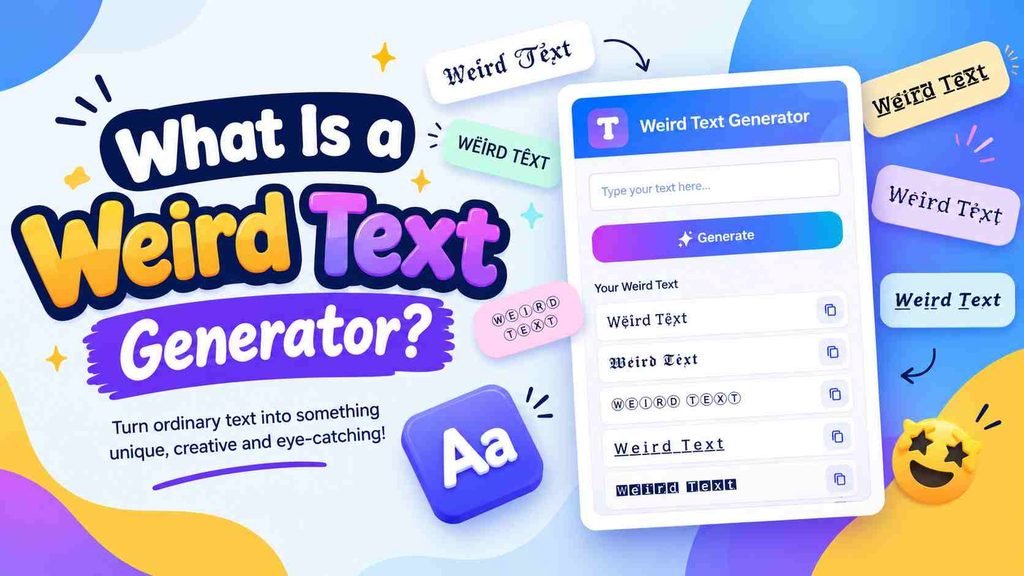
A weird-text tool rearranges familiar characters into novel alternatives, so names and captions can look mirrored, flipped, bracketed, or intentionally distorted. The result is styled text, not a newly installed typeface on the user’s device.
From experience, creativity works best when users choose among seven ways of changing appearance rather than adding noise. A mobile-friendly generator should show previews, protect legibility, and keep every result easy to compare before copying.
How To Use The Weird Text Generator
First, enter text in the input box, then browse options before choosing a look. The application shows previews, helping you compare unusual results without changing your original message or losing its meaning while testing styles.
After style resonates with your purpose, transform the sample, use click to copy, then paste it into your chosen digital platform; check spacing and readability before publishing; test the appearance on another device first, too.
Enter Text In The Field
Begin by placing your original plain text inside the input box. Keep the wording accurate; unusual styling works best when the source wording is correct and complete before choosing any style option for final output.
Next, enter text into the text box and check spacing, punctuation, and repeated letters. Try a short sample first, then expand it once the preview feels readable on your chosen device before formatting it fully.
Choose A Font Style
Choosing a style begins with the mood you want, not the strangest preview. Compare readable, playful, eerie, and distorted options, then inspect how each sample handles names, captions, and short messages before using it publicly.
For best results, test the same phrase in several previews; captivating fonts can lose their charm when symbols crowd the letters. Pick a version that stays legible on your intended app and device before posting.
Copy And Paste Font
Reusing text helps you create a distinctive look without installing fonts. Save the converted text to your clipboard, then test it in the destination app for spacing, readability, and character support before sharing it publicly.
A preview may appear correct locally but behave differently elsewhere; check a small sample in the target service before sharing, and retain a readable alternative for accessibility when unusual glyphs fail to render as expected.
How It Works (Unicode)
Unicode gives each written unit a defined code point, allowing devices to exchange information without assigning different meanings to the same value. This universal encoding standard maps writing across scripts; appearance still depends on software.
A generator substitutes lookalike code points instead of installing typefaces; each receiving app controls their interpretation. Test consistent representation in the target service, since unsupported glyphs may appear as empty boxes on some receiving systems.
Weird Text Vs. Zalgo / Glitch Text
Zalgo text pushes glyphs toward horror themes, layering combining diacritical marks so characters above and below the baseline appear glitched. Weird text is broader: it can change letter shapes without making every message look corrupted.
Use a glitchy aesthetic for emphasis, game labels, or spooky captions; reserve restrained formatting for readable profiles. Unlike deliberate distortion, such effects can overwhelm plain text, so preview the result before posting it anywhere online.
Also Read: FB Font Generator – Stylish Facebook Fonts to Copy & Paste
Social Media Use
Weird text can add distinctive flair to comments, captions, and status updates, but test each chosen weird font before publishing. A social media platform may display unusual Unicode differently, so keep information readable across devices.
Draft a post, compare the favorite social media platforms, and choose a compact style; an extensive collection helps only when options remain legible and profile names stay easy to recognize at a glance on phones.
Font Styles Collection / Features
A useful collection balances weird characters with readable shapes, giving designs a little unconventionality without sacrificing meaning. Test each element at small sizes, because tiny flourishes can disappear on crowded screens during everyday profile browsing.
The audience responds differently: styles that make posters or logos stand out can feel excessive in a username. Use a weird letter generator to compare variations, then choose the fun detail that fits your message.
Elevate Plain Text Using Our Free Weird Text Generator
Use a weird text generator to turn plain text into expressive lettering without creating an image. Try a different Unicode alphabet for bios, captions, and short messages that need a distinctive visual identity at once.
For a playful finish, compare styles before you copy and paste them into social media; heavy Zalgo effects and combining marks may reduce readability, especially when screen readers interpret decorated characters across older devices too
Create Stunning Designs Using Weird Font Styles
Mundane messages can become captivating content when a strange text generator adds controlled peculiarity. Choose a weird font that supports your design, then sprinkle an unusual character sparingly so the result feels intentional, not cluttered.
Use oddity to create contrast, but keep readability central; one distinctive motif often grabs attention more effectively than overloaded effects. Test the finished design beside ordinary text before publishing your fascinating content for better reach.
What To Know About Weird Unicode Text
Weird Unicode text is best judged by its Unicode standard, not by how eerie a preview looks. Encoded characters may resemble ordinary type, yet their display depends on the app, font coverage, and rendering support.
Before sharing, inspect special Unicode characters against Unicode character mapping rules, including punctuation and numbers; test on modern devices and the target platform. A preview cannot prove that every reader will see the same result.
A Ransom-Note Display Name
A ransom-note look works best when each letter feels deliberately mismatched, yet the full name remains readable. Mix contrasting shapes sparingly, then preview the result before sharing the display name publicly on your chosen platform.
For a convincing cutout effect, replace characters only where the silhouette stays clear; test the desired style at profile size, and keep a plain backup for services that display unusual Unicode inconsistently across different screens.
Also Read: Free Symbol Text Generator
A Caption That Argues With Itself
A caption can contradict its own promise when [w][h][y] appears beside 𝔀𝕙𝖞: one version looks fragmented, the other ornate, yet both ask the same question. Their visual disagreement becomes the joke online at first glance.
This works best when the caption deliberately changes its alphabet per letter, interrupting a confident sentence; the ransom-note effect suggests competing voices, turning a status into a playful argument rather than mere decoration for readers.
Common Weird Text Mistakes
A common mistake is choosing glitch styling before checking readability; too many diacritic marks can crowd each letter, while Unicode characters may display differently across platforms. Preview the result before you copy-paste into a profile.
Another mistake is assuming every app supports the same font choices. Test bold, circled, or flipped lookalikes on the target device, avoid overloading bios, and keep a plain version for names that must remain searchable.
Conclusion
A useful weird font generator is less about making every caption unreadable and more about choosing a distinct style for a real purpose. Test weird text characters before sharing them across apps you regularly use.
From social media presence to gaming names, the result balances originality with readability; inspect each font style on mobile phones and desktops, then keep plain text available whenever clarity matters most for people reading quickly.
How To Use A Weird Font Maker?
Start by entering your text, then scroll through the extensive list and choose a weird font style that fits your purpose. Preview the result, press the copy button, and paste it where you need it.
How To Copy And Paste Weird Text On Social Media Platforms?
After choosing a style, use weird font copy and paste to move your text into a social media post. Check it across multiple platforms, because unusual characters may render differently; keep essential details readable everywhere.
How Do I Make My Text Look Weird Or Random?
Make results unpredictable by testing uncommon text designs, switching to distorted text, and adjusting text you type before copying. Choose bracketed formatting for a strange look without changing your message across social profiles online today.
Is The Font Generator Compatible With Different Devices And Platforms?
Compatibility depends less on the generator than on each app’s Unicode support: devices may display stylish Unicode characters differently, so test copied text across all platforms carefully before using it in public profiles or posts.
Can I Use Weird Fonts On Instagram, Facebook, And Twitter?
You can use weird text fonts in Instagram bios, Facebook posts, and a tweet to add flair, but results vary by platform; preview styles, keep text readable, and switch to standard text when accessibility matters.


Pingback: Wide Font Generator – Copy & Paste Wide Text
Pingback: Freaky Font Generator – Copy & Paste Weird Fonts