


Ancient Text Generator
Transform ordinary text into ancient-inspired letters, symbols and inscriptions.
Ancient Symbols
Tap to insertGenerated Ancient Text
20 styles availableAn ancient text generator can reshape a source message into decorative Unicode for a historic-looking title, name, or creative label. It offers visual atmosphere, while scholarly language conversion remains a separate task requiring linguistic evidence.
For atmosphere, a historically accurate phrase still needs checking; visual styling cannot verify its origin. I treat the generator as an aid, pairing copy-ready text with visual experiments, rather than presenting generated lettering as scholarship.
Table of Contents
What Is An Ancient Text Generator?
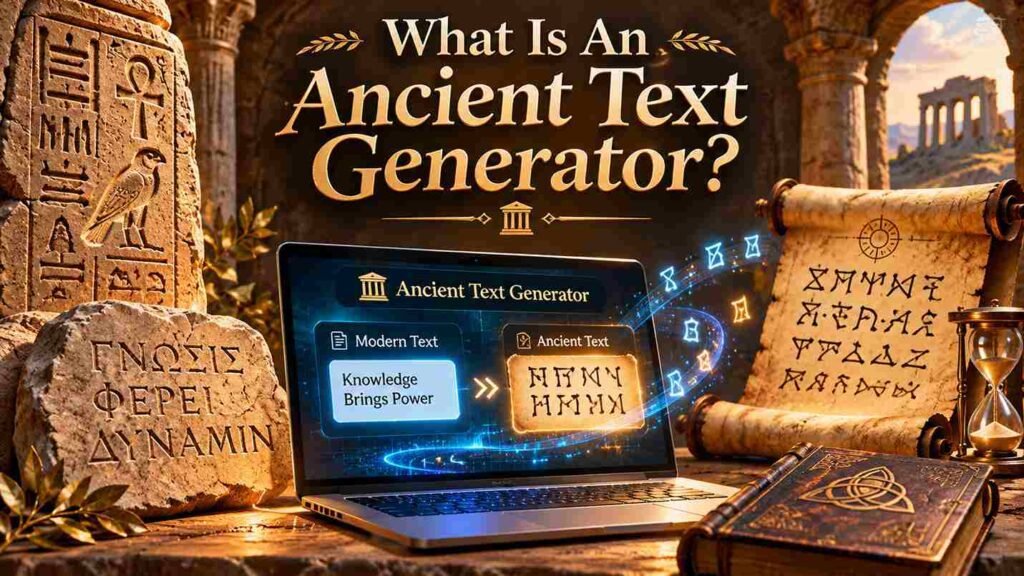
An ancient text generator reshapes ordinary writing into historic-looking Unicode, giving names, captions, or titles a stone lettering appearance without requiring installable font files. It creates decorative text, not historically verified translations of ancient languages.
Depending on the selected style, it may suggest Roman inscriptions, Egyptian scrolls, fantasy scripts, or carved marks; the result is useful for creative layouts, while its visual resemblance should not be mistaken for authentic writing.
How To Use
Enter a phrase, then compare its visual similarity across ancient-inspired options rather than assuming every result is historically authentic. Test the standardized writing system first, and keep your wording available before copying the final text result.
Choose a compact sample, such as letter A or letter H, and preview how the selected symbols sit beside punctuation. Since 26 letters cannot represent every historical script, treat outputs as decorative approximations, not translations.
Also Read: Medieval Text Generator – Copy & Paste Gothic Text
How It Works
An ancient text generator does not decipher history; it reshapes ordinary wording into a relic-style appearance. Enter the text, customize the treatment, and inspect real-time previews before deciding which version suits your design today, visually.
For a game clue, title, or fictional seal, test the result on its intended platform; supported characters may vary. Use copy one row when a specific variation is ready, then verify spacing and readability first.
Features / Why Use It
An ancient text generator can apply stone-style spacing to a heading or create a fictional artifact label without pretending to translate its message. Test font images beside copyable text before choosing your design for display.
Use grouped styles to compare Greek-inspired row options with a Roman/classical row, then paste a short result into Discord lore, profile copy, or a game setting; visual character choice matters more than antique claims alone.
Best Uses / Benefits / Use Cases
An ancient text generator helps fantasy writers shape original names and settings, while educators can introduce unfamiliar historical aesthetics through examples. Use the tool for drafts, classroom activities, and creative projects during practical design lessons.
For tattoo designs, short introductions, display cards, and fantasy bios, compare curated collections before choosing a style; real-time generation plus one-click copy helps test the look, while responsive design supports screens of different sizes equally.
Available Styles
Available styles include Old English bold for medieval-inspired titles, Roman/classical caps for formal inscriptions, and Sumerian or Ugaritic motifs for deeper historical atmosphere across logos, fantasy profiles, and themed headings or game and poster designs.
For a more reconstructed appearance, cuneiform characters can suggest tablet markings, while historical labels should stay separate from genuine translation; visual presets imitate an era rather than certify linguistic accuracy for every intended use case.
Limitations / Compatibility
Even when ancient-looking Unicode styles preview convincingly, character encoding and fonts available determine what survives copying. Compatibility varies by browser, operating system, and destination, so test the actual text before publishing on each target platform.
Because this is a styling tool, not a real ancient language translator, treat outputs as visual effects rather than verified inscriptions. copy-paste caveats matter especially for tattoos, formal branding, and text shared across older devices.
Style Vs. Translation Vs. Font Image
An ancient text generator changes presentation, not meaning: decorative text styles and copy and paste fonts can suggest an era, while translations require linguistic knowledge and historical accuracy demands source checking beyond visual resemblance alone.
Choose text to image fonts or downloadable images when exact composition matters; a custom font improves branding, but don’t translate an inscription from appearance alone; consult a verified language source before publishing historically grounded wording.
Ancient Look Picker
An ancient-looking picker should guide visual choices, not promise real language translation. Preview a short name in a picture mockup, then compare decorative Unicode rows for readability before choosing a final look for online profiles.
Try several historical scripts in the local browser, keeping plain supporting copy beside your chosen style; this makes the mood easier to judge without confusing decorative output with an authentic historical language or verified translation.
Stone Inscription Formatting
Stone inscription formatting works best when a short phrase is treated as a carved uppercase feel rather than a translation. Choose a stone lettering style, inspect spacing, and keep each line balanced before copying elsewhere.
Use stone inscription controls to compare punctuation cleanup and middle-dot spacing on phones and desktops; Greek-inspired capitals may vary by app, so inspect line breaks before copying, printing, or engraving at the intended display scale.
Related Tools
For richer projects, pair an ancient text generator with a translator when language meaning matters, or an image generator when you need illustrated inscriptions, textured stonework, and polished graphics for stories, presentations, or historical displays.
A worldbuilding toolkit can organize lore, while linguistic expertise helps verify inscriptions before publication; these tools complement decorative text rather than replacing research, especially when a design suggests a real civilization, language, or sacred tradition.
Text-To-Image Vs. Copy-And-Paste Fonts
Text-to-image tools turn ancient wording into artwork, letting creators control parchment, lighting, carved surfaces, and composition. They suit posters and branding, but the generated image usually cannot provide selectable, editable text for reuse elsewhere easily.
Copy-and-paste fonts transform phrases into Unicode characters or decorative text, preserving quick copy-paste output across bios, captions, and social media. Choose them for flexible labels; choose images when visual texture matters most in real projects.
Curated Historic Rows In One Grid
A useful ancient text generator keeps 30+ historical styles visible together, letting designers compare inscriptions in one grid before choosing a fitting look for a title, emblem, profile, or fantasy project with fewer repeated clicks.
Instead of treating decoration as proof of history, use the comparison view to inspect stone inscription effects beside other designs; visual consistency helps users choose a clear mood without claiming a literal translation at all.
Also Read: Stylish Text GeneratorBuilt For Fantasy Bios, Posters & Mythic Branding
For a guild profile, campaign poster, or invented dynasty, choose visual effects that echo old inscriptions while keeping names legible. RPG bios, fantasy maps, and profile lines gain atmosphere without requiring fabricated translations or meanings.
For mythic branding, pair Roman/classical caps with restrained spacing; a readable game title usually works better than stacking ornate marks, especially across small screens and shared graphics for quick recognition on posters and fantasy profiles.
One-Tap Copy, Private & Free
The generator should make experimentation frictionless: compare grouped looks, then use copy all rows or a copy button to move selected text into a profile, document, or design app in one step without extra setup.
Use the free online tool for unlimited experiments, but treat privacy as a separate question: avoid sensitive input, review data practices, and test in-browser copying before publishing text publicly on the platforms you use most.
Conclusion
An ancient text generator is most useful when it treats style as visual expression, not translation. For history enthusiasts, digital art creators, and storytellers, it adds historical atmosphere without claiming linguistic accuracy or verified authenticity.
Choose faux Ethiopian as a decorative label, test the cuneiform-like row on your device, and use one-click copy to transfer results; copy-paste ancient text style works best for short names, titles, and fantasy authors projects.
Is This A Real Translation Tool?
An ancient text generator changes appearance, not meaning: it cannot translate a phrase into another language or verify historical translation. Its not-a-translator guidance matters when accuracy, grammar, or cultural context must remain dependable and meaningful.
What Is An Ancient Font Generator? / What Are Ancient Fonts?
An ancient font generator turns ordinary wording into decorative text inspired by historical scripts, including runic forms, Egyptian motifs, Greek lettering, medieval styles, and Roman inscriptions; it creates a visual effect, not an authentic message.
Are These Real Downloadable Fonts? / Do I Need To Install Anything?
Ancient text generators use special Unicode characters to style text, not downloadable font files such as TTF or OTF. You can copy results without installing software; compatibility depends on the receiving app’s fonts and support.
Can I Copy And Paste The Text?
Yes, copy-paste ancient text style moves between apps as written, while fancy Unicode characters usually need no image export. Test your chosen symbols first because rendering can vary across apps and browsers on different devices.
Will It Work On Instagram, Twitter, And TikTok?
Yes, results vary by destination app: Instagram bios, Twitter posts, and TikTok profiles may render ancient-style symbols differently. Test text on your device first; obscure characters can appear as boxes instead of a cleaner style.


Pingback: Mirror Text Generator – Reverse & Flip Text Online