


Cursive Font Generator
Type or paste your text and copy beautiful cursive styles instantly.
A cursive font generator turns ordinary text into a flowing cursive script with joined-up letters, giving any username or caption a handwriting look that feels elegant and eye-catching. I often use this design tool online.
Unlike installed typefaces, this browser method relies on Unicode characters so results can travel through social media, platforms, and chat without rebuilding design. With real time previews, users can copy and paste text into apps.
Table of Contents
What Is A Cursive Font Generator?
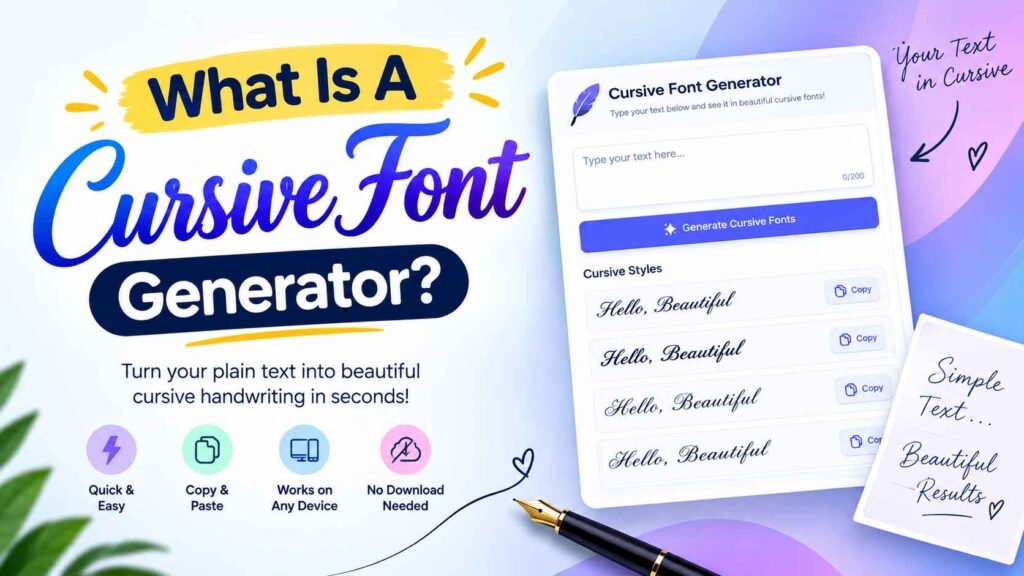
A cursive font generator converts ordinary text into beautiful cursive styles with smooth lines, giving words a more handwritten script appearance. It works instantly, letting users preview, copy, and paste decorative lettering without installing fonts.
From my testing, results balance flowing shapes with readability, especially for Instagram bios, captions, and designs. The generator offers script fonts and decorative curves that add an elegant cursive script feel while keeping text recognizable.
How To Use The Cursive Font Generator
Start by entering a word into the generator, then review live previews before choosing a flowing script. I usually test several options because spacing and character support can change the final appearance for clarity online.
Next, click on copy and place the result on any platform, whether it is a message, Instagram bio, or document. Check the pasted styled text immediately, especially on mobile, before publishing across different devices first.
Type Your Text
Begin by entering your text in the input area. Type plain text using familiar English letters, then review the options list before generating any style. This keeps your source wording clear and easy to edit.
After entering your wording, the tool creates converted text without changing your message. I usually recommend testing short and long phrases, checking the preview, then choosing paste anywhere when the finished cursive result looks right.
Also Read: Tiny Font Generator – Small Text Copy & Paste Free
Pick A Cursive Style
Choosing a cursive style works best when you judge the lettering beside your text. I use a dedicated maker to compare several examples, because changes in slant, spacing, and pressure can alter the mood quickly.
For profiles or formal work, compare a casual vibe with a more elegant look, then check the layout around it. The extra options help you explore more fonts while keeping letter connections clear visually.
Where To Use Cursive Text
Cursive text fits naturally into social media posts, especially captions and Instagram bios, where a softer visual identity can separate ordinary updates from polished profiles without requiring specialized design skills or installed fonts on devices.
Outside social platforms, I regularly see cursive perform well in personal messages, chats, and heartfelt notes; it also adds character to signatures, Word, Google Docs, and artistic projects when visual warmth matters most in practice.
Formal Invitations
For formal invitations, wedding bios and celebration bios benefit from a classy look without losing readability. I often pair pretty cursive accents with professional designs, keeping names, dates, and essential details clear across printed cards.
A subtle script works especially well for e-certificates, headers, and blog titles, while softness can make announcements warmer. Use eye-catching text sparingly, so the invitation remains polished, respectful, and easy to scan on mobile screens.
Artistic Projects
For creative projects, I often pair artistic lettering with balanced spacing rather than chasing decoration. A font style with graceful cursive letters can shape designs for journals, posters, invitations, and handmade visual pieces with refinement.
When refining design tools for a wedding, cards and event cards benefit from an elegant touch without losing readability. Calligraphy fonts also suit print styles, especially when pretty lettering must remain practical in polished work.
Also Read: Underline Font Generator – Copy & Paste Underlined Text
Personal Messages
Personal messages become more expressive when a cursive look replaces rigid plain text. In my experience, a gentle handwriting feel works well for greetings, private notes, and heartfelt updates, adding character without making communication difficult.
For Instagram bios and Facebook, I prefer short captions with restrained styling. On WhatsApp, TikTok, and Discord, testing the result after using the Copy button helps confirm that characters remain readable and consistent across messages.
On Instagram, cursive text can give a profile name or caption a creative flair without changing the message itself. I usually test readability first, then choose a lettering approach that stays recognizable across devices easily.
For posts and comments, I prefer concise cursive wording, especially when viewers scan quickly. Clear spacing matters more than decoration, because readable text helps followers understand names, captions, replies, and updates without unnecessary visual distraction.
Word & Google Docs
Word and Google Docs handle cursive text differently, so my guide starts by checking whether you need editable cursive or visual styling. Unicode text can paste easily, while an installed script typeface offers precise control.
Two approaches are practical: use generated Unicode characters for paste workflows, or choose an installed script typeface when documents need consistent editing. I recommend testing both before finalizing a polished Word or Google Docs file.
Cursive Letters A–Z
Explore cursive letters from A–Z as a practical typeface set for names, profiles, and designs. Each letter connects visually, creating a refined digital appearance while preserving readability across many places where text can be pasted.
I often test A–Z sets by comparing Unicode character coverage, spacing, and stroke balance. A good set keeps its cursive look consistent, whether viewed in a modern browser, mobile browser, or desktop without installation steps.
Font Names & Styles
Font names matter because a generator’s label signals personality before a character is copied. I compare classy fonts, sans serif, serif font, and lovely cursive fonts while checking how usernames balance personality, spacing, and readability.
Unexpectedly, my style choices are often not the most decorative. bold accents create emphasis, gothic touches borrow from Old English, while playful or cute lettering suits relaxed identities. Tattoo references can add character when restrained.
How To Choose The Right Cursive Font From The Cursive Font Generator?
Choosing the right cursive option starts with readability, not decoration. I usually compare font names side by side, checking whether the visual personality suits your message, platform, and audience before carefully selecting a final look.
For profiles, I test Instagram and Discord name visibility, then prioritize standard Unicode characters when compatibility matters. For work, I prefer bold cursive, cute cursive font, or medieval script, depending on purpose and audience.
Also Read: Mirror Text Generator
Generate Cursive Text That Pastes Anywhere
Generate copy-and-paste cursive directly in your browser, then move the result into aesthetic profiles, chats, comments, or online interactions without installing software or changing layouts, keeping each message expressive and ready for fast sharing today.
For work, I use the Copy button after testing results, because one tap can send styled lettering to TikTok videos, YouTube covers, digital planners, landing page title, and browser tabs, where compatibility matters during sharing.
Popular Cursive Font Styles
Popular styles range from heavy cursive with thick strokes and pops of personality to cute lettering with girly lettering, pretty spacing, and soft curves. I usually test contrast before choosing it for posts or usernames.
Gothic Cursive and Tattoo Cursive often lean toward blackletter, ink, and script details, while Bubble Cursive stays playful through round forms and bubbles. For logos or profiles, balance matters more than novelty when selecting style.
Cursive Copy & Paste
With copy & paste, I can move a cursive result from the generator into profiles, messages, captions, or designs while keeping the wording intact and avoiding unnecessary retyping, which makes experimentation much faster during writing.
After selecting a style, I check the clipboard before sharing, especially across browsers and social apps. Because the tool is free, copying different versions lets me compare readability, spacing, and character support quickly before posting.
Bold Cursive
Bold cursive gives flowing lettering more presence without making the design feel heavy. In my testing, subtle fonts work best for usernames, short captions, and signatures where emphasis should stay refined and readable online today.
A useful trick is pairing italic movement with cursive styles only when extra contrast is needed. This approach keeps letters expressive, while copyable Unicode characters preserve appearance across many modern social platforms with ease today.
Cute Cursive
Cute cursive works best when the goal is a softer touch rather than ornate lettering. I often recommend rounded styles for profile names, short captions, and bios because they remain readable across a social profile.
For a gentle visual effect, pair balanced letter shapes with simple spacing and restrained decoration. This approach keeps words charming while adding attention to titles, messages, or creative posts without overwhelming the reader today online.
Also Read:Discord Font Generator – Free Discord Fonts to Copy & Paste
Gothic Cursive
Gothic cursive blends traditional letterforms with dramatic handwriting movement, giving generated text a darker character while preserving the flowing rhythm associated with cursive script. I often recommend it for names, headings, and decorative branding elements.
Unlike softer styles, Gothic cursive usually relies on sharper strokes, tighter joins, and heavier contrast. When I test it across layouts, I check readability first, especially where a serious look matters more than decoration alone.
Tattoo Cursive
When planning tattoos, I usually start with the silhouette rather than decoration, because cursive tattoo font choices can change how a design reads on skin. Flowing strokes should remain clear after healing, especially around curves.
Before approving a tattoo, I test single cursive letters beside the wording and check spacing, stroke weight, and readability. This practical step helps when personal projects become permanent prints, especially where details blur over time.
Bubble Cursive
Bubble cursive works best when rounded strokes stay readable while still feeling playful. In my testing, a cursive letters generator becomes more useful when its cursive styles include balanced curves, spacing, and consistent letter shapes.
For profiles and creative layouts, bubble lettering can add a personal feel without requiring advanced calligraphy skills. I usually compare full alphabet, then keep visually interesting results for design app projects and social bios.
Conclusion
After testing many styles, I find a cursive font generator most useful when it removes friction. Copy-and-paste cursive text quickly refreshes bios, captions, documents, invitations, and personal projects, without needing an installable font where needed.
In practice, my preferred workflow is simple: enter a sentence, preview styles, then paste the result where appropriate. Unicode support keeps output flexible, while device and app compatibility determine whether characters stay readable across platforms.
What Is A Cursive Font Maker?
A cursive font maker turns typed words into connected handwriting, letting users generate decorative text without learning calligraphy skills. In my workflow, it adds a personal feel to names, captions, and layouts while keeping creation smooth.
Is The Cursive Font Maker Free?
A cursive font maker can be free when it offers no account, no limit, instant generation, and nothing to download. That model suits casual users who need stylish text without subscriptions or setup for everyday creative work online.
How Do I Copy And Paste Cursive Text?
To copy and paste cursive text, type a name or sentence, pick your preferred style, then tap the Copy button. Paste it into TikTok, Instagram, Facebook, a YouTube comment, or phone apps directly without hassle.
Will Cursive Fonts Work On Instagram, TikTok And Discord?
Cursive text usually works across Instagram, TikTok, and Discord because many generators create Unicode characters rather than installed fonts. I recommend testing each app, since character support can vary by device, browser, updates, and platform.
Are These Real Cursive Fonts?
Not exactly: these are Unicode character combinations rather than installed font files. A cursive font maker can display script-style characters, but Unicode support affects how they render on each device, app, and platform across services.


Pingback: Barbie Font Generator – Copy & Paste Barbie Text
Pingback: A in Different Fonts – Copy & Paste Stylish A